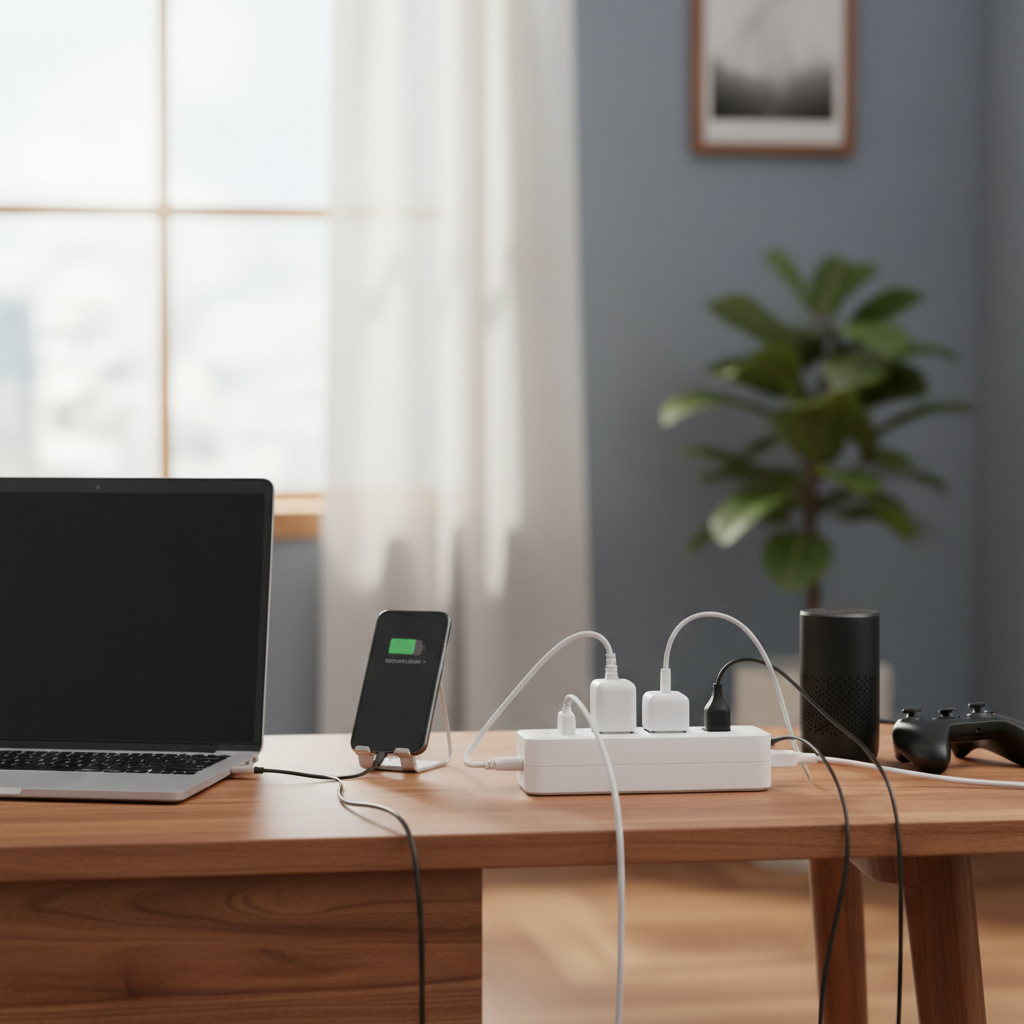
In today’s interconnected world, an abundance of electronic devices is a given, often leaving us searching for more outlets than our homes provide. This common dilemma leads many to reach for what appears to be a quick fix, usually either a power strip or a multi plug extender. While both offer a solution to your outlet woes, they are distinctly different tools designed for specific purposes, and understanding these differences is crucial for both convenience and safety. As an expert with over a decade of experience in home electrical equipment, particularly power strips, I’m here to guide you through the nuances of these essential devices. Let’s delve into their functionalities, limitations, and optimal applications, ensuring you make an informed decision for your power needs and budget.
What is a Power Strip and Why You Need It?
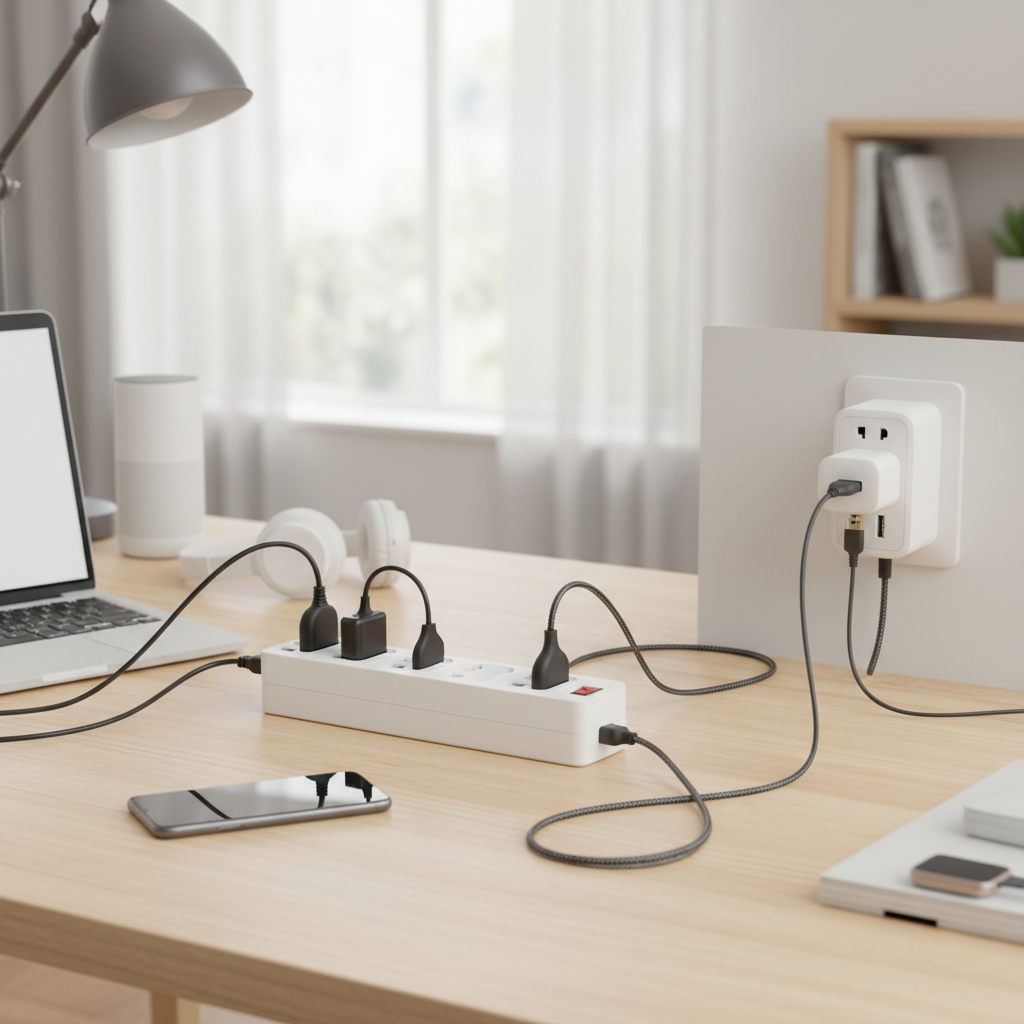
A power strip is fundamentally an electrical device designed to transform a single wall outlet into multiple usable sockets, often arranged in a linear fashion. It typically features a flexible cable that extends from the wall to a block of outlets, allowing you to connect several electronic devices simultaneously. More than just an outlet expander, many modern power strips integrate critical safety features such as surge protection to safeguard valuable electronics from voltage spikes and circuit breakers to prevent overloading. These devices are indispensable in areas where numerous appliances converge, such as home offices, entertainment centers, or workshops, providing an organized and often safer way to power computers, monitors, gaming consoles, and various chargers.
What is a Multi Plug Extender and When is it Best Used?
In contrast to a power strip, a multi plug extender—often called an outlet extender or wall plug adapter—plugs directly into an existing wall receptacle without the need for a separate cord. Its primary function is to convert one or two wall outlets into several, typically 2 to 8, charging points right at the source. These compact devices are perfect for light-duty applications, such as charging smartphones, laptops, or powering small lamps, especially in tight spaces like behind furniture, next to a bed, or in bathrooms where a corded power strip might be cumbersome or impractical. While some advanced multi plug extenders now include surge protection and USB ports, many basic models simply expand the number of outlets without offering additional safety features.
Deep Dive into Power Strip Types
Power strips come in various configurations, each tailored to different needs and environments. Understanding these types will help you select the most appropriate device for your specific requirements.
Basic Power Strip
|
Our Picks for the Best Power strip in 2026
As an Amazon Associate I earn from qualifying purchases.
|
||
| Num | Product | Action |
|---|---|---|
| 1 | 6Ft Power Strip Surge Protector - Yintar Extension Cord with 6 AC Outlets and 3 USB Ports for for Home, Office, Dorm Essentials, 1680 Joules, ETL Listed, (Black) |

|
| 2 | Power Strip Surge Protector, Olcorife Ultra Thin Flat Plug Extension Cord 5ft, 6 Outlets 3 USB Ports(1 USB C), 3 Sided Outlet Extender for Home Office Travel Dorm Room Essentials, White |
|
| 3 | Power Strip, ALESTOR Surge Protector with 12 Outlets and 4 USB Ports, 6 Feet Extension Cord (1875W/15A), 2700 Joules, ETL Listed, Black |
|
| 4 | Belkin 12-Outlet Surge Protector Power Strip w/ 12 AC Outlets & 8ft Flat Plug, UL-Listed Heavy-Duty Extension Cord for Home, Office, Travel, Computer, Laptop, Charger - 3,940 Joules of Protection |
|
| 5 | Surge Protector Power Strip - HANYCONY 8 Outlets 4 USB (2 USB C) Charging Ports, Multi Plug Outlet Extender, 5Ft Braided Extension Cord, Flat Plug Wall Mount Desk Charging Station for Home Office ETL |
|
| 6 | Anker Power Strip with 2100J Surge Protector, Outlet Extender, 5ft Extension Cord with Multiple Outlets, 12 AC, 2 USB A,1 USB C Port for 20W, Home Office, Dorm Room Essentials, TUV Listed |
|
| 7 | 6 Ft Surge Protector Power Strip - 8 Widely Outlets with 4 USB Ports, 3 Side Outlet Extender with 6 Feet Extension Cord, Flat Plug, Wall Mount, Desk USB Charging Station, ETL,White |
|
| 8 | Surge Protector Power Strip - Nuetsa Flat Plug Extension Cord with 8 Outlets and 4 USB Ports, 6 Feet Power Cord (1625W/13A), 2700 Joules, ETL Listed, Black |
|
| 9 | Wall Charger, Surge Protector, QINLIANF 5 Outlet Extender with 4 USB Charging Ports, 3-Sided 1680J Power Strip Multi Plug Adapter Spaced for Home Travel Office |
|
| 10 | KMC 6-Outlet Surge Protector Power Strip 2-Pack, 900 Joules, 4-Foot Extension Cord, Overload Protection, Black |
|
A basic power strip is the simplest form, offering multiple outlets from a single plug with an attached cord. Its main advantage is increasing the number of available sockets, extending power to devices that are within a few feet of a wall outlet. These are generally best suited for low-power devices that don’t require protection from voltage fluctuations, such as desk lamps, phone chargers, or small radios. However, they typically lack built-in safety features like surge protection or circuit breakers, making them unsuitable for sensitive or expensive electronics.
Surge Protector Power Strip
This is perhaps the most crucial distinction in the power strip family. A surge protector power strip not only provides multiple outlets but also incorporates internal components, such as Metal Oxide Varistors (MOVs), to absorb or divert excess voltage from power surges. These surges, caused by lightning strikes, grid fluctuations, or even the cycling of large appliances, can severely damage or destroy sensitive electronics. A good surge protector will have a joule rating (indicating its energy absorption capacity) and often a built-in circuit breaker to prevent overloads, making it essential for computers, TVs, gaming consoles, and other valuable gadgets. Experts recommend replacing surge protectors every three to five years, or after a significant surge, as their protective components degrade over time.
Smart Power Strip
Smart power strips elevate convenience and energy efficiency. These advanced devices often connect to a Wi-Fi network, allowing users to control individual outlets or groups of outlets remotely via a smartphone app or voice commands. Some models can detect when a primary device (like a computer) goes into standby mode and automatically cut power to peripheral devices (like monitors or speakers), reducing “vampire drain” and saving energy. They typically include surge protection and are ideal for tech-savvy users looking to optimize their home or office power management.
USB Power Strip
With the proliferation of USB-powered devices, many power strips now integrate multiple USB-A and/or USB-C charging ports alongside standard AC outlets. This feature eliminates the need for bulky wall adapters, streamlining your charging setup and freeing up AC outlets. USB power strips are incredibly convenient for charging smartphones, tablets, smartwatches, and other small electronics directly, making them a staple in bedrooms, living rooms, and travel kits.
Travel Power Strip
Designed for portability, travel power strips are compact, lightweight versions often featuring a shorter cord and a universal plug (or interchangeable adapters). They allow travelers to power multiple devices from a single hotel or airport outlet, and many include USB ports and basic surge protection. Their small footprint makes them an ideal companion for business trips or vacations, ensuring all your gadgets stay charged without taking up excessive space.
Deep Dive into Multi Plug Extender Types
While multi plug extenders share a core function of expanding wall outlets, they also come with variations that cater to different user needs and safety considerations.
Basic Wall Plug Adapter
This is the simplest form of a multi plug extender. It’s a small, direct-plug device that usually converts a single two- or three-prong wall outlet into two or three new outlets. These are primarily for convenience, offering no surge protection or circuit breaking capabilities. They are best used for very low-power applications like charging a phone or plugging in a small decorative light. Their small size makes them unobtrusive, but they should never be used for high-wattage appliances like hair dryers or heaters, as this can lead to overheating and fire hazards.
Wall Outlet Extender with USB Ports
Mirroring the evolution of power strips, many multi plug extenders now incorporate USB-A and/or USB-C charging ports. These are extremely popular for bedside tables, kitchen counters, or office desks where multiple mobile devices need to be charged without consuming precious AC outlets. They offer a neat and organized charging solution directly at the wall, reducing cable clutter.
Wall Outlet Extender with Surge Protection
For users who need outlet expansion directly at the wall with protection for sensitive devices, multi plug extenders with built-in surge protection are available. These models will typically specify a joule rating and may feature an indicator light for surge protection status. They offer a compact solution for protecting electronics like smart home hubs, modems, or media players that are typically plugged directly into a wall outlet, while also providing additional power points. Always look for UL/ETL certification on these devices to ensure they meet safety standards.
Power Strip vs. Multi Plug Extender: A Head-to-Head Comparison
Choosing between a power strip and a multi plug extender often boils down to understanding their fundamental differences in design, function, and safety. Here’s a detailed comparison to guide your decision:
| Feature | Power Strip (Typical) | Multi Plug Extender (Typical) |
|---|---|---|
| Physical Form | Block of outlets with an attached flexible cord (3-10+ feet) | Plugs directly into a wall outlet, no cord |
| Primary Function | Provides multiple outlets and extends power away from the wall | Increases outlet capacity at the wall |
| Safety Features | Often includes surge protection, circuit breaker, grounding | Basic models lack protection; some advanced models include surge protection and USB |
| Load Capacity | Generally higher; suitable for multiple moderate-power devices | Lower; ideal for low-power devices; can overheat with high-power appliances |
| Ideal Use Environment | Workstations, entertainment centers, areas needing power distribution | Tight spaces, bedside, bathroom, kitchen, travel for low-power charging |
| Cable Management | Can add to cable clutter if not managed well | Minimizes cable clutter at the floor level |
| Portability | Varies; smaller ones are travel-friendly | Highly portable due to compact, cordless design |
| Cost | Widely varied, from basic to premium with advanced features | Generally more affordable for basic models; mid-range for models with USB/surge protection |
Hướng dẫn chọn mua Power strip phù hợp (Buying Guide)
Selecting the ideal power solution requires careful consideration of your specific needs, the devices you plan to connect, and the environment in which it will be used.
Xác định nhu cầu sử dụng (Identify Your Usage Needs)
Start by assessing what you need to power.
- Number of Outlets: Count the devices you typically use in a particular area. Factor in potential future additions. Consider devices with bulky adapters; some power strips and extenders have widely spaced outlets to accommodate these.
- Type of Devices: Are you powering sensitive electronics like computers and TVs, or just charging phones and lamps? This will dictate the necessity of surge protection. High-wattage appliances (e.g., space heaters, microwaves, refrigerators) should almost always be plugged directly into a wall outlet, not a power strip or extender.
- Location: Will the device be on a desk, behind an entertainment center, or in a tight space where a cord is impractical? A multi plug extender is best when you need more outlets at the wall, while a power strip is ideal for bringing power away from the wall.
Các yếu tố kỹ thuật cần quan tâm (Technical Factors to Consider)
Once you understand your needs, evaluate the technical specifications to ensure safety and performance.
- Maximum Wattage/Amperage: Check the total power draw of all devices you plan to connect and ensure it does not exceed the power strip’s or extender’s maximum rating (e.g., 15A/1875W). Overloading can lead to overheating and fire hazards.
- Surge Protection (Joule Rating): For sensitive electronics, a surge protector is a must. Look for a high joule rating (1000+ joules is good for home office/entertainment) and a low “clamping voltage” (e.g., 330V or 400V). Ensure it is UL 1449 certified, which indicates compliance with safety standards for surge protection.
- Circuit Breaker: A built-in circuit breaker is a vital safety feature found in many power strips. It automatically trips and cuts power if the connected devices draw too much current, preventing overloads.
- Safety Certifications: Always look for recognized safety certifications like UL (Underwriters Laboratories) or ETL (Electrical Testing Laboratories). These certifications indicate that the product has been tested to meet specific safety standards.
- USB Ports: If you have many USB-powered devices, choose a power strip or extender with integrated USB-A and/or USB-C ports to simplify charging. Check the output amperage of the USB ports to ensure fast charging for your devices.
Thương hiệu và giá cả (Brand and Price)
Reputable brands often provide higher quality, better safety features, and reliable warranties.
- Reputable Brands: Brands like Belkin, Anker, Tripp Lite, APC, and CyberPower are well-known for their quality power strips and surge protectors. For multi-plug extenders, TESSAN and BN-LINK are popular.
- Price vs. Features: While basic power strips and extenders are inexpensive, investing in a quality surge protector with robust features is crucial for protecting expensive electronics. Balance your budget with the level of protection and convenience you need.
- Warranty: Check if the product comes with a connected equipment warranty, which offers financial protection for devices damaged while properly connected to their surge protector.
Đánh giá và nhận xét từ người dùng khác (User Reviews and Ratings)
Before making a final decision, always consult reviews from other users and experts. This provides real-world insights into product performance, durability, and any potential issues. Look for consistent feedback regarding reliability, ease of use, and effective protection.
Top Power Strips and Multi Plug Extenders
Based on market trends and common user needs, here are some highly-rated features to look for in top power solutions:
Top Power Strip Features
- Anker PowerExtend USB-C Strip: Often praised for its combination of multiple AC outlets, high-speed USB-C PD (Power Delivery) ports, and robust surge protection. It’s ideal for modern workstations with laptops, monitors, and numerous mobile devices.
- Belkin Surge Protector Power Strip: A perennial favorite, Belkin offers various models with excellent joule ratings, multiple AC outlets, and often includes traditional USB-A ports. Their reliability and connected equipment warranties make them a solid choice for protecting home entertainment systems and office equipment.
- Tripp Lite Protect It! Surge Protector: Known for its heavy-duty construction and high joule ratings, Tripp Lite offers industrial-grade protection suitable for more demanding home offices or workshops, often with widely spaced outlets for bulky adapters.
Top Multi Plug Extender Features
- TESSAN Multi Plug Outlet Extender with USB: These are popular for their compact, wall-hugging design that provides multiple AC outlets and several USB charging ports (including USB-C on newer models). Many models feature a 3-sided design to prevent plugs from blocking each other and some include surge protection, making them ideal for bedrooms and kitchens.
- BN-LINK Multi-Outlet Wall Plug with USB: Similar to TESSAN, BN-LINK offers compact wall adapters that expand outlet capacity and include USB ports. They are often praised for their robust build and suitability for travel, providing convenient charging without a cord.
- GE Wall Tap with USB: A straightforward and reliable option, GE offers wall tap extenders that expand two outlets into six, often with added USB charging. These are excellent for general-purpose outlet expansion where surge protection isn’t the primary concern but convenience is.
Safe Usage and Maintenance Tips
Ensuring the longevity of your power devices and, more importantly, the safety of your home, relies heavily on proper usage and maintenance.
- Avoid “Daisy Chaining”: Never plug one power strip or multi plug extender into another. This practice significantly increases the risk of overloading the circuit, which can lead to overheating, electrical fires, or damage to your devices.
- Match Indoor/Outdoor Rating: Use indoor-rated power strips and extenders only indoors. Outdoor-rated devices are built with weather-resistant insulation and housing for damp or wet conditions.
- Do Not Overload: Be mindful of the total wattage or amperage of the devices plugged into a power strip or extender. Never exceed the maximum rating specified by the manufacturer. High-power appliances like space heaters, refrigerators, or microwaves should always be plugged directly into a wall outlet.
- Proper Placement: Ensure power cords are not pinched, covered by rugs, or run under heavy furniture, as this can damage the insulation and create a fire hazard. Avoid placing power strips or extenders near sources of heat or in damp environments.
- Regular Inspection: Periodically check power strips, extenders, and their cords for any signs of damage, such as frayed wires, cracked casings, or discolored outlets. Immediately discontinue use and replace any damaged device.
- Replace Surge Protectors: The protective components (MOVs) in surge protectors degrade over time with each surge absorbed. Most experts recommend replacing surge protectors every 3-5 years, or immediately after a significant power surge, even if they appear to be functioning. Some units have an indicator light that signals when the surge protection is no longer active.
- Unplug When Not in Use: If you’re going away for an extended period, or if certain devices are not needed, unplugging them from power strips or turning off the power strip switch can prevent “vampire drain” and further reduce risk.
“Many users mistakenly believe all power strips offer protection, but a standard power strip is just an extension of outlets. The real safeguard for your electronics comes from a dedicated surge protector, which has specific components to divert harmful voltage spikes.” – John Smith, Electrical Safety Consultant
Kết luận
Navigating the world of electrical accessories can be tricky, but understanding the fundamental differences between power strips and multi plug extenders is a critical first step towards a safer and more organized living space. While a multi plug extender offers a convenient, cordless way to expand outlets directly at the wall for light-duty charging, a power strip, especially one with surge protection, provides a robust solution for managing multiple devices away from the wall, offering vital protection for your valuable electronics. Always prioritize safety certifications, match the device’s capacity to your needs, and never compromise on quality when it comes to electrical equipment. By making informed choices, you ensure not only the smooth operation of your gadgets but also the safety of your home.
Which solution best fits the evolving demands of your digital life? The answer lies in carefully assessing your specific power needs and choosing the tool designed to meet them safely and efficiently.
Câu Hỏi Thường Gặp
Can I plug a high-power appliance like a space heater into a power strip or multi plug extender?
No, it is strongly advised against plugging high-power appliances such as space heaters, microwaves, refrigerators, or hair dryers into power strips or multi plug extenders. These devices draw significant current, which can overload the power strip/extender, leading to overheating, fire hazards, and potential damage to the appliance and the electrical system. Always plug high-wattage appliances directly into a dedicated wall outlet.
How can I tell if a power strip has surge protection?
A true surge protector will typically have a specific “joule rating” listed on its packaging or directly on the unit itself. It may also have an indicator light labeled “Protected” or “Grounding.” If there’s no joule rating or any mention of surge protection, it’s likely just a basic power strip that only provides additional outlets without safeguarding against voltage spikes. Always look for safety certifications like UL 1449 for surge protective devices.
Is it safe to use a multi plug extender for an extended period?
Multi plug extenders are generally safe for continuous use with low-power devices, as long as they are not overloaded and are regularly inspected for damage. However, they are often designed for lighter loads and convenience, expanding outlets at the wall. For more permanent setups involving multiple or sensitive devices, a surge protector power strip is typically a more robust and safer long-term solution due to its built-in protective features.
What is the “joule rating” on a surge protector?
The joule rating on a surge protector indicates the amount of energy it can absorb before it fails. A higher joule rating means the surge protector can withstand larger or more frequent power surges over its lifetime. For sensitive electronics like computers and home theater systems, a joule rating of 1000 or higher is generally recommended for adequate protection. Remember that once a surge protector absorbs its rated joules, its protection diminishes, and it should be replaced.