In today’s interconnected world, where every gadget from your smart speaker to your coffee maker demands a plug, finding the right power solution is no longer just about adding more outlets. For the modern smart home, a basic power strip simply won’t cut it. You need a device that not only expands your power access but also protects your valuable electronics, integrates seamlessly with your smart ecosystem, and offers intelligent control. This comprehensive guide will illuminate the world of power strips, helping you navigate the options and select the perfect one to power and protect your connected sanctuary.
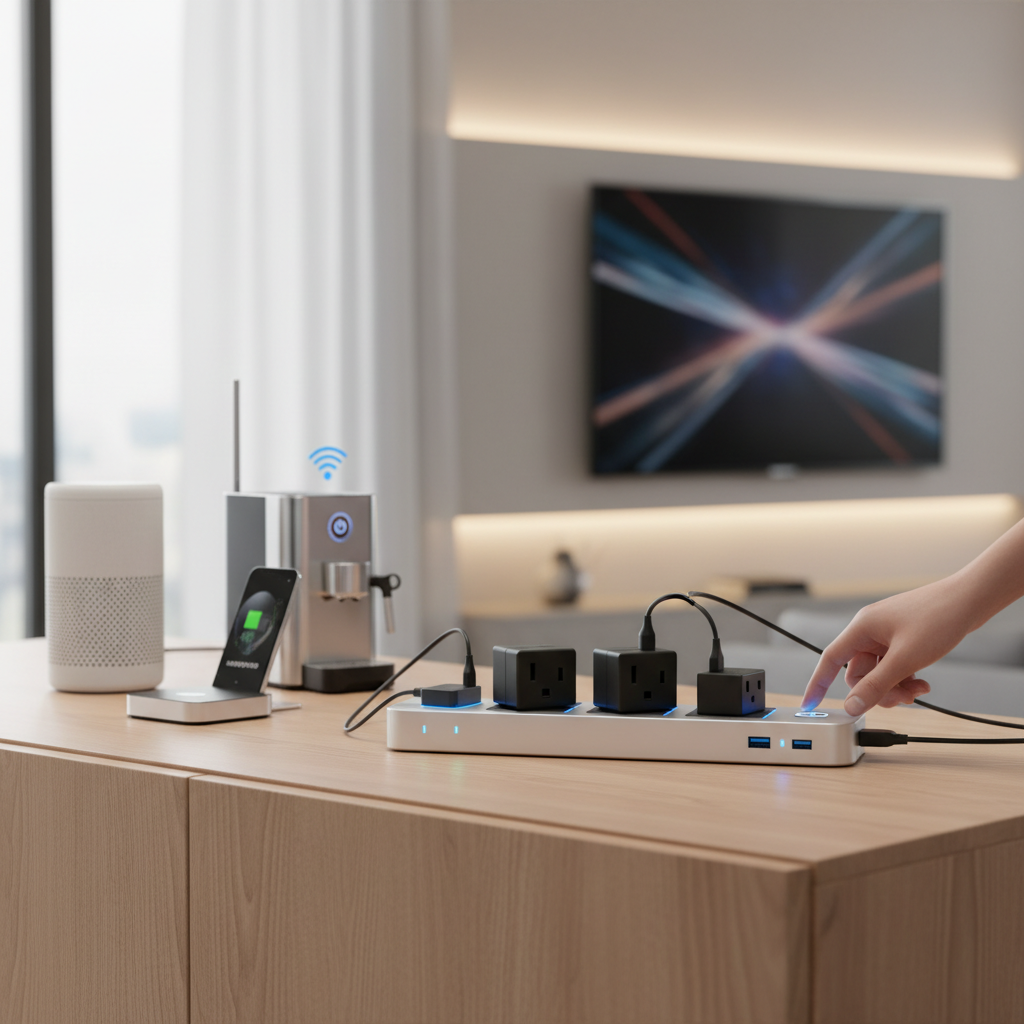
What is a Power Strip and Why Do You Need One?
A power strip, also known as an extension block, power board, or multi-outlet strip, is a block of electrical sockets attached to a flexible cable, allowing multiple electrical devices to be powered from a single wall socket. Beyond simply multiplying available outlets, power strips are crucial for managing the increasing number of devices in our homes and offices. They centralize power access, reduce cable clutter, and, in many cases, offer essential protection for your electronics.
The primary functions and benefits of a power strip include extending the reach of power, allowing you to place devices further from a wall outlet, and providing additional outlets for multiple devices. In a modern context, they are indispensable for powering a wide array of appliances, from chargers for smartphones and laptops to home entertainment systems, kitchen appliances, and, most importantly, the ever-growing ecosystem of smart home devices like smart speakers, smart lighting hubs, and security cameras. Without a well-chosen power strip, your home could quickly become a tangled mess of cables with insufficient power points.
Popular Types of Power Strips Available Today
The market offers a diverse range of power strips, each designed to meet specific needs and provide varying levels of functionality. Understanding these differences is key to making an informed choice for your home.
Basic Power Strip
The most straightforward type, a basic power strip provides multiple outlets from a single wall socket without offering any advanced features like surge protection or smart connectivity.
- Description: Typically consists of a strip with several AC outlets, a power cord, and a master on/off switch.
- Pros: Very affordable, simple to use, widely available, and effective for basic power expansion.
- Cons: Offers no protection against power surges or fluctuations, lacks intelligent features, and can be easily overloaded if not used carefully.
- Suitable Applications: Ideal for powering devices that do not require surge protection, such as lamps, basic chargers, or temporary power needs in areas where power stability is guaranteed.
|
Our Picks for the Best Power strip in 2026
As an Amazon Associate I earn from qualifying purchases.
|
||
| Num | Product | Action |
|---|---|---|
| 1 | Wall Charger, Surge Protector, QINLIANF 5 Outlet Extender with 4 USB Charging Ports, 3-Sided 1680J Power Strip Multi Plug Adapter Spaced for Home Travel Office |

|
| 2 | Belkin 12-Outlet Surge Protector Power Strip w/ 12 AC Outlets & 8ft Flat Plug, UL-Listed Heavy-Duty Extension Cord for Home, Office, Travel, Computer, Laptop, Charger - 3,940 Joules of Protection |
|
| 3 | Surge Protector Power Strip - HANYCONY 8 Outlets 4 USB (2 USB C) Charging Ports, Multi Plug Outlet Extender, 5Ft Braided Extension Cord, Flat Plug Wall Mount Desk Charging Station for Home Office ETL |
|
| 4 | 6 Ft Surge Protector Power Strip - 8 Widely Outlets with 4 USB Ports, 3 Side Outlet Extender with 6 Feet Extension Cord, Flat Plug, Wall Mount, Desk USB Charging Station, ETL,White |
|
| 5 | Surge Protector Power Strip - Nuetsa Flat Plug Extension Cord with 8 Outlets and 4 USB Ports, 6 Feet Power Cord (1625W/13A), 2700 Joules, ETL Listed, Black |
|
| 6 | Power Strip, ALESTOR Surge Protector with 12 Outlets and 4 USB Ports, 6 Feet Extension Cord (1875W/15A), 2700 Joules, ETL Listed, Black |
|
| 7 | 6Ft Power Strip Surge Protector - Yintar Extension Cord with 6 AC Outlets and 3 USB Ports for for Home, Office, Dorm Essentials, 1680 Joules, ETL Listed, (Black) |
|
| 8 | KMC 6-Outlet Surge Protector Power Strip 2-Pack, 900 Joules, 4-Foot Extension Cord, Overload Protection, Black |
|
| 9 | Anker Power Strip with 2100J Surge Protector, Outlet Extender, 5ft Extension Cord with Multiple Outlets, 12 AC, 2 USB A,1 USB C Port for 20W, Home Office, Dorm Room Essentials, TUV Listed |
|
| 10 | Power Strip Surge Protector, Olcorife Ultra Thin Flat Plug Extension Cord 5ft, 6 Outlets 3 USB Ports(1 USB C), 3 Sided Outlet Extender for Home Office Travel Dorm Room Essentials, White |
|
Surge Protector
A surge protector is a type of power strip that provides multiple outlets while also shielding connected devices from damaging electrical surges or voltage spikes.
- Description: Features internal components, like Metal Oxide Varistors (MOVs), that divert excess voltage away from sensitive electronics. They often have an indicator light to show if the surge protection is active.
- Pros: Protects valuable electronics from damage caused by power surges, which can result from lightning strikes, utility problems, or internal electrical faults. Essential for computers, TVs, and smart home hubs.
- Cons: Generally more expensive than basic power strips. The surge protection components can degrade over time, meaning they eventually need replacement without always indicating so.
- Suitable Applications: Crucial for protecting expensive and sensitive electronics like desktop computers, gaming consoles, smart TVs, sound systems, and all core smart home hubs and devices.
Smart Power Strip
Smart power strips integrate with your home’s Wi-Fi network, allowing you to control individual outlets or groups of outlets remotely via an app or voice commands.
- Description: Equipped with Wi-Fi or Bluetooth connectivity, individual outlet control, energy monitoring features, and compatibility with smart home ecosystems like Amazon Alexa, Google Assistant, or Apple HomeKit.
- Pros: Offers unparalleled convenience with remote control, scheduling, and automation. Can help save energy by powering off idle devices and provides insights into energy consumption. Enhances smart home integration.
- Cons: Higher cost than traditional power strips, requires a stable Wi-Fi connection, and setup can be slightly more complex. Some models might have limitations on current handling per smart outlet.
- Suitable Applications: Perfect for automating lighting, fans, small appliances, and any device you want to control remotely or schedule to turn on/off. Essential for a truly integrated smart home.
USB Power Strip
Many modern power strips now include USB charging ports, eliminating the need for bulky USB wall adapters.
- Description: Features standard AC outlets alongside multiple USB-A and sometimes USB-C ports for direct charging of mobile devices, tablets, and other USB-powered gadgets.
- Pros: Reduces clutter by combining AC and USB charging into one unit, freeing up AC outlets. Convenient for charging multiple devices simultaneously.
- Cons: The total power output for USB ports might be limited, and older models may lack fast-charging technologies (e.g., USB-PD).
- Suitable Applications: Excellent for bedside tables, desks, or living room areas where multiple mobile devices, smartwatches, or other USB-powered accessories need to be charged regularly.
Travel Power Strip
Compact and lightweight, travel power strips are designed for portability, offering multiple outlets and often USB ports in a small form factor.
- Description: Smaller design, often with a shorter cord or retractable plug. May include international plug adapters or universal outlets for use abroad.
- Pros: Highly portable, convenient for business trips or vacations, and helps consolidate charging for multiple devices in hotel rooms or airports.
- Cons: Typically has fewer outlets and less robust surge protection compared to home-based units. May not always include international voltage conversion.
- Suitable Applications: Indispensable for travelers who need to power and charge multiple devices on the go, making it easier to manage electronics in unfamiliar power environments.
Comparing Different Power Strip Types
Choosing the right power strip depends heavily on your specific needs, budget, and the types of devices you intend to connect. Here’s a comparative overview to help you decide:
| Feature/Type | Basic Power Strip | Surge Protector | Smart Power Strip | USB Power Strip | Travel Power Strip |
|---|---|---|---|---|---|
| Functionality | Outlet expansion | Surge protection, outlet | Remote control, automation, | AC + USB charging | Portable AC + USB charging |
| expansion | energy monitoring | ||||
| Price Range | Low | Medium | High | Medium | Medium |
| Durability | Standard | Standard (surge components degrade) | Standard (electronic components) | Standard | Often robust for travel |
| Key Benefit | Cost-effective expansion | Protects electronics | Smart home integration, | Reduces adapter clutter | Portability, multiple charging |
| energy saving | |||||
| Special Features | On/off switch | Joule rating, indicator light | Wi-Fi/Bluetooth, app control, voice assistant compatibility, individual outlet control, scheduling | USB-A, USB-C, fast charging options | Compact design, universal sockets, short cord |
| Ideal Use | Non-sensitive devices, | Computers, TVs, sensitive | Smart home devices, lights, | Desks, bedside tables, | On the go, international travel |
| temporary power | electronics | fans, automating appliances | charging multiple gadgets |
Buying Guide: How to Choose the Right Power Strip
Selecting the best power strip requires careful consideration of your unique usage patterns and the demands of your modern smart home.
Determine Your Usage Needs
Before diving into specifications, assess what you’ll be powering.
- Number of Outlets: Count the devices you need to plug in. Always allow for a few extra outlets than your current needs to accommodate future additions. Consider devices with bulky adapters that might block adjacent outlets.
- Type of Devices: Are you powering sensitive electronics like computers and smart hubs, or just lamps and chargers? This will determine if you need surge protection or smart features.
- Placement: Where will the power strip be located? A living room entertainment center might benefit from a surge protector with ample outlets, while a bedside table might need a smart strip with USB ports for charging. Look for strips with right-angle plugs or wall-mountable options for discreet placement.
Key Technical Factors to Consider
Understanding the technical specifications ensures both safety and optimal performance.
- Maximum Power Capacity (Wattage/Amperage): Check the total wattage or amperage rating of the power strip. Ensure it can handle the combined power draw of all connected devices to prevent overloading. Sum the wattage of all devices you intend to plug in and ensure it’s below the strip’s rating.
- Surge Protection (Joule Rating): If opting for a surge protector, look at its joule rating. A higher joule rating (e.g., 2000-4000 joules) indicates greater surge protection and a longer lifespan for the protection components. Also, check the clamping voltage, which should be as low as possible (e.g., 330V or 400V).
- Safety Standards: Always look for certification marks from reputable safety organizations, such as UL (Underwriters Laboratories) or ETL, ensuring the power strip meets rigorous safety standards. This is critical for preventing electrical fires and hazards.
- Cord Length: Consider the distance from your wall outlet to where you want the power strip. Choose a cord that’s long enough to avoid strain but not excessively long, which can create a tripping hazard or contribute to cable clutter.
Brands and Pricing
The market features many reputable brands offering a range of power strips at various price points.
- Reputable Brands: Companies like Anker, Belkin, TP-Link (Kasa), APC, and Amazon Basics are well-known for their quality and reliability in power solutions. Each offers different specializations, from robust surge protectors to integrated smart home devices.
- Price Comparison: Basic power strips can cost as little as $10-$20. Surge protectors typically range from $20-$50 depending on the joule rating and number of outlets. Smart power strips are the most expensive, often ranging from $30-$80 or more, given their advanced connectivity and features.
- Budget Alignment: While it’s tempting to opt for the cheapest option, investing in a slightly more expensive, high-quality power strip, especially a surge protector or smart strip, can save you significant money in the long run by protecting valuable electronics and offering enhanced convenience.
User Reviews and Expert Opinions
Don’t underestimate the power of shared experience.
- Read Reviews: Look for products with a high volume of positive reviews on reputable e-commerce sites. Pay attention to comments regarding reliability, ease of use, and actual performance over time.
- Consult Experts: Tech review sites, smart home blogs, and consumer watchdog organizations often publish detailed comparisons and recommendations. These sources can provide valuable insights into performance and reliability.
“A quality smart power strip is more than just an extension cord; it’s a critical component of a truly integrated and efficient smart home, offering both protection and unparalleled control.”
Top 3 Power Strips for Your Modern Smart Home
Given the unique demands of a smart home, where protection, connectivity, and automation are paramount, here are three highly-rated power strips that excel in their categories:
-
TP-Link Kasa Smart Wi-Fi Power Strip HS300: This is a top-tier choice for comprehensive smart home integration. It offers six individually controllable smart outlets and three always-on USB ports, providing both intelligent control and convenient charging. The HS300 also includes surge protection, with a high joule rating to safeguard your devices. It integrates seamlessly with Amazon Alexa and Google Assistant, allowing for voice control and custom scheduling. Its energy monitoring features are a bonus for those looking to optimize power consumption. The only minor drawback is its larger size, which might be a concern in very tight spaces.
-
APC Performance SurgeArrest P11VNT3: While not “smart” in the Wi-Fi sense, for sheer surge protection and reliability, APC is a gold standard. This model offers 11 outlets, including widely spaced ones for bulky adapters, and a very high joule rating for robust protection of your most valuable home theater or office equipment. It also includes protection for telephone/fax lines and coaxial cables, making it ideal for media centers. For sensitive smart hubs or entertainment systems that don’t need individual smart outlet control, this offers superior protection. The lack of smart features is its only limitation in a modern smart home context.
-
Anker Power Strip with USB C, 521 Power Strip (Cube): When space-saving and modern charging are priorities, the Anker Cube stands out. It’s a compact, cube-shaped design featuring three AC outlets and three USB ports (including one USB-C port with Power Delivery), making it perfect for desks, bedside tables, or even travel within the home. The USB-C port is particularly useful for fast-charging newer smartphones and tablets. While it offers basic surge protection, its primary appeal lies in its compact form factor and advanced USB charging capabilities, which are essential for minimizing clutter in a tech-heavy home. Its small size means fewer AC outlets, which is a trade-off.
Each of these options brings distinct advantages to a smart home, from full automation to robust protection or compact, modern charging. Your final choice will depend on which combination of features best aligns with your specific setup.
Safe Usage and Maintenance of Your Power Strip
Using power strips correctly is vital for safety, protecting your home from potential electrical hazards like fires or circuit overloads.
- Do Not Daisy-Chain: Never plug one power strip into another. This “daisy-chaining” significantly increases the risk of overloading the circuit and causing an electrical fire. Always plug power strips directly into a wall outlet.
- Avoid Overloading: Be mindful of the total wattage of devices plugged into a single power strip. If you notice the strip getting warm, or if circuit breakers trip frequently, you are likely overloading it. Always check the power strip’s maximum wattage rating and the power draw of your devices.
- Proper Placement: Place power strips in open areas where they won’t be covered by carpets, furniture, or curtains. Covering a power strip can trap heat, leading to overheating. Avoid placing them near sources of water.
- Regular Inspection: Periodically check your power strips for any signs of damage, such as frayed cords, cracked housings, or discoloration. If a surge protector’s indicator light goes out, it means its protective components have worn out and it needs to be replaced.
- Unplug When Not in Use: For devices that draw “phantom” power even when turned off, unplugging them or using a smart power strip to cut power can save energy and reduce risk.
- Use Indooors Only: Most power strips are designed for indoor use only. Avoid using them in wet environments or outdoors unless specifically rated for such conditions.
Adhering to these guidelines will ensure your power strips operate safely and efficiently, extending their lifespan and protecting your valuable electronics and home.
Conclusion
Choosing the right power strip for your modern smart home is a decision that impacts not only convenience but also the safety and longevity of your valuable electronics. From basic outlet expansion to advanced surge protection and intelligent smart home integration, the options are diverse. By understanding your specific needs—whether it’s robust protection for a home theater, remote control for smart devices, or compact charging for a desk—and considering key technical factors and reputable brands, you can make an informed choice. Investing in a quality power strip is an investment in a more organized, efficient, and secure smart home ecosystem. What essential devices are you looking to power and protect in your smart home?
Frequently Asked Questions
What is the difference between a power strip and a surge protector?
A power strip simply adds more outlets, while a surge protector also defends connected devices against power spikes and voltage fluctuations. All surge protectors are power strips, but not all power strips offer surge protection.
Can I plug high-wattage appliances into a power strip?
It is generally not recommended to plug high-wattage appliances, such as refrigerators, space heaters, or microwaves, into power strips. These devices can draw too much current, potentially overloading the strip and leading to safety hazards.
How do smart power strips save energy?
Smart power strips save energy by allowing you to individually control outlets, set schedules, and monitor energy consumption via an app. This enables you to power off devices completely when not in use, eliminating “phantom load” and reducing electricity waste.
How often should I replace my surge protector?
Surge protectors have a finite lifespan because their internal components (MOVs) degrade with each surge they absorb. It is generally recommended to replace them every 3-5 years, or immediately after a major power surge, even if the indicator light is still on.
Are all USB ports on power strips fast-charging?
No, not all USB ports on power strips offer fast-charging capabilities. Look for specifications like “Quick Charge” (QC), “Power Delivery” (PD), or specific amperage ratings (e.g., 2.4A per port) to ensure they support faster charging for your devices.
Can I use a power strip outdoors?
Most power strips are designed for indoor use and are not rated for outdoor conditions. Using an indoor power strip outdoors can pose a serious electrical hazard. Always use power strips specifically rated for outdoor use, which feature weather-resistant casings and ground fault circuit interrupter (GFCI) protection.