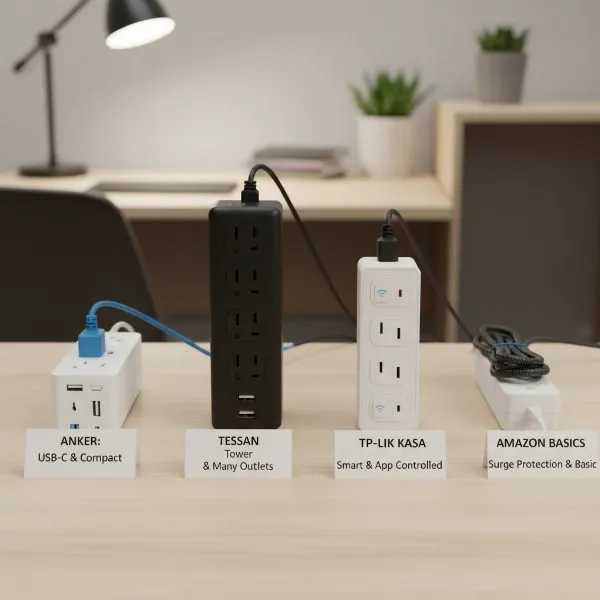
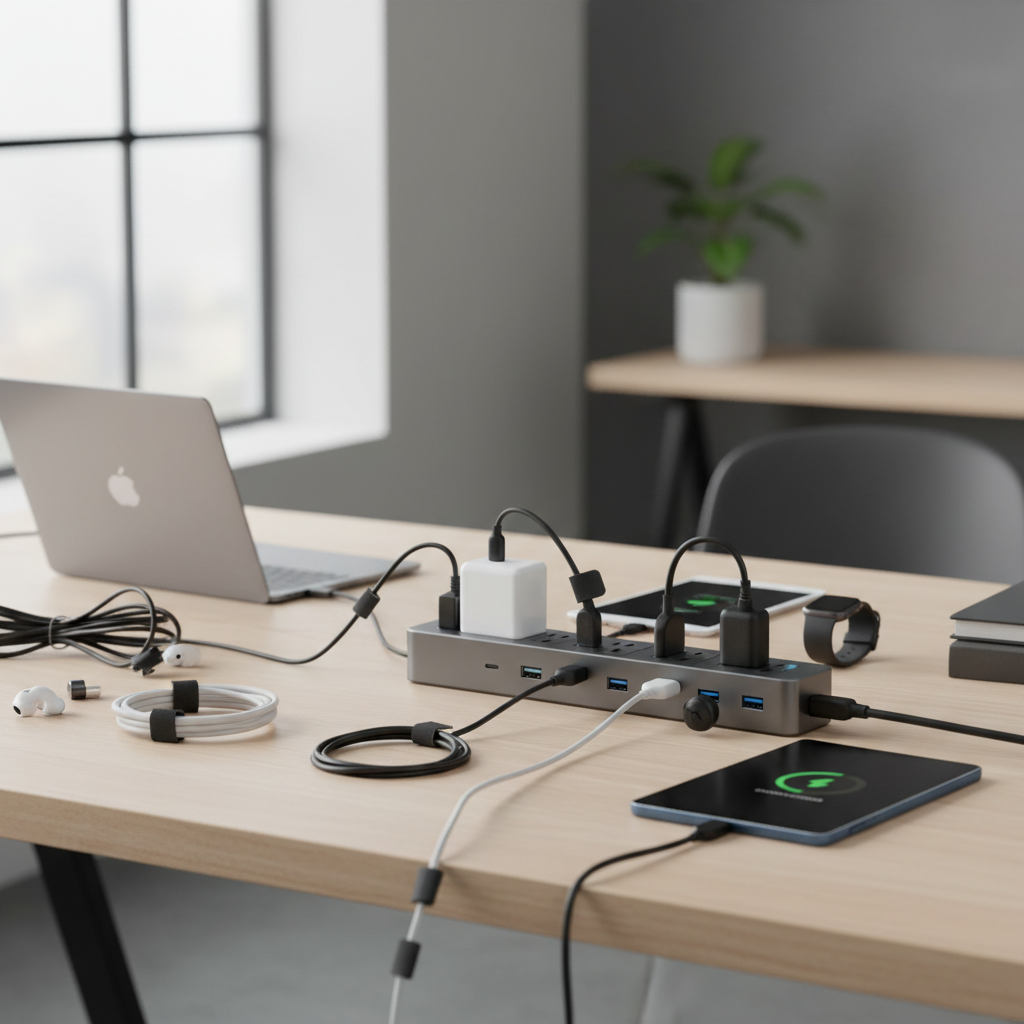
In today’s hyper-connected world, our lives revolve around an ever-growing array of electronic devices – smartphones, tablets, laptops, smartwatches, and countless other gadgets that constantly demand power. The challenge of keeping all these essential tools charged and organized can quickly turn into a tangled mess of cables and a desperate hunt for available outlets. This comprehensive guide will navigate the world of power strips, helping you understand the different types, essential features, and top recommendations to efficiently and safely power all your devices.
What is a Power Strip and Why Do You Need One?
At its core, a power strip is a block of electrical sockets that allows you to power multiple electronic devices from a single wall outlet. Often referred to simply as an extension cord with multiple receptacles, a power strip solves the common problem of limited wall outlets, expanding your ability to connect various gadgets simultaneously. It transforms one outlet into several, offering convenience and increased accessibility for your electronic ecosystem.
The primary function of a power strip is to distribute electricity, making it an indispensable tool for managing multiple devices in homes, offices, and even while traveling. From charging your phone and powering your laptop to running entertainment systems and kitchen appliances, power strips provide the necessary connection points. Without them, you’d likely face a constant struggle of unplugging and replugging devices, or worse, resorting to unsafe daisy-chaining of multiple extension cords.
Popular Types of Power Strips for Every Need
The market offers a diverse range of power strips, each designed with specific functionalities and levels of protection to cater to different user needs. Understanding these distinctions is crucial for selecting the ideal device to safeguard and power your electronics.
Basic Power Strip
A basic power strip is fundamentally an extension cord equipped with multiple outlets. Its sole purpose is to increase the number of available plug-in points from a single wall socket. These are generally the most affordable option and are best suited for devices that do not require any special protection against electrical fluctuations.
- Pros: Cost-effective, simple to use, provides multiple outlets.
- Cons: Offers no protection against power surges or spikes, may lack advanced safety features.
- Suitable Applications: Ideal for low-power devices like lamps, simple chargers, fans, or other non-sensitive appliances where convenience is the main goal.
|
Our Picks for the Best Power strip in 2026
As an Amazon Associate I earn from qualifying purchases.
|
||
| Num | Product | Action |
|---|---|---|
| 1 | Anker Power Strip with 2100J Surge Protector, Outlet Extender, 5ft Extension Cord with Multiple Outlets, 12 AC, 2 USB A,1 USB C Port for 20W, Home Office, Dorm Room Essentials, TUV Listed |

|
| 2 | 6Ft Power Strip Surge Protector - Yintar Extension Cord with 6 AC Outlets and 3 USB Ports for for Home, Office, Dorm Essentials, 1680 Joules, ETL Listed, (Black) |
|
| 3 | Surge Protector Power Strip - HANYCONY 8 Outlets 4 USB (2 USB C) Charging Ports, Multi Plug Outlet Extender, 5Ft Braided Extension Cord, Flat Plug Wall Mount Desk Charging Station for Home Office ETL |
|
| 4 | KMC 6-Outlet Surge Protector Power Strip 2-Pack, 900 Joules, 4-Foot Extension Cord, Overload Protection, Black |
|
| 5 | Wall Charger, Surge Protector, QINLIANF 5 Outlet Extender with 4 USB Charging Ports, 3-Sided 1680J Power Strip Multi Plug Adapter Spaced for Home Travel Office |
|
| 6 | Power Strip Surge Protector, Olcorife Ultra Thin Flat Plug Extension Cord 5ft, 6 Outlets 3 USB Ports(1 USB C), 3 Sided Outlet Extender for Home Office Travel Dorm Room Essentials, White |
|
| 7 | Belkin 12-Outlet Surge Protector Power Strip w/ 12 AC Outlets & 8ft Flat Plug, UL-Listed Heavy-Duty Extension Cord for Home, Office, Travel, Computer, Laptop, Charger - 3,940 Joules of Protection |
|
| 8 | Surge Protector Power Strip - Nuetsa Flat Plug Extension Cord with 8 Outlets and 4 USB Ports, 6 Feet Power Cord (1625W/13A), 2700 Joules, ETL Listed, Black |
|
| 9 | 6 Ft Surge Protector Power Strip - 8 Widely Outlets with 4 USB Ports, 3 Side Outlet Extender with 6 Feet Extension Cord, Flat Plug, Wall Mount, Desk USB Charging Station, ETL,White |
|
| 10 | Power Strip, ALESTOR Surge Protector with 12 Outlets and 4 USB Ports, 6 Feet Extension Cord (1875W/15A), 2700 Joules, ETL Listed, Black |
|
Surge Protector
Often mistaken for a basic power strip, a surge protector is a sophisticated device engineered to shield your valuable electronics from sudden and temporary increases in electrical voltage, known as power surges or spikes. These surges can be caused by various events, from lightning strikes and power outages to the cycling of large appliances within your home. Inside a surge protector are components called Metal Oxide Varistors (MOVs) or gas discharge tubes that divert excess voltage away from connected devices and into the grounding wire.
- Pros: Protects sensitive electronics from damage due to voltage spikes, often comes with a joule rating (indicating protection capacity) and status indicator lights, some offer warranties for connected equipment.
- Cons: Generally more expensive than basic power strips, MOVs degrade over time and need replacement every few years or after a major surge.
- Suitable Applications: Essential for high-value and sensitive electronics such as computers, laptops, televisions, gaming consoles, home theater systems, and other microprocessor-based devices that are vulnerable to electrical damage.
Smart Power Strip
Smart power strips are advanced versions that integrate with your smart home network, offering enhanced control, energy management, and safety features. They go beyond simply providing multiple outlets by allowing users to monitor and control plugged-in devices remotely via smartphone apps or voice commands. Many smart power strips also include features like scheduling, timers, and energy monitoring, helping to reduce “vampire” energy drain from devices in standby mode.
- Pros: Remote control and automation, scheduling, energy usage monitoring, surge protection, often compatible with smart home assistants (e.g., Alexa, Google Assistant), can extend the lifespan of electronics by cutting unnecessary power.
- Cons: Higher cost, requires Wi-Fi connectivity and app setup, potential compatibility issues with some smart home ecosystems.
- Suitable Applications: Perfect for smart homes, offices aiming for energy efficiency, controlling clusters of smart accessories, and preventing phantom power consumption from devices like TVs, game consoles, and chargers.
USB Power Strip
Designed for the modern age of portable electronics, USB power strips combine traditional AC outlets with integrated USB-A and/or USB-C ports. This allows you to charge smartphones, tablets, smartwatches, and other USB-powered devices directly without needing bulky wall adapters. Many models feature fast-charging capabilities, especially with USB-C Power Delivery (PD) ports.
- Pros: Reduces clutter from multiple USB wall adapters, offers convenient direct charging for a wide range of devices, many include fast charging, often compact.
- Cons: USB ports may share a limited total amperage, potentially slowing charging when many devices are connected simultaneously.
- Suitable Applications: Ideal for desks, nightstands, home offices, or any area where you frequently charge multiple portable electronic devices alongside standard AC-powered equipment.
Travel Power Strip
Travel power strips are specifically designed for portability and convenience on the go. They are typically compact, lightweight, and often feature flat plugs and wrap-around cords to minimize bulk in luggage. Many also come with a combination of AC outlets and USB ports, making them versatile for charging various devices in hotels, airports, or temporary workspaces. It’s crucial to note that many travel power strips are non-surge protected to comply with cruise line regulations.
- Pros: Compact and portable, multiple outlets and USB ports in a small footprint, flat plug design for tight spaces, often non-surge protected (cruise approved).
- Cons: Fewer AC outlets compared to home power strips, typically lower joule rating (if any surge protection), may require an international adapter for varied wall socket types abroad (though many are multi-voltage compatible).
- Suitable Applications: Essential for business trips, family vacations, cruise ships, hotels, dorm rooms, or any situation where limited outlets and portability are key.
Comparing Power Strip Types
To help you make an informed decision, here’s a detailed comparison of the different power strip types:
| Feature | Basic Power Strip | Surge Protector | Smart Power Strip | USB Power Strip | Travel Power Strip |
|---|---|---|---|---|---|
| Primary Function | Outlet expansion | Outlet expansion + surge protection | Outlet expansion + smart control + surge protection | Outlet expansion + USB charging | Outlet expansion (portable) |
| Surge Protection | No | Yes (often with Joules rating) | Yes (often integrated) | Varies (some have, some don’t) | Varies (often none for cruises) |
| USB Ports | No | Rarely | Often (USB-A, USB-C) | Yes (USB-A, USB-C) | Yes (USB-A, USB-C) |
| Smart Features | No | No | Yes (App/voice control, scheduling, energy monitoring) | No (unless also smart) | No (unless also smart) |
| Price | Low | Medium | High | Medium | Low to Medium |
| Durability | Basic | Good (robust components) | Good (advanced construction) | Good | Good (designed for travel) |
| Special Features | On/off switch (sometimes) | Joules rating, indicator lights, warranty | Wi-Fi connectivity, app control, individual outlet control, master-control outlets | Fast charging, varied USB types | Compact size, flat plug, wrap-around cord, multi-voltage |
| Best For | Low-power, non-sensitive devices | Expensive, sensitive electronics (computers, TVs) | Smart homes, energy saving, remote management | Multiple portable devices (phones, tablets) | On-the-go charging, cruise ships |
How to Choose the Right Power Strip (Buying Guide)
Selecting the best power strip involves more than just counting outlets. As an experienced technician, I emphasize assessing your specific needs and understanding key technical specifications to ensure safety, efficiency, and longevity.
Assess Your Usage Needs
Before diving into specifications, consider how and where you’ll use the power strip.
- Number of Outlets: How many devices do you need to plug in? Always aim for a power strip with two or three more outlets than your immediate need to accommodate future additions or unexpected requirements.
- Device Types: Will you be connecting high-power appliances (e.g., heaters, microwaves) or low-power electronics? High-wattage devices should ideally have dedicated outlets or be spread across different power sources to avoid overloading. For sensitive electronics like computers, surge protection is non-negotiable.
- Placement: Where will the power strip be located? This dictates cord length requirements, plug orientation (e.g., flat plug for behind furniture), and whether a wall-mountable or tower design is more suitable.
Technical Factors to Consider
The “guts” of a power strip determine its performance and safety.
- Maximum Wattage/Amperage: Every power strip has a maximum electrical rating (e.g., 1875W, 15A). Exceeding this limit can lead to overheating, circuit trips, or even fire. Calculate the total wattage of all devices you plan to connect and ensure it stays well within the power strip’s rated capacity.
- Surge Protection (Joules & Clamping Voltage): If protection is needed, look for a high joule rating (1000-2000+ joules for expensive devices) and a low clamping voltage (ideally 400V or less). These indicate how much energy the surge protector can absorb and at what point it begins to divert excess electricity.
- Safety Standards: Always choose power strips that meet recognized safety certifications, such as UL (Underwriters Laboratories) or ETL. These certifications confirm that the product has been tested and meets stringent safety standards.
- Cord Length and Gauge: A longer cord offers more flexibility but ensure it’s not excessively long, creating a tripping hazard. Look for cords with a lower AWG (American Wire Gauge) number, as this indicates a thicker, more robust cord (e.g., 14 AWG is better than 16 AWG).
- Outlet Spacing: Wide-spaced or rotating outlets are invaluable for accommodating bulky power adapters without blocking adjacent receptacles.
Brands and Price
Investing in a reputable brand often translates to better quality and safety. Popular and reliable brands include Anker, Belkin, TP-Link (Kasa Smart), Austere, and Bototek. Prices vary significantly based on features, number of outlets, and brand. Basic power strips can be under $15, while advanced smart or high-joule surge protectors can range from $30 to over $100. Consider your budget, but prioritize safety and functionality, especially for sensitive or expensive equipment.
User Reviews and Expert Opinions
Before finalizing your choice, read reviews from other users and consult expert evaluations. Websites like Popular Science and TechGearLab often provide in-depth testing and unbiased recommendations. Pay attention to comments regarding durability, ease of use, charging speeds, and long-term reliability.
Top 5 Best Power Strips for All Your Devices
Based on extensive research and expert recommendations, here are five outstanding power strips that cater to diverse needs, ensuring your devices are always charged and protected.
1. Austere VII Series 6-Outlet with USB-C PD
Best Overall Power Strip
The Austere VII Series stands out for its premium build quality, comprehensive features, and elegant design. It boasts six AC outlets and five USB ports (three USB-C, two USB-A), with one USB-C port delivering up to 45W of power—sufficient for charging many laptops. Its unique design places USB ports on the bottom, promoting cleaner cable management. With 4,000 joules of surge protection and a robust, braided cable, it offers superior protection and durability.
- Pros: High-quality construction, numerous USB ports (including high-wattage USB-C PD), excellent surge protection, sleek design, thoughtful cable management.
- Cons: Higher price point.
- Reason to Choose: If you prioritize top-tier performance, advanced protection, and a sophisticated aesthetic for your home office or entertainment setup, the Austere VII Series is an unmatched choice.
2. Belkin 12-Outlet Pivot-Plug Surge Protector
Best for Maximum Surge Protection and Large Adapters
For those with numerous devices, especially those with bulky power adapters, the Belkin 12-Outlet Pivot-Plug is a powerhouse. It offers an impressive 12 AC outlets, eight of which pivot 90 degrees to easily accommodate oversized plugs without obstruction. This surge protector provides a class-leading 4320 joules of surge protection, making it ideal for safeguarding your most expensive and sensitive electronics from significant voltage spikes. Belkin also typically offers a substantial connected equipment warranty.
- Pros: Abundant, well-spaced pivoting outlets, exceptional surge protection (4320 Joules), robust build, often includes a connected equipment warranty.
- Cons: Can be bulky due to its many outlets, no integrated USB ports in this specific model (though some Belkin models do).
- Reason to Choose: When your primary concern is robust surge protection for a multitude of high-value devices and you need the flexibility to plug in large adapters without hassle, this Belkin model is a top contender.
3. TP-Link Kasa Smart Plug Power Strip HS300
Best Smart Power Strip
The TP-Link Kasa Smart Plug Power Strip HS300 transforms your ordinary devices into smart ones. Each of its six AC outlets can be controlled independently via the Kasa app, Amazon Alexa, or Google Home. This allows for remote control, scheduling, and automation of connected devices, making it a central component of a smart home ecosystem. It also includes three USB-A ports for charging smaller electronics and offers surge protection.
- Pros: Individual smart control for each AC outlet, seamless integration with smart home platforms, scheduling and automation features, includes USB-A ports, surge protection.
- Cons: Lacks USB-C ports, requires Wi-Fi and app setup.
- Reason to Choose: If you’re looking to integrate your power management into a smart home system, reduce phantom power, and gain complete control over your connected devices with ease, the Kasa HS300 is an excellent solution.
4. Anker Nano Charging Station
Best Travel-Friendly Power Strip
For the frequent traveler, the Anker Nano Charging Station offers an unbeatable combination of compact size and versatile charging capabilities. Its ultra-thin, flat design makes it incredibly easy to pack without adding bulk to your carry-on. Despite its small footprint, it provides two AC outlets, two USB-C ports (one with 67W Power Delivery), and two USB-A ports, allowing you to charge up to six devices simultaneously. It’s often cruise-approved due to its non-surge protected design, which is a requirement for many cruise lines.
- Pros: Extremely compact and portable, flat plug and slim cable for tight spaces, high-wattage USB-C PD port, multi-device charging (6 devices), typically cruise-approved.
- Cons: Only two AC outlets, total USB output power is shared.
- Reason to Choose: This Anker Nano is the ideal companion for anyone who needs a powerful yet incredibly portable charging solution for travel, hotel rooms, or limited outlet environments.
5. Anker 20W USB-C Power Strip
Best Budget USB Power Strip
The Anker 20W USB-C Power Strip offers exceptional value, combining essential features at an accessible price point. For under $15, you get a compact power strip with three AC outlets, two USB-A ports, and one USB-C port that delivers 20W fast charging. Its cubic shape is designed to accommodate larger plugs without blocking adjacent outlets. While it lacks dedicated surge protection, Anker includes a seven-point safety system to prevent common issues like overloading and short-circuiting, backed by an 18-month warranty and connected equipment reimbursement.
- Pros: Very affordable, compact cubic design, includes fast-charging USB-C, multiple USB-A ports, robust internal safety features, manufacturer warranty.
- Cons: No dedicated surge protection (only overload protection), fewer AC outlets than larger models.
- Reason to Choose: If you need a reliable, compact, and budget-friendly power strip primarily for charging phones and tablets alongside a few AC devices, the Anker 20W USB-C Power Strip provides excellent value and essential safety features.
Safe Use and Maintenance of Power Strips
Even the best power strip requires proper usage and maintenance to ensure safety and prolong its lifespan. Neglecting these practices can lead to electrical hazards, damaged devices, or premature failure of the strip.
Proper Usage
- Avoid Overloading: Never exceed the power strip’s maximum wattage or amperage rating. High-wattage appliances like space heaters, microwaves, refrigerators, or hair dryers should generally be plugged directly into a wall outlet or a heavy-duty surge protector designed for such loads. Overloading is a leading cause of overheating and potential fires.
- No Daisy-Chaining: Do not plug one power strip into another. This practice, known as “daisy-chaining,” significantly increases the risk of overloading circuits and fire.
- Plug in Completely: Ensure all plugs are fully inserted into the outlets. Loose connections can generate heat and pose a fire risk.
- Unplug When Not in Use (for basic strips): While most modern power strips and devices draw minimal “vampire” power when off, completely unplugging them from the wall is the only way to ensure zero electricity consumption and absolute safety. For smart power strips, utilizing their scheduling features can achieve similar energy savings without manual unplugging.
Care and Maintenance
- Regular Inspection: Periodically check your power strips for signs of wear and tear, such as frayed cords, loose outlets, discolored housing, or burn marks. Any damage indicates a need for immediate replacement.
- Keep Clean and Dry: Dust and dirt buildup can impede performance and create a fire hazard. Regularly clean the area around the power strip and ensure it’s not exposed to moisture. Always unplug the strip before cleaning.
- Replace Surge Protectors: Surge protectors degrade over time as they absorb electrical surges, even small daily “micro-surges”. Most experts recommend replacing surge protectors every three to five years, or immediately after a significant power surge, especially if its “protection active” indicator light goes out.
“Understanding the difference between a power strip and a surge protector is the first step toward properly protecting your valuable electronics. A power strip offers convenience, while a surge protector adds a vital layer of defense against electrical damage.” – Anker
Conclusion
Navigating the world of power strips doesn’t have to be a complex task. By understanding the distinct types—from basic models to advanced smart and surge-protected options—and considering your specific charging needs, you can easily find the perfect solution to power all your devices safely and efficiently. Whether you need robust protection for sensitive electronics, smart control for your home, or a compact companion for travel, there’s a power strip designed for you. Prioritize safety, consider key technical specifications, and choose a reputable brand to ensure a clutter-free, powered, and protected digital lifestyle.
What kind of power strip upgrade will you make to streamline your charging experience today?
Frequently Asked Questions
What is the primary difference between a power strip and a surge protector?
A power strip merely expands the number of available electrical outlets. A surge protector does the same but also includes internal components, like Metal Oxide Varistors (MOVs), to divert excess voltage away from connected devices, protecting them from power surges and spikes.
How do I know if a power strip has surge protection?
Look for a joule rating on the packaging or the device itself, usually ranging from hundreds to thousands of joules. Many surge protectors also feature an LED indicator light labeled “Protected” or “Grounded” to show that the surge protection circuitry is active.
Can I plug high-wattage appliances into a power strip?
It is generally not recommended to plug high-wattage appliances (e.g., space heaters, air conditioners, microwaves, refrigerators, hair dryers) into a power strip, especially a basic one, as this can easily overload the strip and lead to overheating or fire. These devices should ideally use a dedicated wall outlet.
Do power strips with USB ports charge devices faster?
USB ports on power strips can offer fast charging, especially those with USB-C Power Delivery (PD). However, the charging speed depends on the power output (watts/amps) of the specific USB port and the device’s charging capabilities. Multiple devices sharing USB ports may sometimes result in slower charging speeds for individual devices.
How often should I replace my surge protector?
Surge protectors wear out over time as their internal components degrade with each surge absorbed. Experts generally recommend replacing surge protectors every three to five years, or immediately after a major power surge, to ensure continuous and effective protection for your electronics.
Is it safe to leave a power strip plugged in all the time?
Leaving a power strip plugged in is generally safe as long as it’s not overloaded and is functioning correctly. However, even when turned off, some devices can draw a small amount of “vampire” power. For complete power cut-off and maximum energy savings, unplugging it or using a smart power strip with scheduling can be beneficial.
Can I use a travel power strip internationally?
Many travel power strips are designed with multi-voltage compatibility (e.g., 100-240V), making them suitable for international use. However, you will still likely need physical plug adapters to fit the power strip’s prongs into different wall socket types in various countries. Always check the product’s specifications for voltage compatibility.