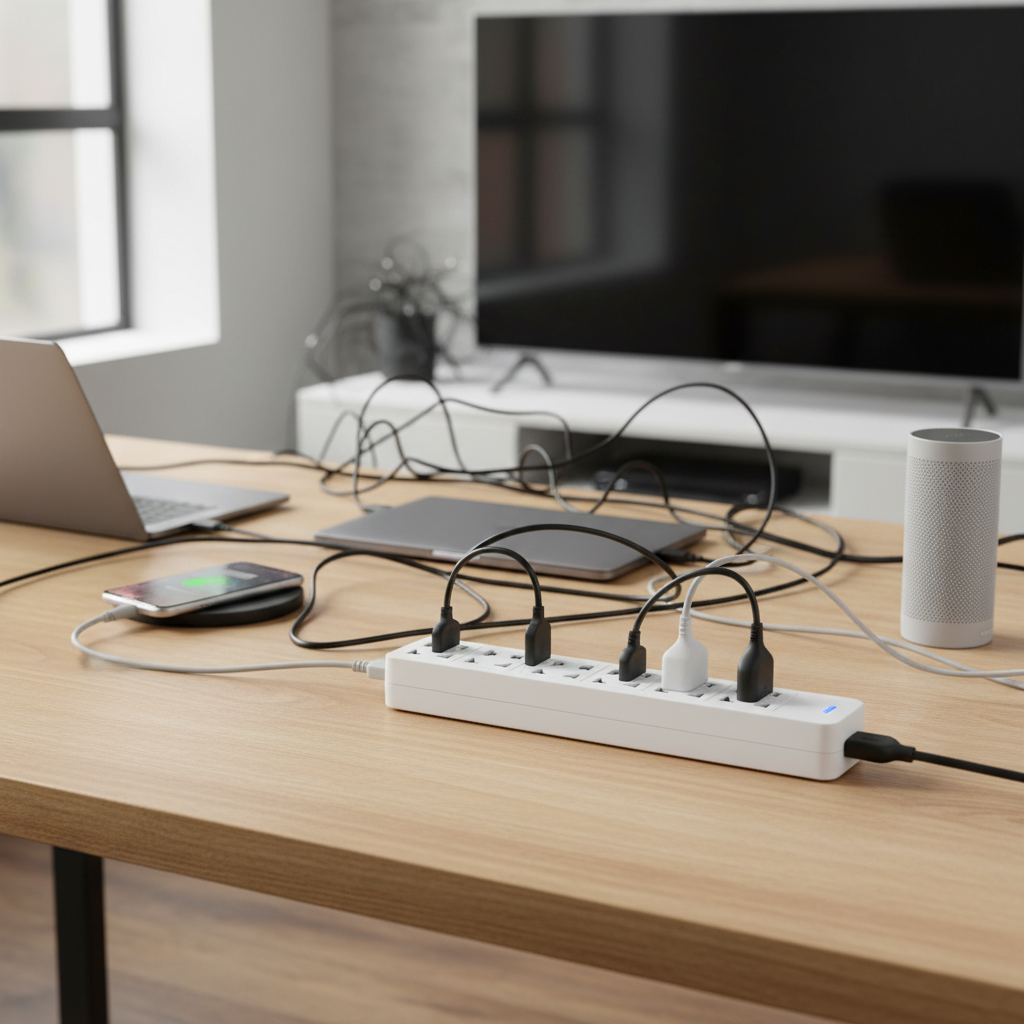
Are you constantly battling a jungle of cords and a scarcity of available outlets in your home? In today’s device-driven world, finding enough power sources for our smartphones, laptops, smart home gadgets, and entertainment systems can feel like an endless quest. A reliable power strip is more than just a convenience; it’s a necessity for efficiently managing your devices and safeguarding them from electrical mishaps. But with countless options on the market, how do you navigate the choices to find the perfect power strip that truly fits your needs and budget? Let’s unravel the world of power strips together, ensuring you power your home safely and smartly.
What is a Power Strip and Why Do You Need One?
At its core, a power strip, also known as a multi-outlet socket or relocatable power tap, is a device that provides multiple electrical outlets from a single wall receptacle. Think of it as an expansion hub for your electricity, allowing you to connect several electronic devices simultaneously where only one wall outlet might exist. This simple yet effective tool solves the common problem of limited wall outlets, creating a centralized spot to power all your gadgets.
The primary function of a power strip is to distribute AC power to various electrical devices. This is incredibly beneficial for modern homes, offices, and even workshops, where we rely on a growing number of electronics. Common devices connected to power strips include computers, monitors, printers, HDTVs, audio/video equipment, network hardware, gaming consoles, cell phone chargers, and lamps. Beyond merely offering more plugs, many power strips integrate critical safety features like circuit breakers and surge protection, which are essential for preventing damage from power fluctuations and ensuring a safer electrical environment.
Popular Types of Power Strips on the Market
The world of power strips is more diverse than you might imagine, with various types designed to cater to specific needs. Understanding these distinctions is crucial for making an informed choice.
Basic Power Strip
A basic power strip is the simplest form, offering multiple outlets without advanced features or protection systems. These are essentially glorified extension cords with several receptacles.
- Pros: Generally inexpensive, provides additional outlets, good for temporary use with low-demand devices.
- Cons: No surge protection, no overload protection, not suitable for sensitive electronics or high-power appliances.
- Suitable Applications: Powering lamps, phone chargers (without fast-charging needs), or other non-sensitive, low-wattage devices for short periods.
|
Our Picks for the Best Power strip in 2026
As an Amazon Associate I earn from qualifying purchases.
|
||
| Num | Product | Action |
|---|---|---|
| 1 | Belkin 12-Outlet Surge Protector Power Strip w/ 12 AC Outlets & 8ft Flat Plug, UL-Listed Heavy-Duty Extension Cord for Home, Office, Travel, Computer, Laptop, Charger - 3,940 Joules of Protection |

|
| 2 | Surge Protector Power Strip - HANYCONY 8 Outlets 4 USB (2 USB C) Charging Ports, Multi Plug Outlet Extender, 5Ft Braided Extension Cord, Flat Plug Wall Mount Desk Charging Station for Home Office ETL |
|
| 3 | Wall Charger, Surge Protector, QINLIANF 5 Outlet Extender with 4 USB Charging Ports, 3-Sided 1680J Power Strip Multi Plug Adapter Spaced for Home Travel Office |
|
| 4 | Power Strip Surge Protector, Olcorife Ultra Thin Flat Plug Extension Cord 5ft, 6 Outlets 3 USB Ports(1 USB C), 3 Sided Outlet Extender for Home Office Travel Dorm Room Essentials, White |
|
| 5 | 6Ft Power Strip Surge Protector - Yintar Extension Cord with 6 AC Outlets and 3 USB Ports for for Home, Office, Dorm Essentials, 1680 Joules, ETL Listed, (Black) |
|
| 6 | Surge Protector Power Strip - Nuetsa Flat Plug Extension Cord with 8 Outlets and 4 USB Ports, 6 Feet Power Cord (1625W/13A), 2700 Joules, ETL Listed, Black |
|
| 7 | Anker Power Strip with 2100J Surge Protector, Outlet Extender, 5ft Extension Cord with Multiple Outlets, 12 AC, 2 USB A,1 USB C Port for 20W, Home Office, Dorm Room Essentials, TUV Listed |
|
| 8 | Power Strip, ALESTOR Surge Protector with 12 Outlets and 4 USB Ports, 6 Feet Extension Cord (1875W/15A), 2700 Joules, ETL Listed, Black |
|
| 9 | KMC 6-Outlet Surge Protector Power Strip 2-Pack, 900 Joules, 4-Foot Extension Cord, Overload Protection, Black |
|
| 10 | 6 Ft Surge Protector Power Strip - 8 Widely Outlets with 4 USB Ports, 3 Side Outlet Extender with 6 Feet Extension Cord, Flat Plug, Wall Mount, Desk USB Charging Station, ETL,White |
|
Surge Protector Power Strip
This type of power strip includes internal circuitry designed to protect your connected devices from sudden voltage spikes, or “surges”. Surges can be caused by lightning strikes, power outages, or fluctuations in the electrical grid, and they can severely damage or destroy sensitive electronics like computers, TVs, and gaming consoles.
- Pros: Essential protection for valuable and sensitive electronics, often includes indicator lights for active protection.
- Cons: Typically more expensive than basic power strips; surge protection components degrade over time and may need replacement.
- Suitable Applications: Protecting computers, home entertainment systems, smart home hubs, and other expensive or delicate electronic equipment. Look for a UL 1449 certification and a Joule rating (higher is generally better, e.g., 2000+ Joules).
Smart Power Strip
Smart power strips bring connectivity and intelligence to power management. These strips can be controlled remotely via smartphone apps, offer scheduling capabilities, and sometimes provide energy monitoring features.
- Pros: Convenient remote control, energy efficiency through scheduled power cycling, ability to monitor individual outlet usage.
- Cons: Higher cost, requires Wi-Fi connectivity, potential compatibility issues with some smart home ecosystems.
- Suitable Applications: Smart homes, home offices where devices need to be managed remotely, or for reducing “vampire” power draw from devices in standby.
USB Power Strip
Many modern power strips now integrate USB charging ports (USB-A and often USB-C) alongside traditional AC outlets. This eliminates the need for bulky wall adapters for charging smartphones, tablets, and other USB-powered devices.
- Pros: Reduces clutter, frees up AC outlets, convenient for charging multiple mobile devices simultaneously, many offer fast charging capabilities.
- Cons: USB ports might not support the fastest charging standards on all devices, and the total USB output power can be limited.
- Suitable Applications: Desktops, bedside tables, or any area where you frequently charge multiple mobile devices.
Travel Power Strip
Designed with portability in mind, travel power strips are compact and lightweight, often featuring universal outlets and multiple USB ports to accommodate various devices while on the go.
- Pros: Small form factor, easy to pack, ideal for hotels or conference rooms with limited outlets, sometimes includes international plug adapters.
- Cons: Fewer AC outlets than standard strips, may not have robust surge protection.
- Suitable Applications: Business travelers, students, or anyone who frequently needs to power multiple devices in different locations.
Comparing Different Power Strip Types
To help you visualize the differences, here’s a quick comparison of the most common power strip types:
| Feature | Basic Power Strip | Surge Protector Power Strip | Smart Power Strip | USB Power Strip | Travel Power Strip |
|---|---|---|---|---|---|
| Primary Function | Outlet Expansion | Device Protection | Remote Control, Automation | Device Charging | Portability |
| Surge Protection | No | Yes (Joules rated) | Often Yes | Often Yes | Variable, usually minimal |
| USB Ports | Rarely | Sometimes | Often | Always | Always |
| Connectivity | None | None | Wi-Fi/Bluetooth | None | None |
| Price Range | Low | Medium-High | High | Medium | Medium |
| Ideal Use | Non-sensitive, low-power devices | Sensitive electronics, home office | Smart homes, energy saving | Charging mobile devices | On-the-go, temporary setups |
Your Ultimate Buying Guide: How to Choose the Right Power Strip
Choosing the right power strip is about more than just counting outlets. It requires a thoughtful assessment of your specific needs and a close look at the strip’s technical specifications and safety features.
Determine Your Usage Needs
Before you even start looking at models, consider where and how you’ll be using your power strip.
- Number of Outlets Needed: Count the devices you plan to plug in, and then add a few extra for future expansion. Remember that bulky “wall wart” adapters can block adjacent outlets, so look for strips with widely spaced outlets or rotating plugs if you have many such devices.
- Type of Devices: Are you powering low-demand electronics like lamps and chargers, or high-power appliances such as microwaves, space heaters, or mini-fridges? Power strips are generally designed for low-power electronics. Using them with high-wattage appliances can lead to dangerous overloads and even fires.
- Placement: Where will the power strip be located? This will influence the required cord length and whether you need features like a flat plug to fit behind furniture or mounting holes for wall installation. Some strips come in a vertical “tower” design, which can be great for saving space on a desk.
Essential Technical Factors
The technical specifications are paramount for safety and performance.
- Maximum Wattage/Amperage (Electrical Rating): Every power strip has a maximum electrical rating (e.g., 15 amps, 1875 watts). Calculate the total wattage of all devices you intend to connect. Ensure the power strip’s rating comfortably exceeds this total to prevent overheating or circuit trips.
- Surge Protection: If you’re connecting sensitive electronics, surge protection is non-negotiable. Look for a strip with a high Joule rating (e.g., 2000 Joules or more). Also, check the suppressed voltage rating; a lower number (like 330V) indicates better protection.
- Safety Standards and Certifications: Always prioritize power strips that are certified by reputable safety organizations like UL (Underwriters Laboratories). A UL 1363 listing indicates it’s a relocatable power tap, while UL 1449 is for surge protective devices. Other crucial safety features include an integrated circuit breaker that trips to prevent overloads, flame-retardant materials to reduce fire risk, individual switches for each outlet to save energy, and child protection covers.
Brand Reputation and Cost
While it might be tempting to opt for the cheapest option, investing in a reputable brand often pays off in terms of safety and durability.
- Reputable Brands: Brands like Anker, Belkin, Tripp Lite, KMC, and Monoprice are often recommended for their quality and reliability.
- Price and Value: Basic power strips are inexpensive, but adding features like surge protection, USB ports, or smart capabilities will increase the price. Consider the cost of replacing damaged electronics versus the extra expense of a protective power strip. A warranty can also provide peace of mind.
User Reviews and Expert Opinions
Before making a final decision, take advantage of the experiences of other users and experts. Reading reviews can offer insights into a product’s real-world performance, durability, and any potential quirks. Look for consistent feedback regarding reliability, customer service, and how well the strip stands up to daily use.
Top 3 Power Strips for Your Home
Based on robust features, user satisfaction, and overall value, here are a few top picks that stand out for home use:
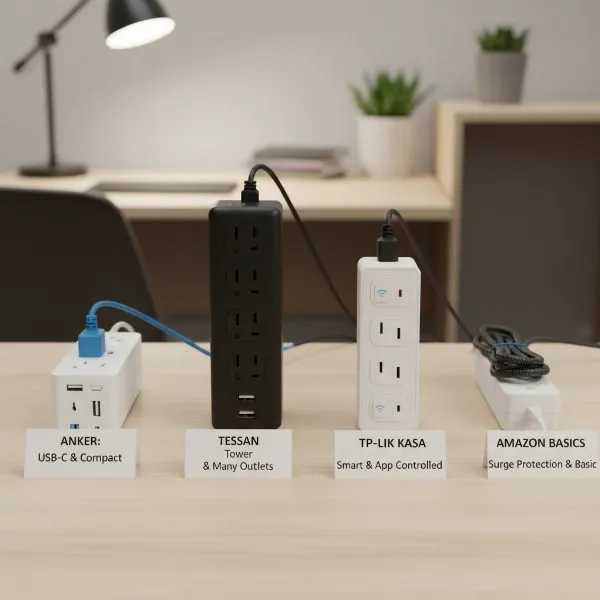
- Anker 351 Power Strip Surge Protector: Anker is known for its quality electronics, and this surge protector is a favorite for home workspaces and entertainment centers. It typically offers a generous number of AC outlets (often 12 or more) alongside USB-A and USB-C ports, often with fast-charging capabilities. Its flat plug design is convenient for tight spaces, and it provides a strong Joule rating for surge protection. This model balances plentiful outlets with solid protection and a reasonable price point.
- Belkin 12-Outlet Pivot-Plug Surge Protector: For those needing maximum surge protection and flexibility, Belkin’s pivot-plug models are excellent. With a high Joule rating (some models exceed 3,900 Joules) and widely spaced, rotating outlets, it accommodates bulky adapters without blocking other plugs. It’s a robust choice for safeguarding an entire home office or a sensitive entertainment system.
- Tessan Flat Plug Extension Cord Power Strip with USB: If a compact and versatile strip is what you need, particularly for travel or small spaces, the Tessan flat plug strip is highly regarded. Its flat plug and slim design make it discreet and travel-friendly. It typically offers a good balance of AC outlets and USB ports, making it suitable for a bedside table or a mobile workspace where multiple devices need charging without clutter.
Safe Usage and Maintenance of Your Power Strip
A power strip is a powerful tool, but like any electrical device, it must be used correctly to ensure safety and longevity.
- Plug Directly into a Wall Outlet: Always plug your power strip directly into a permanent wall outlet. Never “daisy-chain” power strips—that is, plug one into another—or connect a power strip to an extension cord. This practice can easily overload circuits and create a significant fire hazard.
- Avoid Overloading: Power strips have capacity limits. Only plug in low-voltage electronics like lamps, chargers, and computers. Avoid connecting high-power appliances such as space heaters, microwaves, toasters, refrigerators, or hair dryers, as these can draw too much current and cause overheating or tripped breakers. If the power strip feels hot to the touch or makes buzzing sounds, it may be overloaded.
- Keep it Dry and Uncovered: Electrical devices and water are a dangerous combination. Always keep your power strip away from sinks, bathtubs, or any moist areas. Also, ensure proper air circulation by not covering the power strip with carpets, rugs, or furniture. Running cords under carpets is a major fire hazard as it can damage insulation and hide warning signs.
- Regular Inspection and Care: Routinely inspect your power strip and its cord for any signs of damage, such as frayed wires, cracks, or discoloration. If a power strip is damaged, replace it immediately. When unplugging devices, always pull the plug itself, not the cord, to prevent internal damage. Mounting power strips securely in a safe location can prevent physical damage from being stepped on or knocked around.
“Choosing the right power strip is a small decision with significant implications for your home’s safety and your devices’ longevity. Always prioritize safety features and match the strip to your actual electrical load.” – Dr. Eleanor Vance, Electrical Safety Consultant
Conclusion
Navigating the array of power strips available might seem daunting, but by understanding your needs and the key features, you can confidently choose the ideal solution for your home. From basic models to advanced surge protectors and smart strips, each type serves a unique purpose in our increasingly connected lives. Remember to prioritize safety features like circuit breakers and UL certifications, match the power strip’s capacity to your devices’ demands, and always adhere to safe usage practices. Investing in the right power strip not only provides convenience but also offers vital protection for your valuable electronics. So, what power strip will power your home’s future?