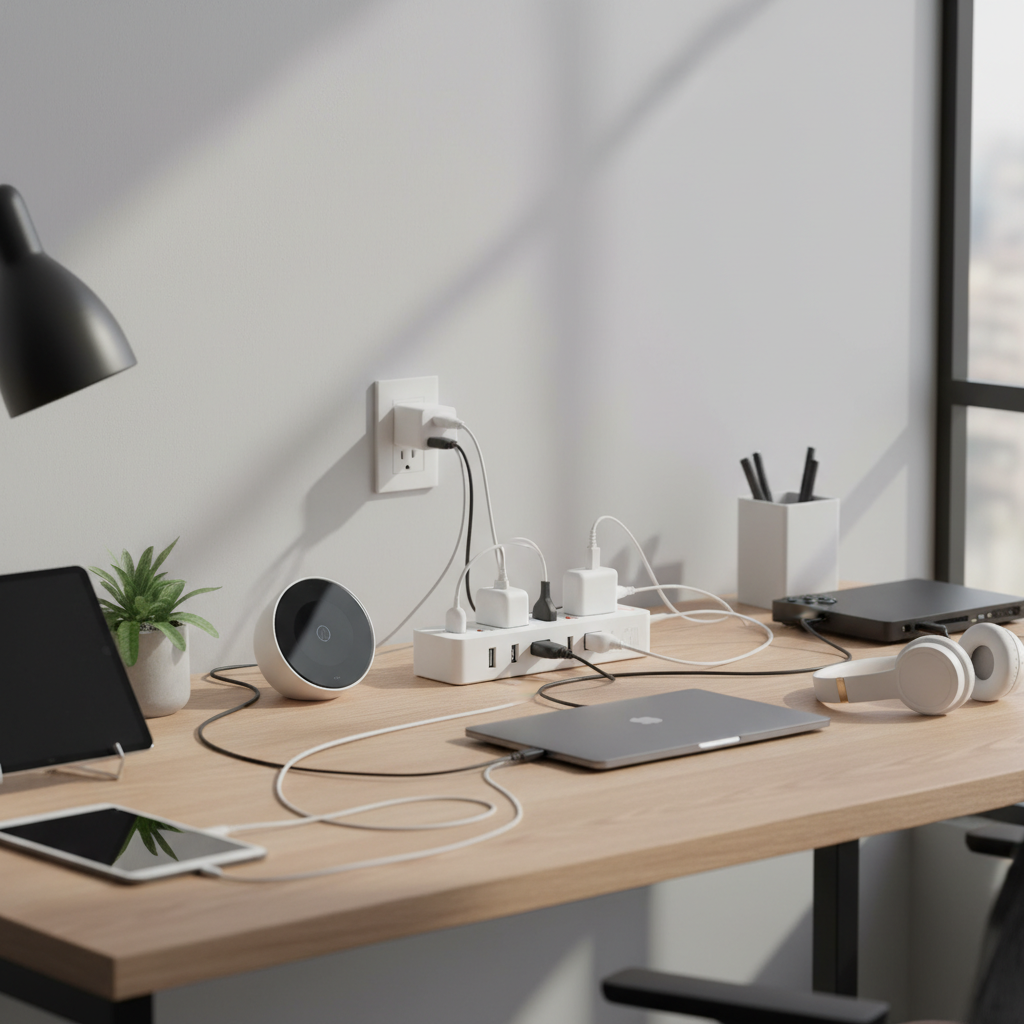
Creating the ultimate entertainment center involves more than just a great TV and sound system; it requires smart power management to safeguard your valuable electronics and keep everything running smoothly. With an array of devices—from gaming consoles and streaming boxes to soundbars and smart assistants—all vying for an outlet, choosing the right power strip is critical. This guide will walk you through the world of power strips, focusing on what truly matters for your entertainment setup, helping you make an informed decision to protect your investment and enhance your experience.
What is a Power Strip and Why Your Entertainment Center Needs One?
At its most basic, a power strip is an electrical device that provides multiple outlets from a single wall receptacle, effectively expanding your ability to plug in various devices. However, for a sophisticated setup like an entertainment center, a basic power strip falls short. What you truly need is a surge protector power strip, a crucial distinction for safeguarding sensitive electronics. A surge protector not only offers additional outlets but, more importantly, provides a defense against unexpected voltage spikes—power surges—that can damage or destroy your expensive equipment. These surges can be caused by anything from lightning strikes to fluctuations in the utility grid, making robust protection an invaluable asset.
For entertainment centers, typical devices connected include televisions, gaming consoles (PlayStation, Xbox, Nintendo Switch), soundbars, AV receivers, Blu-ray players, streaming devices (Apple TV, Roku, Fire Stick), subwoofers, smart hubs, and charging docks for controllers or remotes. Each of these components represents a significant investment, and a power surge could render them useless, highlighting why proper protection is non-negotiable.
Types of Power Strips for Your Entertainment Hub
Understanding the different types of power strips available helps in selecting the optimal choice for your specific entertainment needs.
Basic Power Strip
A basic power strip simply provides more outlets without any protective features against voltage fluctuations. While they are useful for low-power devices like lamps or chargers in less critical applications, they offer no defense for sensitive electronics.
- Description: A simple extension cord with multiple outlets.
- Pros: Inexpensive, provides additional outlets.
- Cons: No surge protection, no advanced features, unsuitable for sensitive electronics.
- Suitable Applications: Connecting non-critical, low-power devices like holiday lights or basic lamps where surge protection is not required.
|
Our Picks for the Best Power strip in 2026
As an Amazon Associate I earn from qualifying purchases.
|
||
| Num | Product | Action |
|---|---|---|
| 1 | Anker Power Strip with 2100J Surge Protector, Outlet Extender, 5ft Extension Cord with Multiple Outlets, 12 AC, 2 USB A,1 USB C Port for 20W, Home Office, Dorm Room Essentials, TUV Listed |

|
| 2 | Surge Protector Power Strip - Nuetsa Flat Plug Extension Cord with 8 Outlets and 4 USB Ports, 6 Feet Power Cord (1625W/13A), 2700 Joules, ETL Listed, Black |
|
| 3 | Power Strip Surge Protector, Olcorife Ultra Thin Flat Plug Extension Cord 5ft, 6 Outlets 3 USB Ports(1 USB C), 3 Sided Outlet Extender for Home Office Travel Dorm Room Essentials, White |
|
| 4 | KMC 6-Outlet Surge Protector Power Strip 2-Pack, 900 Joules, 4-Foot Extension Cord, Overload Protection, Black |
|
| 5 | Belkin 12-Outlet Surge Protector Power Strip w/ 12 AC Outlets & 8ft Flat Plug, UL-Listed Heavy-Duty Extension Cord for Home, Office, Travel, Computer, Laptop, Charger - 3,940 Joules of Protection |
|
| 6 | Wall Charger, Surge Protector, QINLIANF 5 Outlet Extender with 4 USB Charging Ports, 3-Sided 1680J Power Strip Multi Plug Adapter Spaced for Home Travel Office |
|
| 7 | Surge Protector Power Strip - HANYCONY 8 Outlets 4 USB (2 USB C) Charging Ports, Multi Plug Outlet Extender, 5Ft Braided Extension Cord, Flat Plug Wall Mount Desk Charging Station for Home Office ETL |
|
| 8 | 6 Ft Surge Protector Power Strip - 8 Widely Outlets with 4 USB Ports, 3 Side Outlet Extender with 6 Feet Extension Cord, Flat Plug, Wall Mount, Desk USB Charging Station, ETL,White |
|
| 9 | Power Strip, ALESTOR Surge Protector with 12 Outlets and 4 USB Ports, 6 Feet Extension Cord (1875W/15A), 2700 Joules, ETL Listed, Black |
|
| 10 | 6Ft Power Strip Surge Protector - Yintar Extension Cord with 6 AC Outlets and 3 USB Ports for for Home, Office, Dorm Essentials, 1680 Joules, ETL Listed, (Black) |
|
Surge Protector Power Strip
This is the most critical type of power strip for any entertainment center. A surge protector incorporates internal components, typically Metal Oxide Varistors (MOVs), that divert excess voltage away from connected devices during a power surge, channeling it safely into the grounding wire. This prevents the damaging voltage from reaching your electronics.
- Description: Offers multiple outlets and built-in surge protection, measured in Joules. Higher Joule ratings indicate greater energy absorption capacity.
- Pros: Essential protection for expensive electronics (TVs, consoles, audio equipment), often includes indicator lights for protection status.
- Cons: Protection capacity degrades over time with each surge absorbed, generally more expensive than basic power strips.
- Suitable Applications: All sensitive and high-value electronics in entertainment centers, home offices, and gaming setups.
“Investing in a high-joule surge protector is one of the smartest decisions you can make for your home theater. It’s not just about more outlets; it’s about insurance for your gear.” – TechGearLab Expert Reviewer
Smart Power Strip
Smart power strips combine surge protection with intelligent features, allowing for greater control and energy efficiency. They can be integrated into a smart home ecosystem, offering remote control, scheduling, and energy monitoring.
- Description: A surge protector with Wi-Fi, Zigbee, or Z-Wave connectivity, enabling app control, voice commands, and automation.
- Pros: Saves energy by eliminating “vampire loads” (devices drawing power even when off), allows individual outlet control, remote management, scheduling, energy usage monitoring, often includes surge protection.
- Cons: Higher cost, requires a Wi-Fi connection or smart hub, potential for complex setup.
- Suitable Applications: Energy-conscious users, smart homes, automating device power-on/off sequences for convenience and savings.
USB Power Strip
Many modern entertainment devices and accessories charge via USB. A USB power strip integrates USB-A and/or USB-C charging ports alongside standard AC outlets, reducing the need for bulky wall adapters.
- Description: Features multiple AC outlets plus dedicated USB charging ports (USB-A and often USB-C, sometimes with fast-charging capabilities).
- Pros: Convenient for charging smartphones, tablets, gaming controllers, and other USB-powered accessories; reduces clutter from wall chargers.
- Cons: Not all USB power strips include surge protection, charging speeds can vary between ports.
- Suitable Applications: Any entertainment setup with multiple USB-chargeable devices, seeking to consolidate charging solutions.
Travel Power Strip
While not specifically designed for fixed entertainment centers, travel power strips are compact versions that can be useful for very small, portable media setups or when space is extremely limited. They often feature a few AC outlets and USB ports, sometimes with universal voltage compatibility.
- Description: Compact and portable, often cube-shaped or with a flat plug, designed for on-the-go use.
- Pros: Small footprint, lightweight, often includes USB ports, good for temporary setups.
- Cons: Limited number of outlets, lower surge protection (if any), not ideal for permanent, high-power entertainment systems.
- Suitable Applications: Dorm rooms, hotel rooms, temporary media stations, or compact setups with minimal devices.
Comparing Power Strip Types for Entertainment Centers
Choosing the best power strip means weighing the features and benefits against your specific needs. Here’s a comparative overview:
| Feature | Basic Power Strip | Surge Protector Power Strip | Smart Power Strip | USB Power Strip | Travel Power Strip |
|---|---|---|---|---|---|
| Primary Function | Outlet Expansion | Outlet Expansion & Protection | Smart Control & Protection | Charging & Outlet Expansion | Portable Outlet Expansion |
| Surge Protection | None | High | High | Varies (often included) | Low/None |
| Energy Saving | No | No | High (via automation) | No | No |
| Remote Control | No | No | Yes | No | No |
| USB Ports | No | Rarely | Varies (often included) | Yes | Yes |
| Price | Low | Medium | High | Medium | Low-Medium |
| Best Use Case | Non-critical loads | All entertainment electronics | Smart home automation, energy saving | Charging multiple mobile devices | Portable/temporary setups |
| Durability | Basic | Good | Good | Varies | Varies |
How to Choose the Right Power Strip for Your Entertainment Center (Buying Guide)
Selecting the ideal power strip requires careful consideration of your specific setup and priorities.
Assess Your Specific Needs
Start by taking inventory of your entertainment devices.
- Number of Outlets: Count how many AC outlets you need for your TV, sound system, consoles, and other components. It’s always wise to have a couple of extra for future expansion.
- Type of Devices: Consider if you have many bulky “wall wart” adapters. Power strips with widely spaced outlets, rotating plugs, or tower designs can accommodate these without blocking adjacent ports. Don’t forget devices that charge via USB; dedicated USB-A and USB-C ports can be a game-changer.
- Location: Will the power strip be hidden behind furniture, or easily accessible? A flat plug can be essential for furniture placed flush against a wall. If it’s visible, aesthetics or a compact form factor might be important.
Essential Technical Specifications
These technical details directly impact the safety and effectiveness of your power strip.
- Joule Rating: For sensitive and expensive electronics like those in an entertainment center, look for a surge protector with a Joule rating of at least 2000-3000. Higher is always better, as it indicates a greater capacity to absorb energy spikes.
- Clamping Voltage: This is the voltage level at which the surge protector begins to divert excess electricity. Lower clamping voltages (e.g., 330V or 400V) offer better protection.
- Number and Spacing of Outlets: Ensure enough AC outlets are available, and check if some are specifically spaced for bulky adapters. The inclusion of USB-A and high-wattage USB-C ports (especially for laptop charging or fast phone charging) is increasingly important.
- Amperage and Wattage Capacity: Ensure the power strip can handle the total load of all your connected devices. Most standard power strips are rated for 15 amps and 1875 watts, which is sufficient for typical entertainment centers, but always check your device’s power requirements.
- Safety Features: Look for certifications like UL (Underwriters Laboratories), which confirm the product meets safety standards. Overload protection with a circuit breaker is vital; this switch will trip if the power strip draws too much current, preventing overheating and potential fires.
- Cord Length and Plug Type: A sufficiently long cord allows for flexible placement, while a flat, right-angle plug can save space and prevent furniture from pushing against the wall outlet.
Brands, Features, and Value
The market offers a wide range of brands and features.
- Reputable Brands: Brands like Belkin, Anker, APC, Monster, and Kasa Smart are consistently reviewed positively for their quality and reliability.
- Smart Features: If energy saving and convenience are priorities, consider smart power strips. Features like individual outlet control, scheduling, energy monitoring through an app, and compatibility with smart home ecosystems (Alexa, Google Home) can be highly beneficial.
- Price vs. Protection: While budget-friendly options exist, for an entertainment center, it’s generally worth spending a bit more for superior surge protection and quality construction. The cost of replacing damaged electronics far outweighs the extra investment in a high-quality power strip.
- User Reviews and Expert Opinions: Always check recent reviews from other users and technology experts. They can provide real-world insights into a product’s performance, durability, and any potential quirks.
Top 3 Power Strips for Entertainment Centers
Based on robust features, strong protection, and user feedback, here are three top picks for your entertainment center:
1. Monster Power Center Vertex
The Monster Power Center Vertex is a robust choice for serious entertainment enthusiasts. It often comes with a high Joule rating, offering significant surge protection for multiple devices. Its design is typically flat or with a unique form factor, making it easy to position behind equipment.
- Key Features: High Joule rating (often 3000+), multiple AC outlets, often includes USB ports (some with USB-C), solid build quality, sometimes features a removable USB charging puck.
- Pros: Excellent surge protection, durable, flat design for discreet placement, good outlet spacing.
- Cons: Can be pricier, might have fewer smart features compared to dedicated smart strips.
- Why it’s a Top Pick: This strip provides uncompromising protection and enough outlets for a comprehensive home theater setup, often with clever design elements for cable management and space-saving.
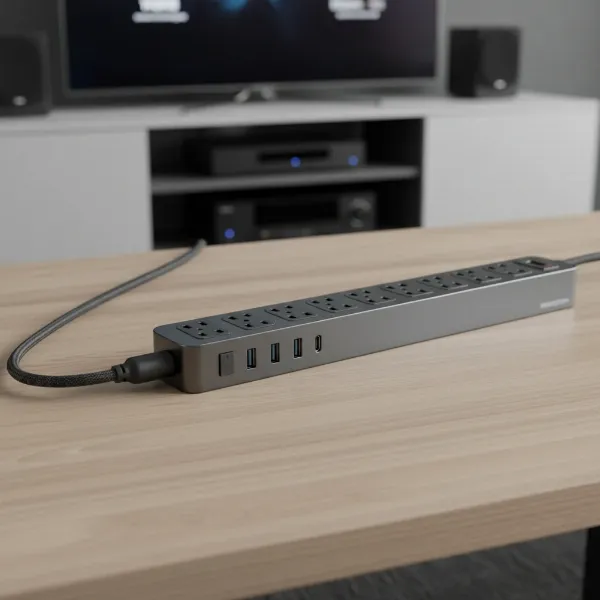 Monster Power Center Vertex power strip with multiple outlets and USB ports, ideal for entertainment centers.
2. Belkin 12-Outlet Pivot-Plug Surge Protector
Belkin is a trusted name in power protection, and their 12-outlet pivot-plug model is exceptional for managing bulky adapters. Its unique design allows eight of the twelve outlets to pivot, ensuring all your “wall warts” fit without blocking adjacent ports.
- Key Features: 12 AC outlets (8 pivoting), very high Joule rating (e.g., 4320 Joules), robust surge protection, not-grounded LED indicator, heavy-duty power cord.
- Pros: Unmatched flexibility for large plugs, superior surge protection for sensitive electronics, generous number of outlets, durable build.
- Cons: No USB ports (in some models, check specific variant), can be bulky due to pivoting design, not a “smart” strip.
- Why it’s a Top Pick: This is the ultimate solution for anyone struggling with oversized power adapters that typically render half a standard power strip useless. It maximizes outlet usability while providing top-tier protection.
3. Kasa Smart HS300 Plug Power Strip
For those seeking to integrate their entertainment center into a smart home ecosystem, the Kasa Smart HS300 is an excellent choice. It combines robust surge protection with individual smart control over each outlet.
- Key Features: 6 independently controllable smart AC outlets, 3 USB-A charging ports, surge protection, energy monitoring, Wi-Fi connectivity, works with Alexa/Google Assistant, Kasa Smart app control.
- Pros: Individual control of devices, convenient remote management and scheduling, energy usage tracking to identify “vampire” devices, good surge protection.
- Cons: Fewer AC outlets compared to some non-smart options, USB-C is often absent (check specific model), requires Wi-Fi.
- Why it’s a Top Pick: This power strip offers the best of both worlds: essential surge protection and smart home capabilities, allowing you to manage your entertainment devices with unparalleled convenience and efficiency.
Safe Usage and Maintenance of Your Entertainment Center Power Strip
Ensuring the longevity and safety of your entertainment center requires proper handling and maintenance of your power strip.
- Plug Directly into a Wall Outlet: Always plug your power strip directly into a wall outlet. Never “daisy-chain” power strips (plugging one into another), as this can overload the circuit and create a fire hazard.
- Avoid Overloading: Do not exceed the power strip’s maximum amperage or wattage rating. While surge protectors protect against sudden spikes, they cannot prevent overcurrent from too many high-draw devices plugged in simultaneously.
- Regular Inspections: Periodically check the power strip and its cords for any signs of damage, fraying, or discoloration. Damaged equipment should be replaced immediately.
- Know When to Replace: Surge protectors don’t last forever. Each time they absorb a significant power surge, their internal components degrade. Most surge protectors have an indicator light that shows if the surge protection is still active. If this light goes out, or if you’ve experienced a major power event (like a lightning strike), it’s time to replace the unit. A general recommendation is to replace them every 3-5 years, even without visible damage or indicator changes.
- Cable Management: Use cable ties, sleeves, or cable management boxes to keep cords neat and prevent tangles. This not only improves aesthetics but also reduces the risk of accidental disconnections or tripping hazards.
- Ventilation: Ensure the power strip itself and the power bricks plugged into it have adequate ventilation to prevent overheating.
Conclusion
Selecting the best power strip for your entertainment center is a crucial step in safeguarding your valuable electronics and streamlining your setup. By prioritizing surge protection, considering the number and type of outlets, and exploring smart features, you can create a reliable and efficient power hub. Whether you opt for a high-joule protector to shield against electrical anomalies, a pivot-plug design to accommodate bulky adapters, or a smart strip for ultimate control and energy savings, the right choice will enhance your home entertainment experience. Don’t compromise on safety and convenience—your tech deserves the best protection.
What essential feature do you look for first when choosing a power strip for your media setup?
Frequently Asked Questions
What is the difference between a power strip and a surge protector?
A basic power strip only provides additional electrical outlets without any protection. A surge protector, on the other hand, includes specialized circuitry to divert excess electrical voltage away from connected devices during power spikes, safeguarding them from damage. For entertainment centers, a surge protector is essential, not just a standard power strip.
How many joules do I need for an entertainment center?
For valuable and sensitive electronics like those in an entertainment center (TVs, gaming consoles, audio systems), a surge protector with a Joule rating of 2000-3000 or higher is highly recommended. A higher Joule rating means the protector can absorb more energy from a surge before it fails, offering better and longer-lasting protection.
Do smart power strips really save money?
Yes, smart power strips can save money by reducing “vampire load” or “phantom power,” which is the electricity consumed by devices when they are turned off but still plugged in. By allowing you to remotely turn off individual outlets or schedule power cycles, smart strips can cut power completely, significantly reducing wasted energy and lowering your electricity bill over time.
How often should I replace my surge protector?
Surge protectors degrade over time as they absorb electrical surges. Even without a major event, their protective capacity diminishes. It is generally recommended to replace a surge protector every 3 to 5 years, or immediately after a severe power surge (like a lightning strike) or if its “protection active” indicator light goes out.
Can I plug a gaming console into a power strip?
Yes, you can and should plug a gaming console into a power strip, specifically a surge protector power strip. Gaming consoles are sensitive and expensive electronic devices that are highly susceptible to damage from power surges. Plugging them into a surge protector ensures they are safeguarded against unexpected voltage spikes, extending their lifespan and protecting your gaming investment.