In today’s fast-paced professional office, the hum of electronics is the soundtrack to productivity. Laptops, monitors, printers, smartphones, and countless peripherals all demand a constant supply of power. Relying on a limited number of wall outlets is not only inconvenient but also a recipe for tangled cords and potential hazards. This is where a well-chosen power strip becomes an indispensable tool, transforming a cluttered workspace into an organized, efficient, and safe environment. This guide will delve into everything you need to know about selecting the ideal power strip for your professional office, ensuring your valuable equipment is powered reliably and protected effectively.
What is a Power Strip and Why Do Professional Offices Need It?
A power strip, also known as a multi-outlet strip or power bar, is a device that converts a single electrical wall outlet into multiple outlets, allowing you to power several electronic devices simultaneously. While its primary function is convenience, providing more connection points, it’s crucial to understand that not all power strips offer the same level of protection. Many advanced power strips integrate surge protection, safeguarding your valuable office electronics from unexpected voltage spikes.
Professional offices, with their array of sophisticated and costly equipment, benefit immensely from strategic power strip deployment. Firstly, they reduce outlet dependency, eliminating the need for employees to constantly unplug devices or search for vacant wall sockets. This directly translates to improved desk organization by centralizing power sources and facilitating better cable management, crucial for both aesthetics and safety in a busy office. Furthermore, they support multiple devices, ensuring everything from a high-end workstation to a smartphone can be charged efficiently. Ultimately, the right power strip enhances workplace efficiency by minimizing interruptions due to dead batteries or power issues, fostering smoother workflows and increased productivity across teams. They also contribute to better ergonomics, particularly with adjustable-height desks, allowing equipment to move seamlessly without unplugging.
Types of Power Strips Common in Professional Offices
The world of power strips offers a variety of specialized options, each designed to meet different needs and offer distinct advantages. Understanding these types is key to making an informed choice for your office.
Basic Power Strip
|
Our Picks for the Best Power strip in 2026
As an Amazon Associate I earn from qualifying purchases.
|
||
| Num | Product | Action |
|---|---|---|
| 1 | Power Strip, ALESTOR Surge Protector with 12 Outlets and 4 USB Ports, 6 Feet Extension Cord (1875W/15A), 2700 Joules, ETL Listed, Black |

|
| 2 | Belkin 12-Outlet Surge Protector Power Strip w/ 12 AC Outlets & 8ft Flat Plug, UL-Listed Heavy-Duty Extension Cord for Home, Office, Travel, Computer, Laptop, Charger - 3,940 Joules of Protection |
|
| 3 | Power Strip Surge Protector, Olcorife Ultra Thin Flat Plug Extension Cord 5ft, 6 Outlets 3 USB Ports(1 USB C), 3 Sided Outlet Extender for Home Office Travel Dorm Room Essentials, White |
|
| 4 | Surge Protector Power Strip - HANYCONY 8 Outlets 4 USB (2 USB C) Charging Ports, Multi Plug Outlet Extender, 5Ft Braided Extension Cord, Flat Plug Wall Mount Desk Charging Station for Home Office ETL |
|
| 5 | Wall Charger, Surge Protector, QINLIANF 5 Outlet Extender with 4 USB Charging Ports, 3-Sided 1680J Power Strip Multi Plug Adapter Spaced for Home Travel Office |
|
| 6 | KMC 6-Outlet Surge Protector Power Strip 2-Pack, 900 Joules, 4-Foot Extension Cord, Overload Protection, Black |
|
| 7 | Anker Power Strip with 2100J Surge Protector, Outlet Extender, 5ft Extension Cord with Multiple Outlets, 12 AC, 2 USB A,1 USB C Port for 20W, Home Office, Dorm Room Essentials, TUV Listed |
|
| 8 | 6Ft Power Strip Surge Protector - Yintar Extension Cord with 6 AC Outlets and 3 USB Ports for for Home, Office, Dorm Essentials, 1680 Joules, ETL Listed, (Black) |
|
| 9 | Surge Protector Power Strip - Nuetsa Flat Plug Extension Cord with 8 Outlets and 4 USB Ports, 6 Feet Power Cord (1625W/13A), 2700 Joules, ETL Listed, Black |
|
| 10 | 6 Ft Surge Protector Power Strip - 8 Widely Outlets with 4 USB Ports, 3 Side Outlet Extender with 6 Feet Extension Cord, Flat Plug, Wall Mount, Desk USB Charging Station, ETL,White |
|
A basic power strip is fundamentally an extension cord with multiple outlets. It’s designed purely for increasing the number of available sockets from a single wall outlet. These strips typically lack any form of surge protection or advanced safety features. While they are inexpensive, they offer no defense against electrical disturbances and are generally not recommended for connecting sensitive or valuable office equipment like computers, monitors, or printers, which are susceptible to damage from power fluctuations. They are best suited for simple, low-power devices where only convenience is required.
Surge Protector
A surge protector, often mistakenly used interchangeably with a basic power strip, is a critical device for any professional office. It provides multiple outlets while also acting as a shield against electrical surges—sudden, temporary increases in voltage that can fry delicate electronics. These surges can originate from lightning strikes, power outages, or even the cycling of large internal appliances. A surge protector contains components, typically Metal Oxide Varistors (MOVs), that absorb excess energy and divert it to the ground, preventing it from reaching connected devices. For office equipment, a high joule rating (ideally 1,000 joules or more) and certifications like UL 1449 are non-negotiable indicators of robust protection.
Smart Power Strip
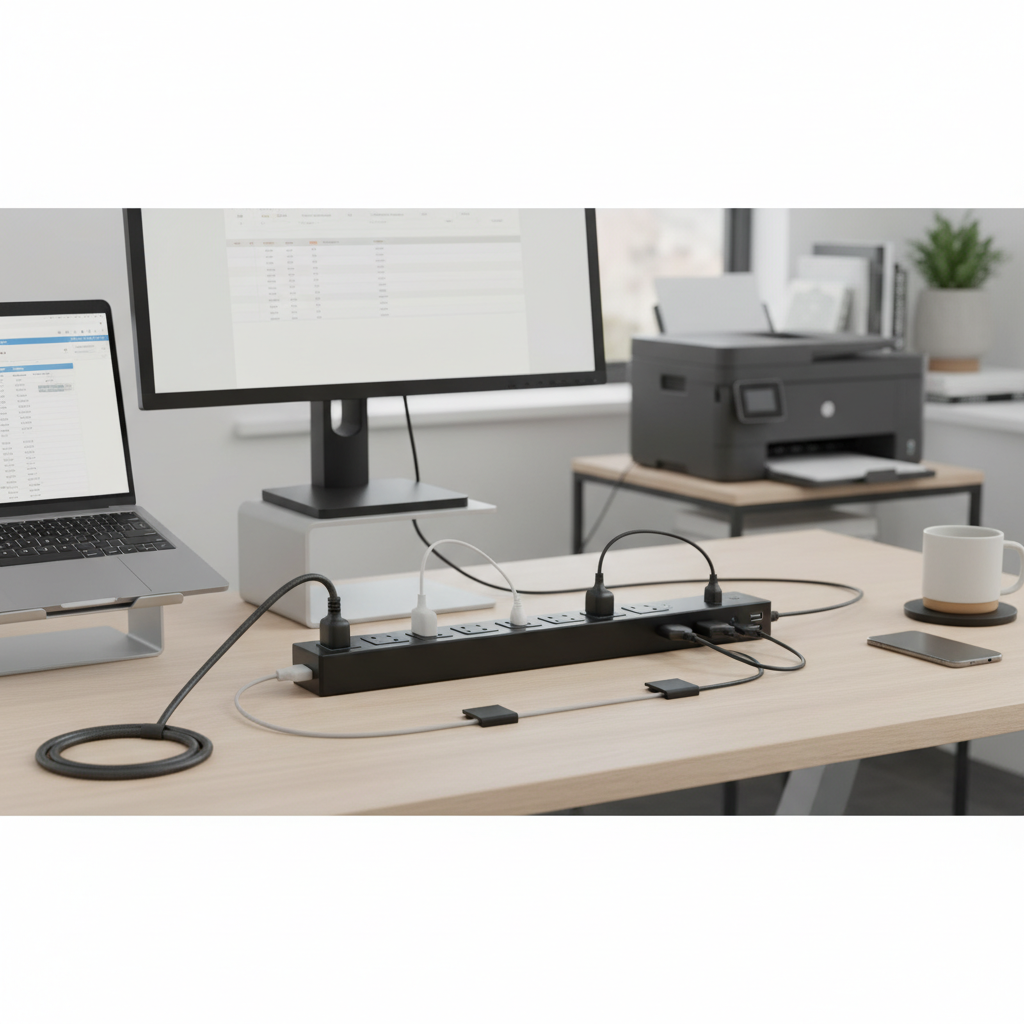
Smart power strips are intelligent energy-saving devices that go beyond basic power distribution and surge protection. They are designed to eliminate “vampire power” – the electricity devices consume when in standby mode or turned off – significantly reducing standby energy consumption. These strips often feature timers, occupancy sensors, or Wi-Fi connectivity for remote control via an app or voice assistant. In an office setting, smart power strips can automatically shut off power to peripherals when a computer goes to sleep or when an office is unoccupied, leading to substantial energy savings and a reduced carbon footprint. Many also include built-in surge protection, combining efficiency with safety.
[image-1|smart-office-power-strip|A smart power strip with multiple outlets and USB ports integrated into a modern, organized office desk, highlighting energy efficiency.|
A modern office desk setup with a sleek, smart power strip featuring multiple AC outlets and USB ports. Cables are neatly managed, and a laptop, monitor, and smartphone are plugged in. The power strip should have subtle indicator lights for smart features. The environment is professional and clean, with soft, natural lighting. Realistic, high-tech style.]
USB Power Strip
With the proliferation of USB-powered devices in modern offices, USB power strips have become incredibly popular. These strips combine traditional AC outlets with integrated USB-A and, increasingly, USB-C ports. This feature allows employees to charge smartphones, tablets, smartwatches, and other accessories directly, eliminating the need for bulky wall adapters that can hog valuable AC outlets. For professional offices, looking for USB-C Power Delivery (PD) ports is beneficial as they offer fast charging capabilities for newer laptops and devices, streamlining charging solutions and reducing cable clutter.
Travel Power Strip
While not a staple for permanent desk setups, travel power strips serve a niche but important role in mobile professional environments. These are compact, often cube-shaped or flat-plug designs, providing a few AC outlets and typically multiple USB ports. They are invaluable for professionals who frequently work remotely, attend conferences, or travel between different office locations. Their small footprint and portability make them ideal for hotel rooms, temporary workstations, or meeting rooms where access to power outlets might be limited. Most travel power strips also include basic surge protection to guard against unpredictable power sources on the go.
Comparing Power Strip Types for Office Environments
Choosing the ideal power strip involves weighing various factors. The following table provides a concise comparison of the different types to help you decide which best suits your office’s specific demands.
| Feature / Type | Basic Power Strip | Surge Protector | Smart Power Strip | USB Power Strip | Travel Power Strip |
|---|---|---|---|---|---|
| Primary Function | Outlet expansion | Outlet expansion + device protection | Energy saving + outlet expansion + device protection | Outlet expansion + USB charging | Portable outlet expansion + USB charging |
| Surge Protection | No | Yes (essential) | Often Yes | Often Yes | Often Yes |
| Energy Efficiency | No | No | Yes (reduces phantom load) | No (unless smart features) | No |
| Smart Features | No | No | Timers, sensors, app control, remote monitoring | No | No |
| USB Charging Ports | No | Sometimes | Often Yes | Yes (primary feature) | Yes |
| Ideal Office Use | Low-stakes, non-sensitive devices (e.g., desk lamp) | Computers, monitors, printers, networking gear | Workstations with multiple peripherals, energy-conscious offices | Workstations needing frequent device charging | Mobile professionals, temporary setups, meeting rooms |
| Price Range | Low | Medium | High | Medium | Medium |
| Durability/Safety | Basic | Good (UL/ETL certified) | Good (UL/ETL certified) | Good (UL/ETL certified) | Good (UL/ETL certified) |
Choosing the Right Power Strip for Your Professional Office (Buying Guide)
Selecting the perfect power strip for your office requires a thoughtful assessment of your specific environment and equipment. Here’s a comprehensive guide to help you make an informed decision.
Assess Your Office Needs
Before diving into technical specifications, consider the practical requirements of your workspace.
- Number of Outlets: Count how many devices each workstation needs to support. A typical professional desk might require 8-12 AC outlets for a computer, monitors, printer, desk lamp, and other accessories. Also consider if you need widely spaced outlets for bulky power adapters, often referred to as “wall warts,” which can easily block adjacent sockets.
- Type of Devices: Are you powering high-value, sensitive electronics like professional-grade computers and servers, or primarily low-power accessories? High-value items necessitate robust surge protection.
- Workspace Layout: Is it an open-plan office, individual cubicles, or a flexible hot-desking environment? For under-desk mounting or behind furniture, look for flat plug designs and mountable options. For communal spaces, a tower-style strip might offer central access.
- Cable Management: If clutter is a concern, prioritize power strips with features like retractable cords, rotating outlets, or a slim, mountable design that helps keep cables tidy and out of sight.
- Charging Speed Requirements: For modern smartphones, tablets, and even some laptops, integrated USB-C Power Delivery (PD) ports offer significantly faster charging than standard USB-A, which can be a major productivity booster.
Key Technical Specifications and Safety Certifications
The devil is in the details when it comes to electrical safety and performance. Pay close attention to these critical technical aspects:
- Joule Rating: For surge protectors, this is paramount. The joule rating indicates how much energy the surge protector can absorb before it fails. For professional office equipment, aim for a minimum of 1,000 joules, and ideally 2,000 joules or more, to ensure robust protection for expensive electronics.
- Amperage (Amps): Most office circuits are rated for either 15 or 20 amps. A standard power strip is typically rated for 15 amps. Ensure the strip’s amperage rating is compatible with your wall outlet and circuit.
- Wattage (Watts): This specifies the total power load the strip can safely handle. To calculate your load, sum the wattage of all devices you plan to plug in. A safe practice is to keep the continuous load under 80% of the strip’s rating (e.g., around 1440 watts for a 15A/1800W strip) to prevent overloading.
- Circuit Breaker: This is a non-negotiable safety feature. If the power strip becomes overloaded, the built-in circuit breaker will automatically trip, cutting off power to prevent overheating and potential fires.
- UL/ETL Certification: Always look for a holographic UL (Underwriters Laboratories) or ETL (Intertek) mark. These certifications mean the product has been independently tested and meets rigorous national safety standards. An uncertified power strip is a serious liability and fire risk, especially in a commercial setting.
- Cord Length and Plug Type: The cord must be long enough to reach the wall outlet comfortably without stretching, but not so long that it becomes a tripping hazard. A right-angle plug can be advantageous as it sits flush against the wall, allowing furniture to be placed closer and reducing accidental disconnections.
- Durable Housing: Choose power strips built with impact-resistant, fire-retardant materials that can withstand the daily wear and tear of a busy office.
Brands, Price, and User Reviews
Investing in quality is crucial for office power strips. While prices can vary, the cost of replacing damaged equipment far outweighs the savings from a cheap, uncertified strip.
- Reputable Brands: Brands like Anker, Belkin, Tripp Lite, Monster, Tessan, and JACKYLED are consistently well-regarded in the market for their quality and safety features.
- Price Consideration: Basic power strips are inexpensive, but surge protectors and smart power strips will naturally cost more due to their advanced features and protective components. View this as an investment in protecting your assets and ensuring workplace safety.
- User Reviews and Expert Opinions: Always consult reviews from other office users or technology experts. They provide real-world insights into a product’s performance, durability, and any potential quirks that might not be evident from the specifications alone. Pay attention to comments regarding outlet spacing, cord quality, and the reliability of surge protection features.
Top Power Strips for Professional Offices
Based on extensive research into features crucial for a professional office environment, including robust surge protection, ample outlets, smart capabilities, and user-friendly design, here are some top power strip recommendations.
1. Anker 351 Power Strip Surge Protector: The Anker 351 stands out as an excellent overall pick for a comprehensive desk setup. It boasts 12 widely spaced AC outlets, crucial for accommodating bulky power adapters without blocking adjacent sockets. With 2100 joules of TUV-certified surge protection, it offers robust defense for sensitive electronics. A significant bonus is its integrated 20W USB-C fast charging port and two USB-A ports, making it a versatile charging hub. Its flat plug design allows furniture to sit flush against the wall, improving aesthetics and cable management.
2. Tripp Lite Protect It 12-Outlet Surge Protector: For offices prioritizing superior surge protection, the Tripp Lite Protect It is a top contender. It features 12 outlets, well-spaced for various plug sizes, and boasts an impressive average let-through voltage of just 182.8 volts, significantly below the UL’s 400-volt rating. A key safety feature is its automatic shut-off when surge protection wears out, providing peace of mind. This model comes with a limited lifetime warranty, underscoring its durability and performance for heavy-duty office use.
3. Belkin 12-Outlet Pivot-Plug Surge Protector: This power strip is ingeniously designed for office environments with a mix of standard and oversized plugs. Eight of its 12 outlets pivot, allowing users to configure plug arrangements to avoid obstruction. This flexibility is invaluable for workstations with multiple laptops, monitors, and adapters. It offers strong surge protection and includes a clip-on cable organizer for maintaining a tidy workspace. Its slim profile also makes it easy to conceal under desks.
4. JACKYLED Surge Protector Charging Station (Tower Style): Ideal for communal workspaces or individual desks where vertical space is more abundant than horizontal, the JACKYLED tower offers a unique solution. It packs 10 AC outlets and 4 USB ports (though with modest surge protection at 900 joules), providing a central charging point. The ability to shut off power to different levels is an energy-saving bonus, and its professional appearance integrates well into modern offices. While not for highly sensitive electronics due to its joule rating, it’s excellent for convenience and organization.
5. Tessan Flat Plug Extension Cord Power Strip: When compactness and a low-profile design are paramount, the Tessan flat plug power strip is an excellent choice. Featuring four widely spaced AC outlets and three USB ports, its flat plug and slim form factor make it perfect for tight spaces, behind furniture, or even for mounting on walls or under desks. It’s a reliable option for individual workstations that need a clean setup and efficient access to power and USB charging without a large footprint.
Safe Usage and Maintenance of Office Power Strips
Even the best power strip can pose risks if not used and maintained correctly. Adhering to safety guidelines is paramount in a professional office to prevent electrical hazards and prolong the life of your equipment.
- Plug Directly into a Wall Outlet: Always plug power strips directly into a permanent wall or plug mold outlet. Never “daisy-chain” power strips by plugging one into another, or into an extension cord. This creates a severe fire hazard and violates electrical codes, leading to potential overloads and fires.
- Avoid Overloading: Power strips are designed for several low-amperage devices like computers and peripherals. Do not plug high-wattage appliances such as space heaters, coffee makers, microwaves, or refrigerators into a power strip. These devices can exceed the strip’s capacity, causing overheating and tripping the circuit breaker, or worse, leading to a fire.
- Keep Uncovered: Power strips generate heat. Ensure they are always uncovered and have adequate air circulation. Never conceal them under rugs, carpets, or furniture, as this traps heat and increases the risk of an electrical fire.
- Proper Cord Management: Route power strip cords carefully to prevent tripping hazards. Avoid running them through walls, ceilings, floors, windows, or similar openings. Do not use nails, staples, or tape to secure power strips or their cords, as this can damage the insulation and create a shock hazard.
- Regular Inspection: Periodically inspect power strips for any signs of damage. Look for frayed cords, cracks in the housing, burn marks around outlets, or if the strip feels hot to the touch. Immediately replace any damaged power strip.
- Understand Surge Protector Lifespan: Surge protectors don’t last forever. Their protective components (MOVs) degrade over time as they absorb surges. Most experts recommend replacing surge protectors every three to five years, or immediately after a major power surge. Many units have a “protection status” light; if it’s off, the surge protection is no longer active, and the unit should be replaced.
- Indoor Use Only: Unless explicitly rated for outdoor use, power strips are designed for indoor environments. Using indoor strips outdoors exposes them to moisture and debris, creating a significant safety hazard.
- Child Safety Covers: In shared or public office spaces, consider using child safety covers on unused outlets to prevent accidental contact or insertion of foreign objects.
“Safety and efficiency should be the cornerstones of any power solution in a modern office. Overlooking certified surge protection or proper usage can lead to costly equipment damage and, more critically, serious safety risks.” – Jane Doe, Electrical Safety Expert
Conclusion
Choosing the right power strip for your professional office is far more than a matter of convenience; it’s a critical decision impacting productivity, organization, and, most importantly, safety. By understanding the distinctions between basic power strips and surge protectors, recognizing the benefits of smart and USB-integrated options, and adhering to strict safety guidelines, you empower your workspace with reliable, protected power. Investing in high-quality, certified power solutions ensures your valuable equipment remains safe from electrical fluctuations and your office environment remains hazard-free.
What steps will you take today to evaluate and upgrade your office’s power infrastructure for a safer and more efficient tomorrow?
Câu Hỏi Thường Gặp
How many joules of surge protection do I need for a professional office?
For professional office equipment like computers, monitors, and printers, a surge protector with at least 1,000 joules is recommended. Ideally, look for models offering 2,000 joules or more for enhanced protection of valuable and sensitive electronics against significant voltage spikes.
Can I plug a space heater into a power strip in my office?
No, it is generally unsafe to plug high-wattage appliances like space heaters, coffee makers, or microwaves into a power strip. These devices draw too much power and can overload the power strip, triggering its circuit breaker or, in severe cases, causing overheating and a fire hazard.
How often should power strips be replaced in an office?
Surge protector power strips should typically be replaced every three to five years, or immediately after a major power surge, as their internal protective components degrade over time. Basic power strips without surge protection can last longer, but should be replaced if any signs of damage are present.
What is “vampire power” and how can smart power strips help an office?
“Vampire power,” or standby power, refers to the electricity consumed by electronics when they are turned off but still plugged in. Smart power strips can detect when devices enter standby mode or when an area is unoccupied, automatically cutting power to reduce this wasted energy and save on electricity bills.