Are you tired of cluttered cables and constantly searching for available outlets? As a technician with over a decade of experience in electrical appliances, especially power strips, I understand the frustration and the critical need for efficient power management in our increasingly connected lives. Modern homes are brimming with gadgets, from smart speakers to robotic vacuums, all vying for a spot at the wall. This is where smart power strips come in, not just to expand your outlets, but to transform your home into a truly intelligent, energy-efficient ecosystem.
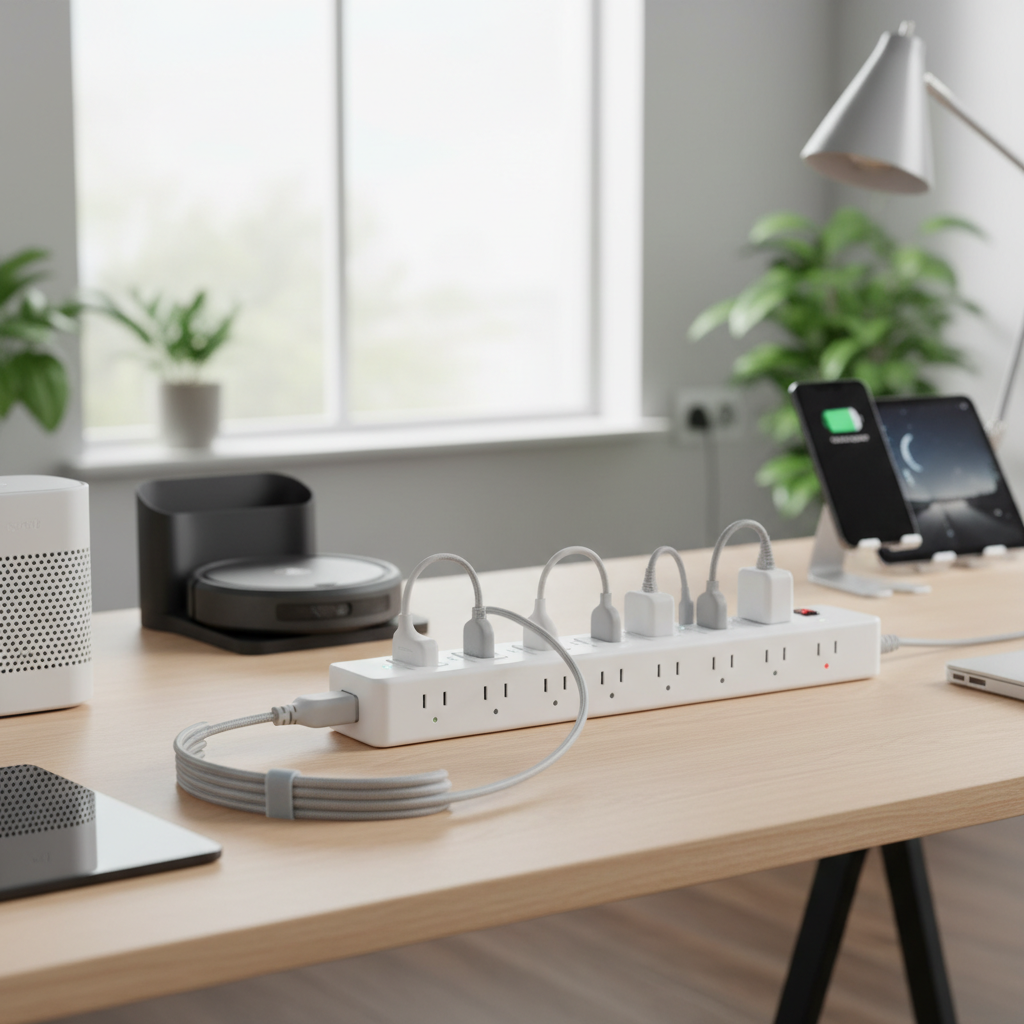
Smart power strips are a pivotal tool for anyone building or enhancing a smart home. They offer a sophisticated solution to managing multiple electronic devices, combating energy waste, and enhancing the overall automation and safety of your living space. This guide will delve into everything you need to know to select the perfect smart power strip, ensuring your devices are powered intelligently, securely, and in harmony with your smart home aspirations.
What is a Power Strip and Why You Need One for Your Smart Home?
At its core, a traditional power strip is a device that expands a single wall outlet into multiple receptacles, allowing you to power several devices simultaneously. While incredibly convenient for combating a scarcity of wall sockets, these basic strips primarily offer power distribution without any “intelligence” or protection. However, the evolution of home technology has given rise to the smart power strip—a game-changer for modern households.
A smart power strip takes the fundamental functionality of a traditional strip and integrates it with smart home capabilities, connecting to your home network via Wi-Fi, Zigbee, or Z-Wave. This transformation allows for remote control, automated scheduling, and often, real-time energy monitoring, turning ordinary appliances into smart devices that you can manage from your smartphone or voice assistant.
The benefits of integrating smart power strips into your smart home are significant:
- Energy Efficiency: Smart power strips can detect when devices are in standby mode or not in use, automatically cutting power to eliminate “vampire” energy draw, which can save a considerable amount on electricity bills.
- Enhanced Control & Automation: With remote control via an app or voice commands, you can turn devices on or off from anywhere. You can also set schedules and routines, like having your coffee maker start before you wake up or lights turn off when you leave the house.
- Device Protection: Many smart power strips come with built-in surge protection, shielding your valuable electronics from voltage spikes caused by lightning strikes or power fluctuations.
- Convenience: Centralized control over multiple devices through a single smart strip simplifies managing your electronics, reducing clutter and the need to manually plug and unplug devices.
- Security: Automating lights to turn on and off can make it appear as though someone is home, even when you’re away, enhancing your home’s security.
Common devices connected to smart power strips include entertainment systems (TVs, gaming consoles, soundbars), home office equipment (monitors, chargers), lighting (lamps, accent lights), and various small kitchen or bedroom appliances.
Types of Smart Power Strips for Your Home
The world of smart power strips is diverse, offering various features tailored to different needs within a smart home ecosystem. Understanding these types will help you identify the best fit for your specific requirements.
Smart Power Strip (General)
|
Our Picks for the Best Power strip in 2026
As an Amazon Associate I earn from qualifying purchases.
|
||
| Num | Product | Action |
|---|---|---|
| 1 | Power Strip, ALESTOR Surge Protector with 12 Outlets and 4 USB Ports, 6 Feet Extension Cord (1875W/15A), 2700 Joules, ETL Listed, Black |

|
| 2 | Surge Protector Power Strip - Nuetsa Flat Plug Extension Cord with 8 Outlets and 4 USB Ports, 6 Feet Power Cord (1625W/13A), 2700 Joules, ETL Listed, Black |
|
| 3 | 6Ft Power Strip Surge Protector - Yintar Extension Cord with 6 AC Outlets and 3 USB Ports for for Home, Office, Dorm Essentials, 1680 Joules, ETL Listed, (Black) |
|
| 4 | KMC 6-Outlet Surge Protector Power Strip 2-Pack, 900 Joules, 4-Foot Extension Cord, Overload Protection, Black |
|
| 5 | 6 Ft Surge Protector Power Strip - 8 Widely Outlets with 4 USB Ports, 3 Side Outlet Extender with 6 Feet Extension Cord, Flat Plug, Wall Mount, Desk USB Charging Station, ETL,White |
|
| 6 | Belkin 12-Outlet Surge Protector Power Strip w/ 12 AC Outlets & 8ft Flat Plug, UL-Listed Heavy-Duty Extension Cord for Home, Office, Travel, Computer, Laptop, Charger - 3,940 Joules of Protection |
|
| 7 | Surge Protector Power Strip - HANYCONY 8 Outlets 4 USB (2 USB C) Charging Ports, Multi Plug Outlet Extender, 5Ft Braided Extension Cord, Flat Plug Wall Mount Desk Charging Station for Home Office ETL |
|
| 8 | Wall Charger, Surge Protector, QINLIANF 5 Outlet Extender with 4 USB Charging Ports, 3-Sided 1680J Power Strip Multi Plug Adapter Spaced for Home Travel Office |
|
| 9 | Anker Power Strip with 2100J Surge Protector, Outlet Extender, 5ft Extension Cord with Multiple Outlets, 12 AC, 2 USB A,1 USB C Port for 20W, Home Office, Dorm Room Essentials, TUV Listed |
|
| 10 | Power Strip Surge Protector, Olcorife Ultra Thin Flat Plug Extension Cord 5ft, 6 Outlets 3 USB Ports(1 USB C), 3 Sided Outlet Extender for Home Office Travel Dorm Room Essentials, White |
|
This is the most common form of smart power strip, designed for broad applicability. These strips typically feature multiple outlets, each often independently controllable via a smartphone app or voice commands through assistants like Amazon Alexa or Google Home. They are excellent for managing everyday electronics, setting schedules, and reducing phantom load. Many also offer energy monitoring, allowing you to track power consumption for individual outlets or the entire strip. Their main advantage lies in their flexibility and ease of integration into most smart home setups.
Smart Surge Protector
Combining the intelligence of a smart power strip with robust protection against electrical surges, smart surge protectors are crucial for safeguarding sensitive and expensive electronics. These devices not only offer remote control and scheduling but also include built-in components (like Metal Oxide Varistors or MOVs) that divert excess voltage to the ground during spikes. They are ideal for entertainment centers, home offices with computers and monitors, or any area where valuable equipment requires an extra layer of defense against power fluctuations and potential damage.
Smart Power Strip with USB Ports
With the proliferation of USB-powered devices, smart power strips often integrate multiple USB-A and sometimes USB-C ports alongside traditional AC outlets. This type is perfect for charging smartphones, tablets, smartwatches, and other gadgets directly, eliminating the need for numerous bulky wall adapters. While the AC outlets are usually individually controllable, the USB ports often function as a single controlled unit or remain constantly powered. Some advanced models may offer fast-charging capabilities, making them even more convenient for modern digital lifestyles.
Smart Travel Power Strip
Designed for life on the go, smart travel power strips are compact, lightweight, and often feature universal outlets or adapters for international use. They provide the convenience of multiple outlets and USB ports in a portable form factor, allowing you to keep all your devices charged and connected while traveling. While not all travel strips are “smart,” those that are can offer remote monitoring and control even when you’re away, which can be useful for security or power management in temporary settings. They are often built with durability in mind to withstand the rigors of travel.
Comparing Smart Power Strip Features
Choosing the best smart power strip involves weighing various features against your smart home’s existing ecosystem and your specific needs. The table below highlights key comparison criteria to help you make an informed decision.
| Feature | Smart Power Strip (General) | Smart Surge Protector | Smart USB Power Strip | Smart Travel Power Strip |
|---|---|---|---|---|
| Primary Function | Outlet expansion, remote control, scheduling, energy saving | Device protection from surges, smart control, scheduling | Charging multiple USB devices, outlet expansion | Portable power, multi-device charging on the go |
| Individual Outlet Control | Common | Common | Common for AC, less common for USB (often grouped) | Less common for AC, rare for USB |
| Energy Monitoring | Often included (per outlet or total) | Often included (per outlet or total) | Less common, usually total | Rare |
| Surge Protection | Varies, often basic or optional | Standard & Robust (High Joules) | Varies, often basic or optional | Less common, if present, basic |
| USB Ports | Optional, typically 2-4 | Optional, typically 2-4 | Primary Feature, often 4+ (incl. USB-C/Fast Charge) | Common, often with international compatibility |
| Connectivity | Wi-Fi, Zigbee, Z-Wave, Matter | Wi-Fi, Zigbee, Z-Wave, Matter | Wi-Fi | Wi-Fi (if smart) |
| Smart Home Compatibility | Wide (Alexa, Google Home, HomeKit, SmartThings) | Wide (Alexa, Google Home, HomeKit, SmartThings) | Wide (Alexa, Google Home, HomeKit, SmartThings) | Limited or app-specific |
| Typical Price | Moderate | Moderate to High | Moderate | Low to Moderate |
| Best Use Case | Everyday automation, lighting, small appliances | Protecting high-value electronics (PC, TV, gaming) | Charging multiple mobile devices, office setups | Business trips, vacations, temporary setups |
“Smart power strips are not just about adding more outlets; they’re about gaining granular control over your energy consumption and seamlessly integrating devices into your automated routines, ultimately saving money and extending device lifespan.” – Dr. Alex Chen, Smart Home Technology Expert
Choosing the Right Smart Power Strip (Buying Guide)
Selecting the ideal smart power strip requires careful consideration of your specific needs, the devices you intend to connect, and your existing smart home ecosystem. Here’s a detailed guide to help you make the best choice.
Assess Your Needs
Begin by evaluating what you need to power and where.
- Number of Outlets: Count the devices you need to plug in. Consider future expansion. Do you need widely spaced outlets for bulky power adapters?
- Type of Devices: Are you connecting low-power devices like lamps and chargers, or high-wattage appliances such as heaters or specialized kitchen equipment? Most smart power strips are rated for a maximum of 10 to 15 amps or around 1,200 to 1,800 watts [3, 4.4]. High-wattage appliances might not be safe to plug into a smart power strip.
- Location: Is the power strip for an indoor entertainment center, a kitchen counter, an outdoor patio, or for travel? This will dictate features like weatherproofing or compact design.
Essential Technical Specifications
These specifications ensure safety and optimal performance.
- Maximum Power/Amperage: Check the power strip’s maximum load rating (e.g., 15 Amps, 1875 Watts). Ensure the total wattage of connected devices does not exceed this to prevent overheating and fire hazards [5.5].
- Surge Protection (Joules & UL Rating): For valuable electronics, choose a smart power strip with robust surge protection. Look for a high joule rating (e.g., 2000+ Joules) and UL 1449 certification, which signifies it meets safety standards for surge protection [4.4, 3.2]. Surge protectors degrade over time and should be replaced every three to five years or after a major power surge [4.4].
- Safety Features: Beyond surge protection, look for features like overload protection, short-circuit protection, and automatic shut-off mechanisms to ensure your devices operate safely [4.5].
- Connectivity Stability: For Wi-Fi-enabled strips, reliable connection is paramount. Some strips may also support Zigbee, Z-Wave, or the newer Matter standard for broader compatibility and often more stable local control.
- EMI/RFI Filtering: Power strips with electromagnetic interference (EMI) or radio frequency interference (RFI) filters can prevent waves from one device from interfering with others, ensuring cleaner power delivery and avoiding malfunctions [1.5].
Smart Home Ecosystem Compatibility & Brand Reputation
Seamless integration is key to a functional smart home.
- Ecosystem Compatibility: Ensure the smart power strip is compatible with your existing smart home ecosystem, whether it’s Amazon Alexa, Google Home, Apple HomeKit, or Samsung SmartThings [4.4]. Some newer strips support Matter, which offers broader compatibility across platforms.
- Brand Reputation: Stick to reputable brands known for quality, reliability, and good customer support. Brands like TP-Link Kasa, Tapo, and Eve are often well-regarded in the smart home space.
User Reviews and Value
- Read Reviews: Look for feedback on ease of setup, app stability, accuracy of energy monitoring, and overall durability. Real-world user experiences can highlight potential drawbacks or unexpected benefits.
- Price vs. Features: While a higher price often correlates with more features and better quality, determine if the additional cost provides benefits you genuinely need. Balancing cost with essential features will ensure you get the best value.
Top 3 Smart Power Strips for Your Smart Home
When it comes to building an efficient and automated smart home, certain smart power strips consistently stand out for their features, reliability, and user experience. Here are three top picks that offer excellent value and functionality.
1. TP-Link Kasa Smart Wi-Fi Power Strip (HS300)
The TP-Link Kasa HS300 is a perennial favorite and often lands as a top pick for smart power strips due to its robust features and seamless integration [1.1, 2.2]. It boasts six independently controllable AC outlets and three USB charging ports, providing ample connectivity for multiple devices. Key highlights include:
- Pros: Independent control of each AC outlet, robust surge protection, detailed energy monitoring (per outlet), and wide compatibility with Amazon Alexa and Google Assistant [1.1, 1.2, 2.2, 4.4]. The Kasa app allows for advanced scheduling and remote control [1.1].
- Cons: Some versions of the HS300 may lack direct Apple HomeKit or Matter support [5.5]. The USB ports are typically not individually controllable [5.5].
- Why choose it: Ideal for users heavily invested in Alexa or Google Home ecosystems, offering comprehensive control and energy insights for a variety of devices, from entertainment systems to home office setups.
2. Tapo P316M Smart Wi-Fi Power Strip
The Tapo P316M has quickly risen to prominence as an excellent smart surge protector, particularly noted for its comprehensive smart features and broad compatibility [3.3]. It includes six smart outlets and three USB ports, making it a versatile option for any smart home enthusiast.
- Pros: Excellent smart features, including full Matter support, meaning it works seamlessly with Apple Home, Amazon Alexa, and Google Home [3.3]. It offers energy monitoring and overcharge shutoff for enhanced safety and efficiency [3.3]. Easy setup and individual/group control are highly praised [3.3].
- Cons: Some users might desire a longer cord or a specific joule rating, which isn’t always explicitly stated in product descriptions [3.3]. It lacks USB-C ports in its current version.
- Why choose it: This is the go-to option if you prioritize broad smart home ecosystem compatibility, especially Apple HomeKit, along with essential smart features like energy monitoring and surge protection.
3. Eve Energy Strip
For those within the Apple HomeKit ecosystem, the Eve Energy Strip is a premium choice known for its elegant design and tight integration with Apple’s platform [1.1, 5.5]. It features three power outlets and focuses on simplicity and energy management within HomeKit.
- Pros: Native and seamless integration with Apple HomeKit, robust surge protection, and energy monitoring capabilities [1.1]. It allows for convenient control via Siri or the Home app. It emphasizes privacy by operating locally via Thread or Bluetooth.
- Cons: It only has three outlets, which might be limiting for some setups [1.1]. Energy monitoring tracks total usage for the strip, not individual outlets [1.1]. It is generally more expensive than other options and lacks USB ports.
- Why choose it: If you are an Apple HomeKit user seeking a reliable, secure, and aesthetically pleasing smart power strip with strong surge protection, the Eve Energy Strip is an exceptional choice.
How to Use and Maintain Your Smart Power Strip Safely
Proper use and maintenance are crucial to maximizing the lifespan of your smart power strip and ensuring the safety of your home and devices.
Safe Usage Guidelines
- Avoid Overloading: Never exceed the maximum power rating (amperage/wattage) specified for your smart power strip [5.5]. Overloading can lead to overheating, electrical fires, and damage to connected devices. If you need more power, consider installing additional wall outlets or using multiple power strips on separate circuits.
- Plug Directly into Wall Outlets: Always plug your smart power strip directly into a wall outlet. Never “daisy-chain” power strips (plugging one power strip into another) as this can easily overload circuits and create a fire hazard [4.4].
- Place in Well-Ventilated Areas: Keep your power strip in a cool, dry, and well-ventilated space, away from heat sources or flammable materials [5.5]. Avoid placing it under rugs, behind heavy furniture, or in enclosed spaces where heat can build up.
- Use Appropriate Devices: Do not plug high-wattage appliances like space heaters, refrigerators, or air conditioners into a smart power strip unless specifically rated for such devices. These often require dedicated wall outlets [3.4].
- Regularly Inspect Cords and Outlets: Periodically check the power strip, its cord, and plugs for any signs of damage, fraying, or discoloration. Replace damaged units immediately.
- Understand Features: Familiarize yourself with your smart power strip’s app, scheduling, and energy monitoring functions to use it effectively and safely [5.5]. Set realistic schedules and monitor energy consumption to optimize savings and device health.
Maintenance and Longevity
- Replace Surge Protectors: If your smart power strip includes surge protection, remember that surge components degrade over time, especially after absorbing voltage spikes [4.4]. Most experts recommend replacing surge protectors every three to five years, or immediately after a significant power surge. Some units have an indicator light to signal when protection is no longer active [4.4].
- Keep it Clean: Dust and debris can accumulate in unused outlets. Periodically clean the power strip with a dry cloth, ensuring it is unplugged first.
- Firm Connections: Ensure all plugs are inserted firmly into the outlets to prevent loose connections that can generate heat.
By following these guidelines, you can ensure your smart power strip operates safely and efficiently, contributing to a secure and energy-conscious smart home.
Conclusion
Embracing smart power strips is a logical and impactful step towards a more intelligent, energy-efficient, and convenient home. These devices transcend the basic function of merely adding outlets, offering sophisticated control, valuable energy insights, and crucial protection for your electronics. From combating wasteful “vampire” energy to enabling advanced automation with your voice assistant, a well-chosen smart power strip seamlessly integrates into your connected lifestyle.
By carefully considering your specific needs, prioritizing essential technical specifications like surge protection and wattage, and ensuring compatibility with your existing smart home ecosystem, you can make an informed decision. With options like the versatile TP-Link Kasa HS300, the HomeKit-friendly Eve Energy Strip, or the broadly compatible Tapo P316M, there’s a smart power strip ready to power your smart home vision. Ready to electrify your smart home with intelligence and efficiency?
Frequently Asked Questions
What is the difference between a smart power strip and a smart plug?
A smart plug typically controls only a single outlet, turning a conventional device into a smart one. In contrast, a smart power strip features multiple outlets, often with individual control over each, allowing you to manage several devices from one central unit, usually through a single app interface or network connection.
Can a smart power strip really save me money on electricity bills?
Yes, smart power strips can significantly reduce electricity bills by automatically cutting power to devices that enter standby mode, thus eliminating “vampire” energy drain. Many models also offer energy monitoring features, allowing you to identify energy-hogging devices and adjust their usage accordingly.
Can I use a smart power strip with high-wattage appliances?
Most smart power strips are rated for a maximum of 10 to 15 amps or around 1,200 to 1,800 watts. High-wattage appliances like space heaters, air conditioners, toasters, and hair dryers may draw too much power and can be unsafe to use with most standard smart power strips, potentially leading to overloading or fire hazards. Always check the power strip’s specifications against your appliance’s power requirements.
Do smart power strips need a hub?
Many smart power strips connect directly to your home’s Wi-Fi network, allowing control via a smartphone app and popular voice assistants like Alexa or Google Assistant, without needing a separate smart home hub. However, some advanced strips using protocols like Zigbee, Z-Wave, or specific Matter implementations might benefit from or require a compatible hub for full functionality and local control.
How often should I replace a smart power strip with surge protection?
If your smart power strip includes surge protection, it should typically be replaced every three to five years, or immediately after a major power surge, even if it appears to be working. The internal components that provide surge protection can degrade over time or after absorbing electrical spikes, reducing their effectiveness [4.4].