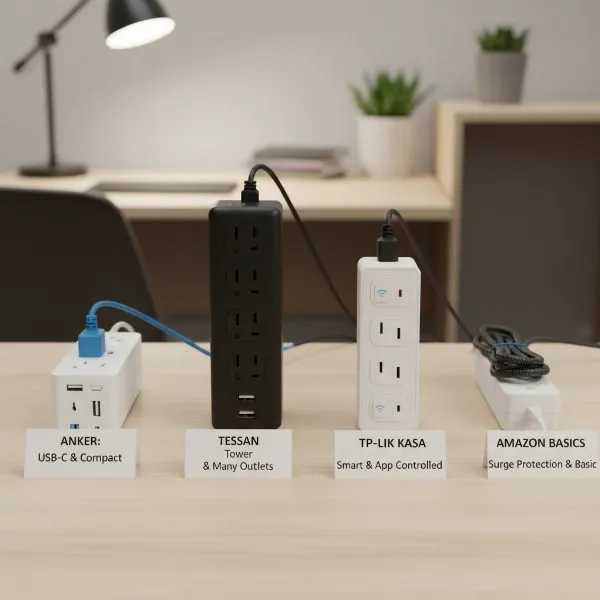
Moving into a college dorm room is an exciting new chapter, but it often comes with a surprising challenge: a severe shortage of electrical outlets. In a compact space teeming with laptops, smartphones, tablets, gaming consoles, mini-fridges, and an array of smart devices, relying solely on limited wall outlets is simply not an option. A well-chosen power strip, specifically a surge protector, becomes an indispensable tool, not just for convenience but, more critically, for ensuring electrical safety in your new home away from home. Navigating the world of power strips can be confusing, but with the right information, you can select the perfect solution to keep all your electronics powered and protected.
What is a Power Strip and Why is it Essential for Your Dorm?
At its core, a power strip is a device that transforms a single wall outlet into multiple electrical sockets, allowing you to connect several electronic devices simultaneously. While seemingly simple, its role in a college dorm is paramount due to the inherently limited number of wall outlets available. Dorm rooms, often designed decades ago, simply weren’t built to accommodate the sheer volume of personal electronics modern students bring. From charging your laptop and phone to powering a desk lamp, a mini-fridge, a gaming console, or a personal fan, nearly every aspect of dorm life relies on a steady supply of electricity. A power strip provides the necessary expansion, preventing the frustration of constantly swapping plugs or searching for an available outlet.
Power Strip vs. Surge Protector: Understanding the Crucial Difference
It’s common to use the terms “power strip” and “surge protector” interchangeably, but there’s a vital distinction, especially for dorm room safety. Understanding this difference is critical for protecting your valuable electronics and preventing potential hazards.
A basic power strip is essentially an extension cord with multiple outlets. Its primary function is convenience—to expand the number of available sockets from a single wall outlet. However, it offers no protection against electrical disturbances. If a voltage spike, or “surge,” occurs in the electrical line, any connected devices are vulnerable to damage.
A surge protector, on the other hand, provides the same multi-outlet functionality as a power strip but includes an additional, crucial layer of defense. Inside a surge protector are components, often called Metal Oxide Varistors (MOVs), that detect sudden increases in voltage. When a surge occurs, these components “clamp” the excess electricity, diverting it away from your connected devices and safely channeling it to the ground wire. This safeguards your sensitive and expensive electronics, like laptops, monitors, and gaming systems, from irreparable harm.
For college dorms, surge protectors are almost always the mandated or strongly recommended choice over basic power strips. Dorm electrical systems can be prone to fluctuations, and plugging in multiple devices, even low-power ones, can increase the risk of an electrical surge. Key metrics for surge protectors include:
- Joule Rating: This indicates the amount of energy the surge protector can absorb before it fails. A higher joule rating means greater protection. For dorms, aim for a minimum of 1000 Joules, with 2000+ Joules ideal for more valuable equipment.
- Clamping Voltage: This is the voltage level at which the surge protector begins to divert excess electricity. A lower clamping voltage (e.g., 330V or 400V) signifies better protection, as it activates sooner.
- Response Time: Measured in nanoseconds, this indicates how quickly the surge protector reacts to a spike. A faster response time means quicker protection for your devices.
Choosing a certified surge protector with adequate joule rating, low clamping voltage, and fast response time is a non-negotiable step to ensure both the longevity of your electronics and the safety of your living space.
Key Features to Look For in a Dorm-Friendly Power Strip
Selecting the right power strip for a college dorm requires careful consideration beyond just the number of outlets. Focus on these critical features to ensure safety, functionality, and compliance with dorm regulations.
Safety Certifications (UL/ETL Listed)
|
Our Picks for the Best Power strip in 2026
As an Amazon Associate I earn from qualifying purchases.
|
||
| Num | Product | Action |
|---|---|---|
| 1 | 6Ft Power Strip Surge Protector - Yintar Extension Cord with 6 AC Outlets and 3 USB Ports for for Home, Office, Dorm Essentials, 1680 Joules, ETL Listed, (Black) |

|
| 2 | Surge Protector Power Strip - Nuetsa Flat Plug Extension Cord with 8 Outlets and 4 USB Ports, 6 Feet Power Cord (1625W/13A), 2700 Joules, ETL Listed, Black |
|
| 3 | 6 Ft Surge Protector Power Strip - 8 Widely Outlets with 4 USB Ports, 3 Side Outlet Extender with 6 Feet Extension Cord, Flat Plug, Wall Mount, Desk USB Charging Station, ETL,White |
|
| 4 | Anker Power Strip with 2100J Surge Protector, Outlet Extender, 5ft Extension Cord with Multiple Outlets, 12 AC, 2 USB A,1 USB C Port for 20W, Home Office, Dorm Room Essentials, TUV Listed |
|
| 5 | Power Strip, ALESTOR Surge Protector with 12 Outlets and 4 USB Ports, 6 Feet Extension Cord (1875W/15A), 2700 Joules, ETL Listed, Black |
|
| 6 | KMC 6-Outlet Surge Protector Power Strip 2-Pack, 900 Joules, 4-Foot Extension Cord, Overload Protection, Black |
|
| 7 | Wall Charger, Surge Protector, QINLIANF 5 Outlet Extender with 4 USB Charging Ports, 3-Sided 1680J Power Strip Multi Plug Adapter Spaced for Home Travel Office |
|
| 8 | Belkin 12-Outlet Surge Protector Power Strip w/ 12 AC Outlets & 8ft Flat Plug, UL-Listed Heavy-Duty Extension Cord for Home, Office, Travel, Computer, Laptop, Charger - 3,940 Joules of Protection |
|
| 9 | Power Strip Surge Protector, Olcorife Ultra Thin Flat Plug Extension Cord 5ft, 6 Outlets 3 USB Ports(1 USB C), 3 Sided Outlet Extender for Home Office Travel Dorm Room Essentials, White |
|
| 10 | Surge Protector Power Strip - HANYCONY 8 Outlets 4 USB (2 USB C) Charging Ports, Multi Plug Outlet Extender, 5Ft Braided Extension Cord, Flat Plug Wall Mount Desk Charging Station for Home Office ETL |
|
This is paramount. Always choose a power strip that is UL (Underwriters Laboratories) or ETL (Intertek) certified. These certifications indicate that the product has undergone rigorous testing and meets strict safety standards for fire hazard, electrical shock, and personal injury. Many universities explicitly require UL-listed devices for use in residence halls.
Surge Protection (Joule Rating) and Overload Protection
As discussed, surge protection is essential. Look for a minimum of 1000 Joules, with higher ratings (2000+ Joules) offering superior protection for expensive laptops, monitors, and gaming consoles. Crucially, your power strip must also include overload protection or a built-in circuit breaker. This feature automatically shuts off power if too many devices draw excessive current, preventing overheating, tripped breakers, and potential fires.
Number and Type of Outlets
Consider all the devices you’ll need to plug in. A typical dorm setup might require 4-8 AC outlets. Beyond standard three-prong outlets, look for integrated USB-A and USB-C charging ports. Modern devices increasingly rely on USB-C for fast charging, making these ports a highly convenient addition, reducing the need for bulky wall adapters.
Outlet Spacing
Bulky power adapters for laptops, external hard drives, or other electronics can easily block adjacent outlets on a standard power strip. Look for models with widely spaced outlets or those with rotating sockets to ensure all available ports are usable.
Cord Length and Type
Dorm outlets are rarely conveniently located. A power strip with a 6- to 15-foot cord is often necessary to reach from an inconvenient wall outlet to your desk, bed, or common area. A flat plug design is particularly beneficial as it allows furniture (like desks or beds) to be pushed closer to the wall, saving precious space. Braided cords offer enhanced durability against wear and tear.
Form Factor
Space is at a premium in dorms, so the power strip’s physical design matters.
- Standard strip: Versatile, but can take up horizontal space.
- Wall tap: Plugs directly into a wall outlet, expanding it without a cord. Good for minimal setups.
- Power tower: Vertical design that can sit on a desk, providing outlets on multiple sides and saving horizontal space.
- Clamp-on designs: Attach directly to the edge of a desk, keeping cords tidy and surfaces clear.
Dorm Regulations
Always check your specific college’s housing handbook or Residential Life policies before purchasing. Many universities have strict rules regarding electrical devices. Common prohibitions include non-surge-protected extension cords, halogen lamps, space heaters, and high-wattage cooking appliances. Ensure your chosen power strip complies with all local regulations.
Indicator Lights and Warranty
A small LED light indicating “protection active” on a surge protector is a useful feature, as it confirms the surge protection components are still functional. Some manufacturers offer connected equipment warranties, which provide coverage for devices damaged while properly plugged into their surge protector, reflecting confidence in their product’s protective capabilities.
Types of Dorm-Ready Power Strips
Given the unique constraints and demands of college dorm rooms, certain types of power strips (specifically surge protectors) are better suited than others. Focusing on those that prioritize safety, space-saving design, and versatile charging capabilities is key.
Standard Surge Protectors with Multiple AC Outlets
These are the most common and often the minimum requirement for dorms. They provide a foundational level of safety by offering surge and overload protection while expanding a single wall outlet into several AC sockets. Look for models with at least 6 outlets to cover essential devices like a laptop, monitor, lamp, and phone charger.
Surge Protectors with Integrated USB-A and USB-C Ports
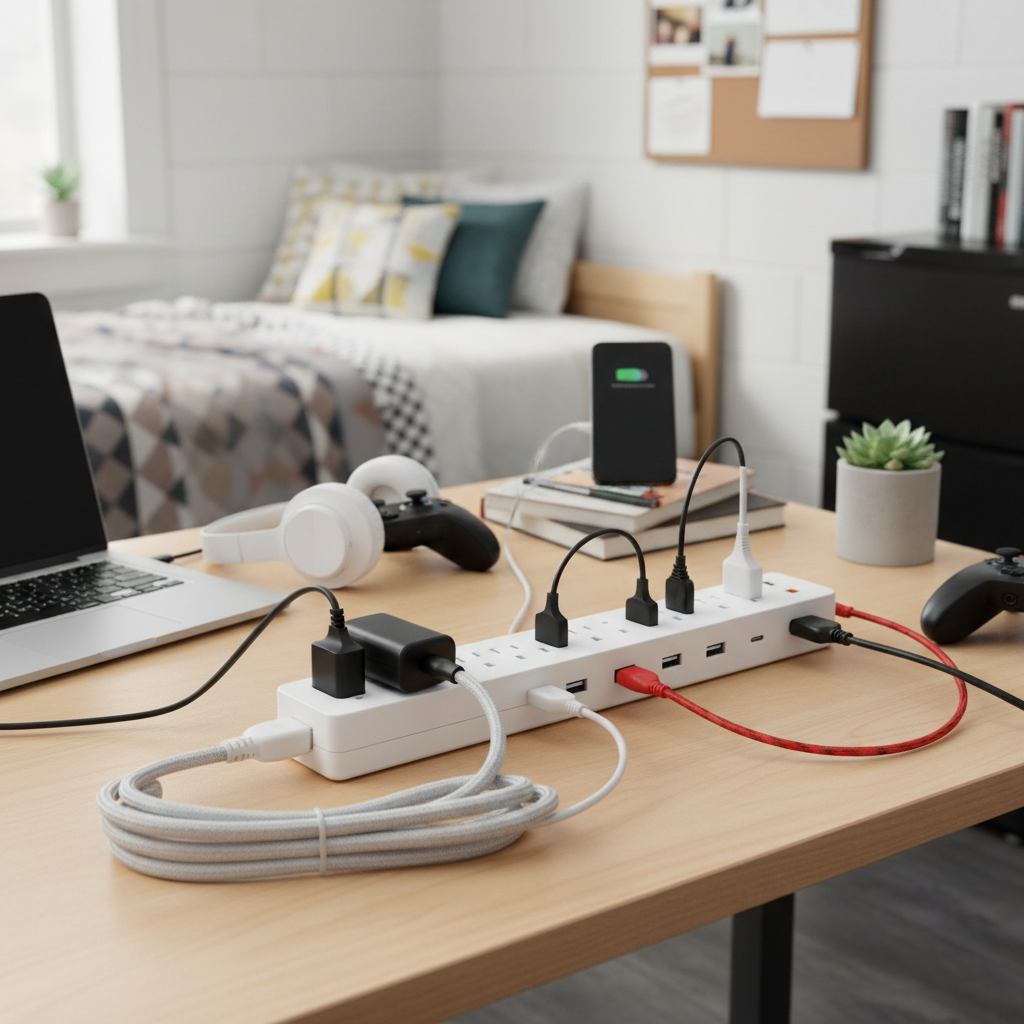
In today’s tech-heavy environment, almost every student relies on multiple USB-powered devices. These surge protectors integrate USB-A and, increasingly, USB-C ports directly into the unit. This eliminates the need for separate charging bricks, freeing up AC outlets and reducing clutter. USB-C ports with Power Delivery (PD) capabilities are highly desirable for rapidly charging compatible laptops and modern smartphones.
[image-1|usb-surge-protector-dorm|A sleek white surge protector with multiple AC outlets and several USB-A and USB-C ports, with devices like a smartphone and laptop connected, set on a clean dorm desk. The lighting is bright and functional, with a slightly elevated view, in a realistic product photography style.|
A modern white surge protector featuring six AC outlets, two USB-A ports, and two USB-C ports, situated on a light wooden college dorm desk. A sleek smartphone and a thin laptop are visibly charging, plugged into the USB-C ports. The background is a blurred, minimalist dorm room. The shot is a medium close-up from a slightly elevated angle, with soft, bright natural lighting, emphasizing a clean and organized aesthetic in a realistic product photography style.]
Flat Plug / Wall-Mountable Surge Protectors
Dorm rooms are notoriously tight. A flat plug design, featuring a slim profile and often a 45-degree angled cord, allows you to push furniture flush against the wall. This maximizes precious floor space and prevents damage to the cord. Many flat-plug models also come with keyhole slots on the back, allowing them to be wall-mounted or secured to a desk, keeping them off the floor and out of the way.
Power Towers / Desktop Hubs
For students with a centralized workspace or gaming setup, a power tower or desktop hub can be an excellent space-saving solution. These units typically feature outlets arranged vertically around a central column, often combined with multiple USB ports. They sit conveniently on a desk, making it easy to plug and unplug devices without having to reach behind furniture. Some models even have retractable cords for extra tidiness.
Smart Surge Protectors (Advanced Option)
While not a necessity for dorm living, smart surge protectors offer advanced features like individual outlet control, scheduling, and energy monitoring via a smartphone app. This can be useful for managing power consumption for devices that don’t need to be constantly on, or for remotely turning off lights when you leave the room. However, their higher cost and the potential for Wi-Fi signal issues in dorms might make them less practical for some students.
Top 5 Power Strips for College Dorm Room Setups
Choosing the best power strip means balancing safety, functionality, and convenience for a cramped dorm environment. Here are five top-tier options that cater to various student needs.
1. Anker 331 USB-C Surge Protector Power Strip
The Anker 331 is a standout for its balanced features, robust safety, and modern charging capabilities, making it an excellent all-around choice for dorm rooms.
- Key Features: 6 AC outlets, 2 USB-A ports, 1 USB-C port (up to 30W Power Delivery), 1280 Joules surge protection, flat plug, 5-foot braided cord.
- Pros: High-speed USB-C charging for laptops and phones, ample AC outlets, strong surge protection, durable braided cord, space-saving flat plug. Anker’s reputation for quality and safety is a significant plus.
- Cons: Cord length might be too short for very distant outlets. Fewer AC outlets than some larger units.
2. Addtam 10-in-1 USB-C Power Strip with Flat Plug
For those needing a high number of outlets in a versatile form factor, the Addtam 10-in-1 offers exceptional value and utility.
- Key Features: 7 widely spaced AC outlets, 2 USB-A ports, 1 USB-C port (18W PD), 900 Joules surge protection, 5-foot flat extension cord.
- Pros: Numerous AC outlets, including wide spacing for bulky adapters. USB-C port for fast charging. Compact design with a flat plug makes it ideal for tight spaces and travel.
- Cons: Joule rating is adequate but lower than premium models.
3. Belkin Surge Protector with 12 AC Outlets and Coaxial Protection
When maximum AC outlets and specialized protection are a priority, Belkin delivers a reliable solution.
- Key Features: 12 widely spaced AC outlets, 3940 Joules surge protection, 8-foot power cord, telephone/coaxial cable protection, sliding safety covers.
- Pros: Extremely high joule rating for superior protection, abundant outlets, excellent for setups with multiple monitors or entertainment systems. Coaxial protection is a bonus for cable internet/TV.
- Cons: No integrated USB ports, larger footprint.
[image-2|belkin-12-outlet-surge-protector|A robust black Belkin surge protector featuring 12 AC outlets, neatly arranged in two rows, with an 8-foot power cord extended to the side, placed on a light wooden surface in a dorm room setting. The lighting is even and clear, depicting a practical, organized setup in a realistic style.|
A heavy-duty black Belkin surge protector with twelve three-prong AC outlets, evenly spaced on its rectangular body. An 8-foot thick black power cord is clearly visible, extending to the right. The surge protector rests on a light wood desk, surrounded by typical dorm room items like books and a small plant, in a clear and functional product photograph style with soft, ambient lighting.]
4. Tessan Flat Plug Wall-Mountable USB Power Strip
The Tessan wall-mountable option is perfect for reclaiming desk or floor space and providing power exactly where you need it.
- Key Features: 4 AC outlets, 3 USB-A ports, 900 Joules surge protection, 5-foot flat extension cord, wall-mountable design.
- Pros: Very compact with a flat plug, ideal for small spaces. Wall-mounting capability helps keep surfaces clear. Good for basic charging needs.
- Cons: Lower joule rating, no USB-C, fewer AC outlets, making it less suitable for power-hungry setups.
5. Solidock 13-in-1 Surge Protector Power Strip Flat Plug Tower
For a versatile desktop charging station that minimizes clutter, the Solidock power tower provides an innovative solution.
- Key Features: 8 widely spaced AC outlets, 3 USB-A ports, 2 USB-C ports, 1250W/10A capacity, flat plug, 5-foot extension cord.
- Pros: Space-saving tower design, excellent for desk organization, provides a good mix of AC and fast USB-C ports. Flat plug adds flexibility.
- Cons: Not explicitly rated with Joules in all descriptions, so confirm protection level.
“For college students, the most crucial feature of a power strip isn’t just more outlets, but robust surge protection. Your devices are often your most valuable assets, and an unexpected power surge can erase years of work or cost hundreds to replace. Always prioritize UL-certified surge protectors with circuit breakers.” – Dr. Eleanor Vance, Electrical Engineering Professor and Dorm Safety Advocate
Safe Usage and Maintenance of Your Dorm Power Strip
Even the best power strip can become a hazard if used improperly. Adhering to these safety guidelines is crucial for a secure dorm environment.
- Plug Directly into a Wall Outlet: Never plug a power strip into another power strip, an extension cord, or a multi-plug adapter. This dangerous practice, known as “daisy-chaining,” can overload the circuit and cause a fire. Always ensure your power strip is plugged directly into a permanent wall outlet.
- Avoid High-Wattage Appliances: Power strips, even surge protectors, are generally designed for low to medium-power electronics like laptops, chargers, lamps, and small fans. Never plug in high-wattage appliances such as mini-fridges, microwaves, coffee makers, toasters, space heaters, or hair dryers into a power strip unless the power strip is explicitly rated for such appliances and your dorm permits it. These devices can easily overload the strip, leading to overheating and fire.
- Placement Matters: Keep power strips and their cords visible and accessible. Never run cords under rugs, carpets, or across high-traffic areas where they can be tripped over or damaged. Avoid placing them underneath mattresses or near flammable materials like bedding, curtains, or loose papers.
- Regular Inspection: Periodically check your power strip and its cord for any signs of damage. Look for frayed wires, cracked housing, discolored outlets, or a loose plug. If you notice any damage, immediately stop using the power strip and replace it. A damaged unit is a serious fire and shock hazard.
- Unplug When Not in Use: When leaving your dorm for an extended period (like winter or summer break) or when devices are not in use, unplug them from the power strip. Unplugging the power strip from the wall outlet completely cuts power, reducing “phantom load” energy consumption and mitigating fire risk.
- Monitor Indicator Lights: If your surge protector has an indicator light to show its protection status (often a green “protected” light), keep an eye on it. If this light goes out, it means the surge protection components have worn out and can no longer protect your devices. The power strip may still provide power, but it has lost its protective capability and should be replaced. Surge protectors generally degrade over time with each surge absorbed.
By following these simple yet critical guidelines, you can ensure your dorm room remains a safe and functional space throughout your college years.
In summary, equipping your college dorm room with the right power strip is more than just a matter of convenience; it’s a fundamental aspect of electrical safety and device protection. Prioritizing UL/ETL certified surge protectors with sufficient joule ratings and built-in circuit breakers is non-negotiable. Look for features like numerous outlets, integrated USB-A and USB-C ports, widely spaced receptacles, and a space-saving flat plug with a generous cord length to cater to the unique demands of dorm living. While convenience is important, never compromise on safety by “daisy-chaining” power strips or plugging in high-wattage appliances. A well-chosen and properly used power solution will keep your essential electronics charged, protected, and your dorm room safe, allowing you to focus on your studies and new experiences. What’s the one feature you absolutely can’t live without in your dorm room power strip?
Frequently Asked Questions
What’s the essential difference between a power strip and a surge protector?
A power strip simply provides additional outlets by extending a single wall socket, offering no protection from electrical fluctuations. In contrast, a surge protector includes internal components designed to detect and divert dangerous voltage spikes (surges) away from connected electronics, safeguarding them from damage.
Can I use a regular extension cord in my college dorm room?
Many college dorms prohibit the use of regular extension cords because they lack built-in safety features like surge and overload protection, posing a fire risk. Always consult your college’s housing handbook, but generally, only UL-certified surge protectors with circuit breakers are permitted for expanding outlets.
How many joules should a power strip for a dorm room have?
For a college dorm room, a surge protector should ideally have a joule rating of at least 1000 Joules. If you’ll be plugging in more expensive or sensitive electronics like gaming PCs or high-end monitors, opting for a higher rating of 2000 Joules or more provides superior protection.
When should I replace my dorm room surge protector?
Surge protectors degrade over time as they absorb electrical surges. You should replace your surge protector every few years, or immediately after a major power event like a lightning strike. Many models have an indicator light that shows if the surge protection is still active; if this light goes out, the unit needs to be replaced.
Are there any appliances I shouldn’t plug into a dorm power strip?
Yes, you should never plug high-wattage appliances that generate heat into a standard power strip or surge protector. This includes mini-fridges, microwaves, coffee makers, toasters, space heaters, and hair dryers, as they can draw too much current, overload the strip, and create a significant fire hazard. Always check your dorm’s specific rules for appliance allowances.