In today’s interconnected world, protecting our valuable electronic devices from power fluctuations is more crucial than ever. Whether you’re safeguarding a high-end gaming PC, a home theater system, or essential office equipment, choosing the right power protection solution can be perplexing. Many users grapple with the fundamental question: should I opt for a simple power strip or invest in a more robust Uninterruptible Power Supply (UPS) battery backup? This article, drawing on over a decade of hands-on experience with home electronics, including power strips, will demystify these devices, compare their features, and guide you toward making an informed decision that perfectly aligns with your needs and budget.
What is a Power Strip and Why Do You Need It?
A power strip, often interchangeably called a power bar, extension block, or multi-outlet strip, is a device that includes multiple electrical sockets into which other electrical devices can be plugged. Its primary function is to expand the number of available outlets from a single wall socket, allowing you to power several devices simultaneously. While seemingly basic, a power strip provides a convenient way to manage multiple power cords, reducing clutter and making it easier to connect all your electronics in one location. Devices commonly connected to power strips include lamps, phone chargers, small kitchen appliances, and entertainment systems that are not critical for continuous operation. The simplicity and affordability of power strips make them a common household item, but their protective capabilities can vary significantly.
[image-1|basic-power-strip-desk-setup|A basic power strip with multiple outlets on a tidy desk with various electronic devices plugged in.|
A realistic photo of a clean, modern desk setup featuring a basic, white power strip with several electronic devices (laptop charger, phone charger, small lamp) neatly plugged into its outlets. The focus is on the power strip as a central hub for multiple devices. Soft, natural lighting from a window illuminates the scene.]
What is a UPS Battery Backup and Why Do You Need It?
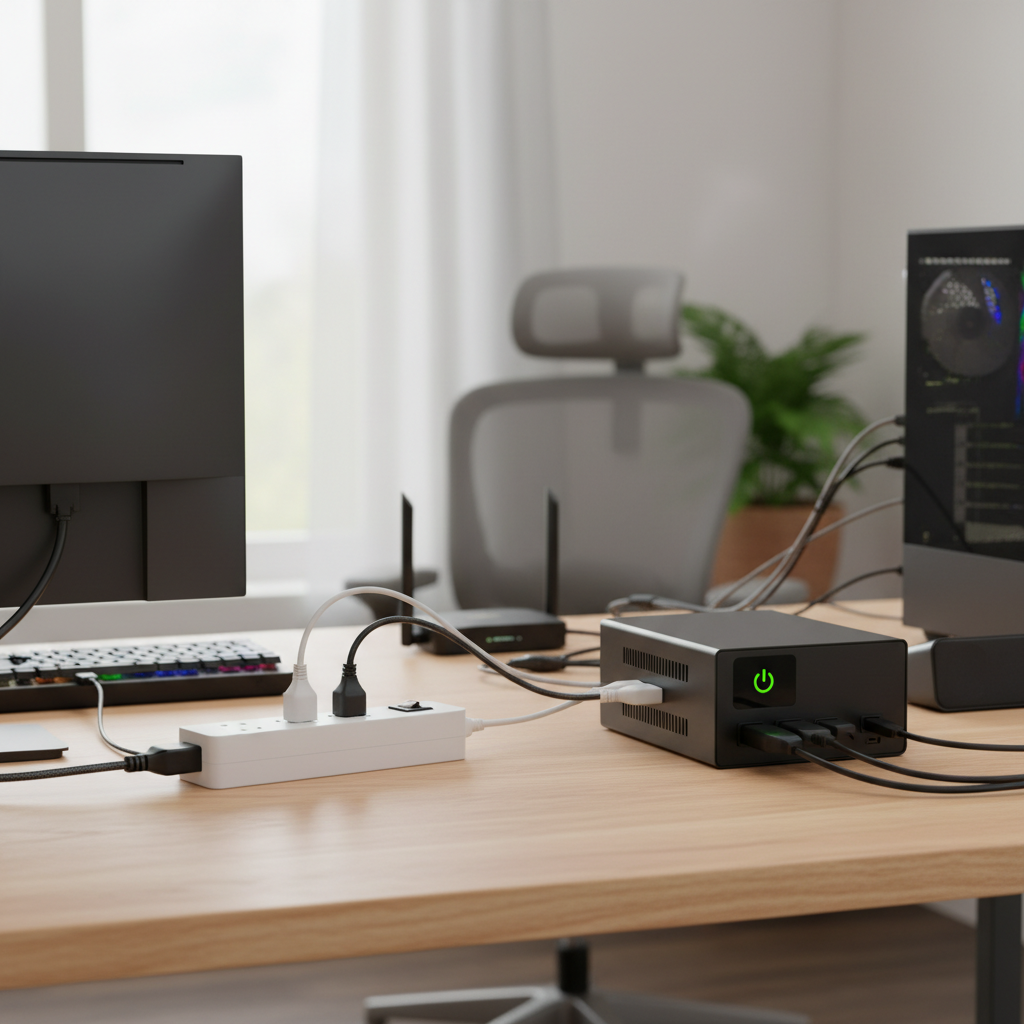
An Uninterruptible Power Supply (UPS) battery backup is a device that goes beyond simple outlet expansion by providing emergency power to connected equipment when the main power source fails. Essentially, it’s a battery that kicks in automatically during a blackout, brownout, or power surge, ensuring your critical devices remain operational for a short period. This brief window of power allows you to save work, properly shut down computers, or keep essential network devices running without interruption. UPS systems are vital for protecting sensitive electronics like desktop computers, servers, network routers, and medical equipment, where even a momentary power loss can lead to data corruption, hardware damage, or significant operational disruptions. Beyond battery backup, most UPS units also offer advanced surge protection and power conditioning, filtering out minor fluctuations that can degrade electronic components over time.
Types of Power Strips
Understanding the different types of power strips is crucial, as their capabilities vary significantly, especially regarding protection.
Basic Power Strip
A basic power strip primarily serves to increase the number of available electrical outlets. It typically offers no surge protection or very minimal safeguards, meaning it does not protect connected devices from voltage spikes or drops.
- Advantages: Very affordable, expands outlets, convenient.
- Disadvantages: Offers little to no protection against power fluctuations, potential fire hazard if overloaded.
- Suitable Applications: Connecting non-sensitive devices like desk lamps, phone chargers (with their own adapters), or simple appliances where power continuity or surge protection is not critical.
|
Our Picks for the Best Power strip in 2026
As an Amazon Associate I earn from qualifying purchases.
|
||
| Num | Product | Action |
|---|---|---|
| 1 | Anker Power Strip with 2100J Surge Protector, Outlet Extender, 5ft Extension Cord with Multiple Outlets, 12 AC, 2 USB A,1 USB C Port for 20W, Home Office, Dorm Room Essentials, TUV Listed |

|
| 2 | Power Strip Surge Protector, Olcorife Ultra Thin Flat Plug Extension Cord 5ft, 6 Outlets 3 USB Ports(1 USB C), 3 Sided Outlet Extender for Home Office Travel Dorm Room Essentials, White |
|
| 3 | Surge Protector Power Strip - HANYCONY 8 Outlets 4 USB (2 USB C) Charging Ports, Multi Plug Outlet Extender, 5Ft Braided Extension Cord, Flat Plug Wall Mount Desk Charging Station for Home Office ETL |
|
| 4 | Surge Protector Power Strip - Nuetsa Flat Plug Extension Cord with 8 Outlets and 4 USB Ports, 6 Feet Power Cord (1625W/13A), 2700 Joules, ETL Listed, Black |
|
| 5 | 6Ft Power Strip Surge Protector - Yintar Extension Cord with 6 AC Outlets and 3 USB Ports for for Home, Office, Dorm Essentials, 1680 Joules, ETL Listed, (Black) |
|
| 6 | KMC 6-Outlet Surge Protector Power Strip 2-Pack, 900 Joules, 4-Foot Extension Cord, Overload Protection, Black |
|
| 7 | 6 Ft Surge Protector Power Strip - 8 Widely Outlets with 4 USB Ports, 3 Side Outlet Extender with 6 Feet Extension Cord, Flat Plug, Wall Mount, Desk USB Charging Station, ETL,White |
|
| 8 | Belkin 12-Outlet Surge Protector Power Strip w/ 12 AC Outlets & 8ft Flat Plug, UL-Listed Heavy-Duty Extension Cord for Home, Office, Travel, Computer, Laptop, Charger - 3,940 Joules of Protection |
|
| 9 | Wall Charger, Surge Protector, QINLIANF 5 Outlet Extender with 4 USB Charging Ports, 3-Sided 1680J Power Strip Multi Plug Adapter Spaced for Home Travel Office |
|
| 10 | Power Strip, ALESTOR Surge Protector with 12 Outlets and 4 USB Ports, 6 Feet Extension Cord (1875W/15A), 2700 Joules, ETL Listed, Black |
|
Surge Protector
A surge protector is a power strip equipped with circuitry designed to divert excess voltage away from connected devices during a power surge. It protects against sudden spikes in electrical current that can damage or destroy electronics.
- Advantages: Protects against surges, often includes multiple outlets, can have indicators for protection status.
- Disadvantages: Does not protect against power outages or voltage sags, surge protection can degrade over time.
- Suitable Applications: Protecting valuable electronics like TVs, computers (though not for preventing data loss during outages), gaming consoles, and home theater systems.
Smart Power Strip
A smart power strip offers advanced features like individual outlet control, energy monitoring, and scheduling capabilities, often controllable via a smartphone app or smart home assistant. Some models integrate surge protection.
- Advantages: Energy savings, remote control, convenient automation, some offer surge protection.
- Disadvantages: More expensive than basic or surge protector strips, requires a Wi-Fi connection for smart features.
- Suitable Applications: Home offices, media centers, or any setup where energy efficiency, remote management, or automated power cycling is desired for non-critical devices.
USB Power Strip
These power strips include dedicated USB ports for charging mobile devices directly, in addition to standard AC outlets. Many also incorporate surge protection for all connected devices, including those charging via USB.
- Advantages: Charges USB devices without needing adapters, reduces clutter, often includes surge protection.
- Disadvantages: USB charging speed might vary, can still lack comprehensive power conditioning.
- Suitable Applications: Desks, nightstands, and travel, providing a convenient all-in-one charging solution for modern electronics.
Travel Power Strip
Designed for portability, travel power strips are compact and lightweight, often featuring universal outlets, multiple USB ports, and sometimes built-in surge protection.
- Advantages: Compact design, lightweight, versatile for different plug types, convenient for travelers.
- Disadvantages: Limited number of outlets, typically lower power capacity, may not include advanced protection in very basic models.
- Suitable Applications: Business travel, vacations, or temporary setups where space is limited and basic power expansion is needed.
Types of UPS Battery Backups
UPS systems offer varying levels of protection and functionality, catering to different needs and budgets.
Standby UPS (Offline UPS)
This is the most basic type of UPS. During normal operation, it passes utility power directly to connected devices, while the battery charger keeps the battery fully charged. When a power problem occurs (blackout, voltage sag/surge), the UPS switches to battery power.
- Advantages: Most affordable type of UPS, energy-efficient.
- Disadvantages: Short transfer time (typically 2-10 milliseconds) which might be noticeable to highly sensitive equipment, minimal power conditioning.
- Suitable Applications: Home computers, entry-level network equipment, POS terminals, and other non-critical devices where a brief interruption is acceptable.
Line-Interactive UPS
Line-interactive UPS systems are more advanced than standby units. They incorporate an autotransformer that regulates voltage fluctuations without switching to battery power, providing better power conditioning. They switch to battery power only during blackouts or severe voltage issues.
- Advantages: Better power conditioning, faster transfer times than standby UPS, more efficient than online UPS.
- Disadvantages: Still has a brief transfer time (though less than standby), not as robust as online UPS for very sensitive equipment.
- Suitable Applications: Small to medium businesses, desktop PCs, workstations, network servers, and other electronics requiring moderate power protection and power conditioning.
Online UPS (Double-Conversion UPS)
An online UPS provides the highest level of power protection. It continuously converts incoming AC power to DC to charge the battery, and then converts it back to AC power for connected devices. This “double-conversion” process completely isolates equipment from utility power, resulting in zero transfer time and pure, consistent power output.
- Advantages: Provides continuous, clean power with zero transfer time, excellent power conditioning, highest level of protection.
- Disadvantages: Most expensive, less energy-efficient due to continuous conversion, generates more heat.
- Suitable Applications: Critical servers, data centers, high-end workstations, medical equipment, industrial applications, and any environment where even a microsecond of power interruption is unacceptable.
Power Strip vs. UPS Battery Backup: A Detailed Comparison
Choosing between a power strip and a UPS often comes down to the specific protection needs of your devices and your budget. Here’s a comparative overview:
| Feature | Basic Power Strip | Surge Protector | UPS Battery Backup (General) |
|---|---|---|---|
| Primary Function | Outlet expansion | Surge protection | Battery backup & surge protection |
| Power Outage Protection | None | None | Yes (temporary power) |
| Surge Protection | Minimal or none | Yes (diverts spikes) | Yes (advanced, often integrated) |
| Voltage Regulation | None | None | Yes (especially Line-Interactive & Online) |
| Power Conditioning | None | None | Yes (filters noise, sags, brownouts) |
| Cost | Very Low | Low to Moderate | Moderate to High |
| Lifespan | Long (if not overloaded) | Limited (surge capacity) | Varies (battery replacement needed) |
| Key Benefit | Convenience | Device protection | Data/system uptime & protection |
| Ideal Use Case | Lamps, phone chargers | TVs, gaming consoles | Computers, servers, network gear |
How to Choose the Right Device for Your Needs (Buying Guide)
Making the right choice involves a careful assessment of your specific requirements and an understanding of the technical aspects of each device.
Assess Your Power Requirements
Before anything else, consider what you need to power.
- Number of Outlets: Count how many devices you need to plug in. Power strips offer a range, and UPS units also come with multiple outlets, some with battery backup and some with surge protection only.
- Type of Devices: Are they critical (e.g., computers, network routers) or non-critical (e.g., lamps, phone chargers)? Critical devices benefit most from UPS protection.
- Location: Where will the device be placed? For a fixed workstation, a full-sized UPS might be ideal. For travel, a compact USB power strip is more suitable.
Technical Factors to Consider
Several technical specifications will guide your purchase.
- Maximum Wattage/Amperage: Ensure the device can handle the combined power draw of all connected electronics. Overloading can be dangerous.
- Joule Rating (for Surge Protectors): A higher Joule rating indicates better surge protection. Look for ratings above 1000 Joules for valuable electronics.
- VA/Watt Rating (for UPS): UPS units are rated in Volt-Amperes (VA) and Watts (W). The Watt rating is the true measure of usable power. Match this to your equipment’s total power consumption, often with a 20-25% buffer.
- Battery Runtime (for UPS): How long do you need your devices to stay powered during an outage? This determines the battery capacity required.
- Safety Standards: Look for certifications like UL (Underwriters Laboratories) or other recognized safety marks to ensure the product meets stringent safety standards.
Brands and Pricing
Reputable brands in power strips include Belkin, Amazon Basics, and Anker. For surge protectors, APC, Tripp Lite, and CyberPower are popular choices. In the UPS market, APC, CyberPower, and Eaton are leading manufacturers known for reliability. Prices vary widely: basic power strips are under $20, surge protectors range from $20-$50, while UPS units can start from $100 for basic home models and go into the thousands for enterprise solutions. Always balance features with your budget, prioritizing protection for your most valuable assets.
User Reviews and Expert Opinions
Before making a final decision, always read user reviews and consult expert opinions. These can offer valuable insights into real-world performance, durability, and any potential quirks. Look for consistent feedback regarding reliability, ease of use, and effective protection.
Top 3 Power Strips and UPS Battery Backups Recommended
Based on reliability, features, and user satisfaction, here are some highly recommended categories to consider for both power strips and UPS devices:
- For Advanced Surge Protection: Look for models like the APC SurgeArrest P11VNT3 or Belkin Surge Protector 12-Outlet with Coaxial and Phone Protection. These units typically offer high Joule ratings, multiple outlets, and additional protection for communication lines, making them ideal for home offices and entertainment centers. Their robust design ensures your electronics are shielded from powerful surges.
- For Home Office UPS: The CyberPower CP1500AVRLCD Intelligent LCD UPS or APC Back-UPS Pro BR1500MS are excellent choices. These line-interactive UPS units provide significant battery backup time (often 10-15 minutes for a desktop PC), strong surge protection, and LCD displays for real-time status updates. They are perfect for ensuring you can save work and shut down gracefully during power interruptions.
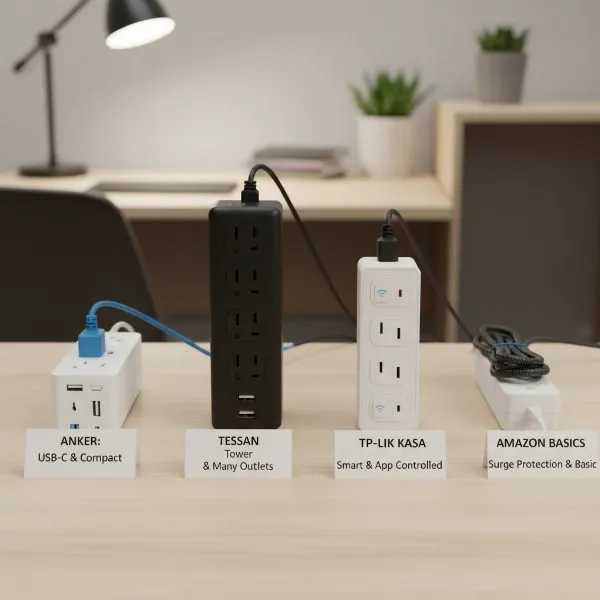
- For Smart Home Convenience: A TP-Link Kasa Smart Wi-Fi Power Strip HS300 or an Anker Power Strip with USB-C, 3 Outlets and 3 USB Ports can elevate your setup. These smart power strips offer individual outlet control, scheduling, energy monitoring, and often include dedicated USB charging, bringing modern functionality to your power management.
Safe Usage and Maintenance Tips
Proper usage and maintenance are critical for maximizing the life and effectiveness of both power strips and UPS units, and more importantly, for ensuring safety.
- Avoid Daisy-Chaining: Never plug a power strip into another power strip, or a power strip into a UPS that is then plugged into another power strip. This practice, known as daisy-chaining, can overload circuits and pose a serious fire hazard.
- Don’t Overload: Be mindful of the total wattage of devices plugged into any strip or UPS. Exceeding the device’s maximum capacity can lead to overheating and potential damage or fire. Check the wattage ratings of your appliances.
- Proper Placement: Place power strips and UPS units in well-ventilated areas, away from sources of heat or moisture. Ensure cords are not pinched or run under carpets, which can cause overheating and damage.
- Regular Testing (for UPS): Most UPS units have a self-test function. Perform this periodically (e.g., monthly) to ensure the battery is healthy and the unit will perform correctly during an outage. Replace UPS batteries every 3-5 years, or as recommended by the manufacturer, as they degrade over time.
- Check Surge Protector Indicators: Many surge protectors have indicator lights to show if the surge protection is active. If this light goes out, it means the protection circuitry has been compromised, and the unit should be replaced.
- Unplug When Not in Use: For items you don’t use regularly, consider unplugging them from power strips to prevent phantom load (vampire power draw) and reduce wear on the power strip.
“Investing in the right power protection isn’t just about safeguarding gadgets; it’s about preserving data, maintaining productivity, and ensuring peace of mind in an unpredictable world. Don’t underestimate the power of a good quality surge protector or UPS.” – Alex Chen, Lead Electronics Engineer.
Conclusion
The decision between a power strip and a UPS battery backup ultimately hinges on the value you place on your electronic devices and the criticality of their uninterrupted operation. While a basic power strip offers convenient outlet expansion for non-essential items, a surge protector provides crucial defense against voltage spikes. For devices where data integrity, continuous operation, and comprehensive protection against various power anomalies are paramount, an Uninterruptible Power Supply (UPS) is the indispensable choice. By carefully evaluating your needs, understanding the different types available, and adhering to safe usage practices, you can confidently select the best power management solution to protect your valuable electronics. What devices in your home or office are most vulnerable to power issues, and what steps will you take to safeguard them?
Frequently Asked Questions
What is the primary difference between a power strip and a surge protector?
A standard power strip merely adds more outlets, while a surge protector also includes a component that diverts excess voltage (surges) away from connected devices, protecting them from damage. All surge protectors are power strips, but not all power strips are surge protectors.
Can a surge protector also provide battery backup during a power outage?
No, a typical surge protector does not contain a battery and therefore cannot provide backup power during a power outage. Its sole function is to protect against sudden voltage spikes. For battery backup, you need a UPS.
How often should I replace my surge protector?
Surge protectors have a limited lifespan because their internal components degrade with each surge they absorb. It is generally recommended to replace them every 3 to 5 years, or immediately after a major electrical event like a lightning strike, even if the indicator light is still on.
Is it safe to plug a refrigerator into a power strip?
It is generally not recommended to plug high-power appliances like refrigerators, freezers, or microwaves into power strips. These appliances draw a lot of current and can overload the power strip or the circuit, leading to a fire hazard or tripping the circuit breaker. They should be plugged directly into a wall outlet.
What does the “Joule” rating on a surge protector mean?
The Joule rating indicates the amount of energy a surge protector can absorb before it fails. A higher Joule rating means the surge protector can withstand larger or more frequent surges, offering better protection for your electronics. Look for ratings above 1000 Joules for valuable equipment.