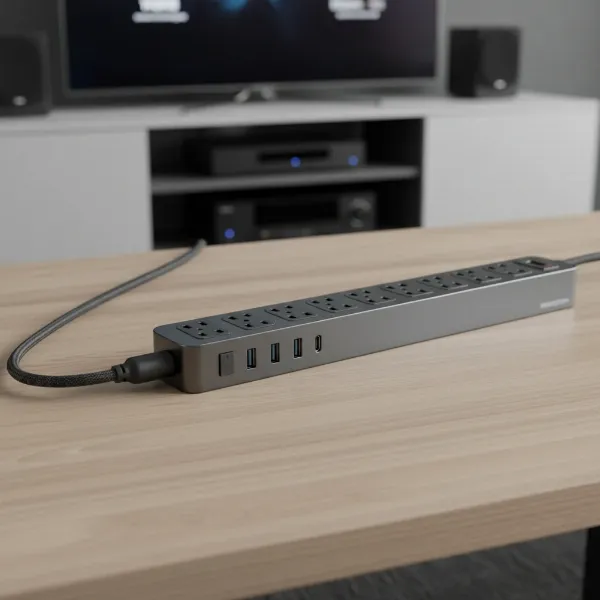
In our increasingly digital world, a single wall outlet rarely suffices for the array of electronics that constitute a modern computer setup. From desktops and laptops to multiple monitors, external drives, speakers, and various charging cables, our workstations demand more power access than ever before. However, simply adding more outlets isn’t enough; choosing the right power strip is crucial to ensure both convenience and, more importantly, the safety and longevity of your valuable equipment. This comprehensive guide will illuminate the distinctions between various power strip types and equip you with the knowledge to select the perfect power distribution solution for your computing needs.

What is a Power Strip and Why Do You Need It?
A power strip, often referred to as a relocatable power tap (RPT) or power board, is an electrical device designed to expand the number of available electrical outlets from a single wall receptacle. Think of it as an extension cord that branches out into multiple sockets, providing a centralized point for connecting several devices. Its primary function is to offer convenience by consolidating power access and helping to organize the tangle of cords that inevitably accumulates around any computer setup.
Beyond mere expansion, power strips often come equipped with an on/off switch, allowing you to power down all connected devices with a single action, which can contribute to energy savings. For computer users, a power strip is indispensable. It’s the central hub for your desktop PC, monitors, external hard drives, printers, speakers, modems, routers, and all those essential phone and tablet chargers. Without one, you’d likely run out of wall outlets before even booting up your system.
[image-1|modern-computer-setup-power-strip|A modern computer setup with multiple devices plugged into a power strip, illustrating expanded connectivity.|
A clean, modern computer desk setup with a desktop PC, two monitors, keyboard, mouse, and other peripherals neatly connected to a sleek, multi-outlet power strip. The power strip is visible but blends into the organized workspace. Soft, natural lighting from a window. Realistic style.]
Power Strip vs. Surge Protector: A Crucial Distinction
While often used interchangeably, there’s a vital difference between a basic power strip and a surge protector, especially when it comes to safeguarding your computer equipment. Understanding this distinction is the first critical step in making an informed purchase.
A basic power strip is, at its core, simply an extension cord with multiple outlets. It provides additional plug-in points but offers no protection against electrical disturbances. If a power surge occurs—a sudden spike in voltage that can happen due to lightning strikes, utility grid fluctuations, or even the cycling on/off of large appliances—any devices plugged into a basic power strip are completely vulnerable. These surges can severely damage sensitive electronics, leading to hardware failure, data loss, and significantly shortening the lifespan of your expensive computer components.
A surge protector, on the other hand, is a specific type of power strip engineered to defend your electronics from these dangerous voltage spikes. It contains internal components, typically Metal Oxide Varistors (MOVs), which detect excess voltage and safely divert the extra electricity away from your connected devices, usually into the grounding wire. This protective barrier is absolutely essential for valuable and sensitive electronics like desktop computers, laptops, monitors, gaming consoles, and network equipment. Without adequate surge protection, your investment in high-tech gear could be instantly wiped out by an unpredictable electrical event.
Key Types of Power Strips for Computer Users
The market offers a diverse range of power strips, each with unique features and best-suited applications. For computer users, selecting the right type involves considering both basic power distribution and advanced protection or convenience features.
Basic Power Strip
A basic power strip provides multiple outlets from a single wall socket, usually featuring an on/off switch and often an internal circuit breaker for overload protection. However, crucially, it does not offer any surge protection. These strips are generally the least expensive option.
- Pros: Inexpensive, expands outlet capacity.
- Cons: Offers no protection against voltage surges, making it unsuitable for sensitive electronics like computers.
- Suitable for: Low-power, non-sensitive devices such as basic desk lamps, analog clocks, or charging blocks for older, less critical devices. It is explicitly not recommended for powering your actual computer, monitors, or other sensitive peripherals.
|
Our Picks for the Best Power strip in 2026
As an Amazon Associate I earn from qualifying purchases.
|
||
| Num | Product | Action |
|---|---|---|
| 1 | Belkin 12-Outlet Surge Protector Power Strip w/ 12 AC Outlets & 8ft Flat Plug, UL-Listed Heavy-Duty Extension Cord for Home, Office, Travel, Computer, Laptop, Charger - 3,940 Joules of Protection |

|
| 2 | Wall Charger, Surge Protector, QINLIANF 5 Outlet Extender with 4 USB Charging Ports, 3-Sided 1680J Power Strip Multi Plug Adapter Spaced for Home Travel Office |
|
| 3 | Anker Power Strip with 2100J Surge Protector, Outlet Extender, 5ft Extension Cord with Multiple Outlets, 12 AC, 2 USB A,1 USB C Port for 20W, Home Office, Dorm Room Essentials, TUV Listed |
|
| 4 | 6 Ft Surge Protector Power Strip - 8 Widely Outlets with 4 USB Ports, 3 Side Outlet Extender with 6 Feet Extension Cord, Flat Plug, Wall Mount, Desk USB Charging Station, ETL,White |
|
| 5 | KMC 6-Outlet Surge Protector Power Strip 2-Pack, 900 Joules, 4-Foot Extension Cord, Overload Protection, Black |
|
| 6 | 6Ft Power Strip Surge Protector - Yintar Extension Cord with 6 AC Outlets and 3 USB Ports for for Home, Office, Dorm Essentials, 1680 Joules, ETL Listed, (Black) |
|
| 7 | Surge Protector Power Strip - HANYCONY 8 Outlets 4 USB (2 USB C) Charging Ports, Multi Plug Outlet Extender, 5Ft Braided Extension Cord, Flat Plug Wall Mount Desk Charging Station for Home Office ETL |
|
| 8 | Power Strip, ALESTOR Surge Protector with 12 Outlets and 4 USB Ports, 6 Feet Extension Cord (1875W/15A), 2700 Joules, ETL Listed, Black |
|
| 9 | Power Strip Surge Protector, Olcorife Ultra Thin Flat Plug Extension Cord 5ft, 6 Outlets 3 USB Ports(1 USB C), 3 Sided Outlet Extender for Home Office Travel Dorm Room Essentials, White |
|
| 10 | Surge Protector Power Strip - Nuetsa Flat Plug Extension Cord with 8 Outlets and 4 USB Ports, 6 Feet Power Cord (1625W/13A), 2700 Joules, ETL Listed, Black |
|
Surge Protector Power Strip
This is the essential choice for any computer user. A surge protector power strip looks similar to a basic strip but incorporates specialized circuitry to absorb or divert voltage spikes. Key indicators include a joule rating (indicating protection capacity) and often LED lights that confirm the surge protection is active and the strip is properly grounded.
- Pros: Protects valuable electronics from damaging power surges, often includes overload protection and noise filtering.
- Cons: More expensive than basic strips, and its protective components (MOVs) degrade over time, meaning it needs eventual replacement.
- Suitable for: All components of a computer setup, including desktop PCs, laptops, monitors, external hard drives, printers, routers, and gaming consoles. This should be considered the minimum standard for protecting any sensitive electronic equipment.
Smart Power Strip
Smart power strips elevate the concept of protection and convenience by integrating energy management features. These strips typically offer surge protection alongside Wi-Fi connectivity, allowing remote control via smartphone apps or voice commands. They often include scheduling capabilities, energy monitoring, and sometimes even “master-control” outlets that automatically power down peripheral devices when the primary device (like your computer) is turned off.
- Pros: Provides robust surge protection, saves energy by eliminating “vampire drain” (power consumed by devices in standby), offers remote control and scheduling for enhanced convenience, and can potentially extend device lifespan.
- Cons: Higher initial cost, requires app setup and potentially integration with smart home ecosystems, and can be more complex to configure.
- Suitable for: Tech-savvy users, those prioritizing energy efficiency and cost savings, or individuals with complex computer setups who desire automated control over their peripherals.
USB Power Strip
Many modern power strips, including surge protectors and smart strips, now incorporate dedicated USB charging ports (USB-A and/or USB-C) alongside traditional AC outlets. This feature addresses the growing number of USB-powered devices we use daily, such as smartphones, tablets, smartwatches, and headphones.
- Pros: Reduces the need for multiple bulky USB wall adapters, helps de-clutter your charging area, and often includes fast-charging capabilities (especially with USB-C Power Delivery ports).
- Cons: USB ports might share a limited power output, and some models may lack surge protection for the AC outlets (always verify for computer use).
- Suitable for: Anyone looking to consolidate charging, particularly users with numerous mobile devices that frequently connect to their computer workstation. Ensure the model you choose still provides adequate surge protection for your AC-powered computer components.
Travel Power Strip
Designed for portability, travel power strips are compact, lightweight, and often feature a flat plug to fit in tight spaces. They typically include a combination of AC outlets and USB ports, and many offer some level of surge protection.
- Pros: Highly portable, convenient for temporary setups or while traveling, often with a compact design and short cord. Some models support universal voltage.
- Cons: Generally has fewer outlets and lower joule ratings compared to full-sized surge protectors, not intended for permanent heavy-duty use.
- Suitable for: Laptops, mobile workstations, temporary conference room setups, or light personal travel where you need to power a laptop, phone, and perhaps one or two other small devices.
[image-2|types-power-strips-comparison|A visual comparison of different power strip types: basic, surge protector, and smart power strip, highlighting their distinct features.|
An illustrative infographic showing three distinct power strips side-by-side: a basic power strip (simple design), a surge protector (with joule rating visible), and a smart power strip (with Wi-Fi icon and app symbol). Clean white background, clear labeling for each type’s features. Editorial style.]
Comparison Table of Power Strip Types
Understanding the nuances between different power strip types can be challenging. This table provides a quick reference to compare their key features and help you determine which best suits your computer setup.
| Feature / Type | Basic Power Strip | Surge Protector Power Strip | Smart Power Strip | USB Power Strip | Travel Power Strip |
|---|---|---|---|---|---|
| Primary Function | Outlet expansion | Surge protection & expansion | Energy management & protection | USB charging & expansion | Portability & expansion |
| Surge Protection | No | Yes | Yes | Varies (essential to verify) | Varies (check rating) |
| Energy Efficiency | No | No | Yes (active) | No | No |
| Smart Features | No | No | Yes (app control, scheduling) | No | No |
| USB Ports | No | Often | Often | Yes (primary feature) | Often |
| Cost | Low | Medium | High | Medium | Medium |
| Durability | Basic | Good | Good | Good | Compact |
| Best for Computers | No | Yes (essential protection) | Yes (advanced control) | Yes (convenient charging) | Yes (on-the-go laptops) |
Choosing the Right Power Strip for Your Computer Setup (Buying Guide)
Selecting the ideal power strip involves more than just picking one with enough outlets. A strategic approach considering your specific needs and technical requirements will ensure optimal protection and performance for your computer setup.
Assess Your Usage Needs
Before you even look at product specifications, take stock of your current and future setup.
- Number of Outlets: Count every device you need to plug in: your computer, monitors, speakers, printer, scanner, external hard drives, modem, router, desk lamp, phone charger, and any other peripherals. It’s always wise to opt for a power strip with at least two or three more outlets than you currently need, providing room for future additions without having to buy another strip.
- Types of Devices: For any sensitive or expensive electronics, such as your computer, gaming PC, and monitors, a surge protector is not optional—it’s mandatory. Less sensitive items, like a basic lamp, can be plugged into a surge-protected strip without issues. For a serious gaming rig, the highest level of protection is paramount.
- Placement and Form Factor: Consider where the power strip will reside. Do you need a long cord to reach a distant outlet? Is a flat plug necessary to fit behind furniture? Some power strips offer wall-mountable designs, rotating outlets for bulky adapters, or even vertical tower designs to save desk space. Evaluate the physical space and choose a form factor that fits seamlessly.
Crucial Technical Factors
The true value of a power strip, especially a surge protector, lies in its technical specifications. These details determine its effectiveness and safety.
- Joule Rating (Surge Protection): This is arguably the most critical specification for a surge protector. Measured in joules, this number indicates the amount of energy the protector can absorb before it fails. Higher joule ratings offer superior and longer-lasting protection.
- For basic, non-critical electronics, a rating of 200-400 joules might suffice, but this is insufficient for computers.
- For standard computers and peripherals, aim for 1000+ joules.
- For high-value equipment like gaming PCs, high-end workstations, or in areas prone to frequent electrical disturbances, seek 2000 joules or higher, with some premium models offering 4000+ joules.
- Clamping Voltage: This specifies the voltage level at which the surge protector begins to divert excess electricity away from your devices. A lower clamping voltage (e.g., 330V-400V) means quicker response and better protection.
- UL Certification (Safety Standards): Always look for power strips that are UL listed or certified. For surge protectors, specifically check for UL 1449. For general relocatable power taps, UL 1363 is relevant. This certification ensures the product has been independently tested and meets rigorous safety standards, significantly reducing the risk of electrical hazards.
- Overload Protection/Circuit Breaker: An essential safety feature found in most reputable power strips. A built-in circuit breaker will automatically trip and cut power if the strip is overloaded (i.e., too many devices draw too much current), preventing overheating, potential fires, and damage to the strip itself.
- AC Power Rating (Amperage/Wattage): Ensure the power strip’s total amperage and wattage rating can safely handle the combined load of all connected devices. Most standard power strips are rated for 15 amps (approximately 1875 watts at 125V), which is usually sufficient for a computer setup, but always confirm.
- Grounding: A three-prong power strip ensures proper grounding, which is vital for safety and effective surge protection. Many surge protectors include indicator lights to show if the unit is grounded and if the surge protection circuitry is active.
[image-3|person-choosing-power-strip-guide|A person thoughtfully examining different power strip options in a store aisle, guided by features and specifications, representing the buying process.|
A person, mid-shot, standing in an electronics store aisle, looking at various power strips and surge protectors. Their hand is hovering over a product, indicating consideration. The background shows blurred shelves of electronic accessories. Focus on the decision-making process. Realistic and slightly warm lighting.]
Brand Reputation and Pricing
Investing in a quality power strip is an investment in protecting your valuable computer equipment.
- Reputable Brands: Stick with established brands known for electrical safety and quality. Companies like Belkin, Anker, Tripp Lite, CyberPower, APC, and Tessan are frequently recommended. These brands often offer better product warranties and connected equipment insurance, providing additional peace of mind.
- Price vs. Protection: While it’s tempting to choose the cheapest option, remember that the cost of replacing damaged computer components far outweighs the savings on a budget power strip. A higher price usually corresponds to a higher joule rating, better build quality, and more advanced features. Consider it an essential protective layer, not just an accessory.
User Reviews and Expert Opinions
Before making a final decision, leverage the experiences of other users and industry experts.
- Online Reviews: Check product reviews on reputable retail sites. Look for comments specifically related to computer or gaming setups, durability, and long-term performance. Pay attention to any recurring issues mentioned.
- Expert Recommendations: Consult technology review sites, consumer watchdog organizations, and specialized forums for expert recommendations and performance comparisons. These sources often provide detailed testing and insights into a product’s true capabilities.
Top 5 Power Strips for Computer Setups
Based on performance, features, safety, and user satisfaction, here are five highly-regarded power strip options that cater to different needs within a computer setup:
- Anker Surge Protector Power Strip: Anker is renowned for its charging solutions, and their surge protectors are no exception. Models like the Anker 521 Power Strip typically offer a robust joule rating, multiple AC outlets, and fast-charging USB-A and USB-C ports. They are often compact, fire-resistant, and include overload protection, making them ideal for modern computer users who need reliable protection alongside rapid mobile device charging.
- Belkin 12-Outlet Pivot-Plug Surge Protector: For comprehensive workstation setups, Belkin’s Pivot-Plug series is a top contender. These strips boast very high joule ratings (often 4000+), ensuring maximum protection. The standout feature is the widely spaced, rotating outlets that accommodate bulky power adapters without blocking adjacent sockets. With a slim design and often a cable organizer, it’s perfect for managing numerous peripherals.
- Tessan Flat Plug Extension Cord Power Strip: When space is at a premium or you need a strip that sits flush against a wall, Tessan’s flat plug designs are excellent. Many models combine multiple AC outlets with USB ports and include surge protection. Their compact nature and often wall-mountable options make them ideal for home offices, remote work stations, or anywhere a traditional plug might protrude too much.
- TP-Link Kasa Smart Wi-Fi Power Strip (e.g., HS300): This smart power strip offers both robust surge protection and advanced smart home integration. With individually controlled smart outlets and USB ports, it allows you to remotely manage, schedule, and monitor the energy consumption of each connected device via an app or voice assistant. It’s a superb choice for tech-savvy users focused on energy efficiency and automated control.
- JACKYLED Surge Protector Charging Station (Tower Style): For users with many devices in a confined area, a vertical tower-style power strip can be a game-changer. JACKYLED offers models with numerous AC outlets and USB ports (including USB-C), arranged vertically to save desk space. These heavy-duty strips often come with robust surge and overload protection, making them excellent for gaming stations or entertainment centers where multiple devices need centralized power.
[image-4|top-rated-power-strips-computer|A stylized graphic showcasing a selection of top-rated power strips suitable for computer setups, emphasizing quality and features.|
A minimalist, artistic representation of 5 distinct power strip models (Anker, Belkin, Tessan, TP-Link Kasa, JACKYLED tower) arranged aesthetically. Each power strip is clean and well-lit, with subtle glowing accents indicating “top pick” status. White or light gray background. Product photography style with a modern touch.]
Safe Usage and Maintenance of Power Strips
Even the best power strip can pose a hazard if not used correctly. Adhering to safety guidelines and performing regular maintenance is crucial to protect your equipment and prevent electrical incidents.
Correct Usage Guidelines
- Plug Directly: Always plug your power strip directly into a wall outlet. Never “daisy-chain” by plugging one power strip into another, or into an extension cord. This is a severe fire hazard as it can easily overload the circuit, leading to overheating and potential fires.
- Avoid Overloading: Power strips, even surge protectors, have a maximum load capacity. Do not plug high-wattage appliances like space heaters, refrigerators, microwaves, or air conditioners into a