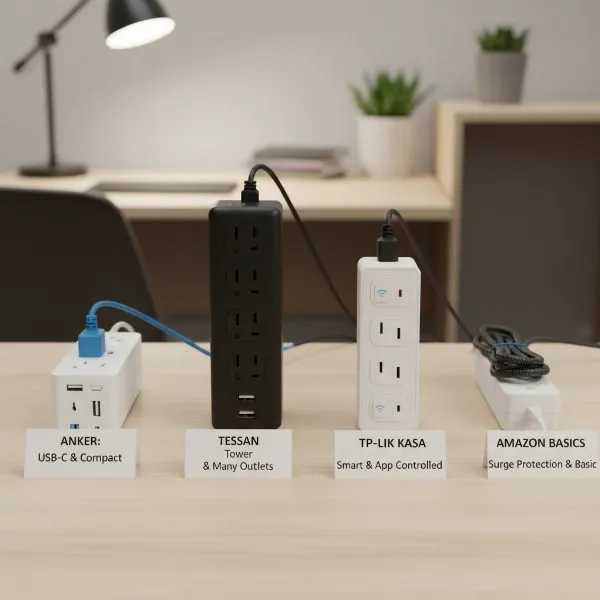
In our increasingly connected world, where smartphones, laptops, smart home devices, and various gadgets power our daily lives, the humble wall outlet often falls short. The constant search for an available plug and the tangled mess of cords can be frustrating. This is where a reliable power strip becomes an indispensable tool, offering a practical solution to expand your power access and protect your valuable electronics. Whether you’re setting up a home office, equipping a media center, or simply looking for a safer way to charge devices in the bedroom, understanding the nuances of power strips is key to making an informed decision. This comprehensive guide will walk you through everything you need to know, from the different types available to essential safety tips, ensuring you find the perfect power strip for every corner of your home.
What is a Power Strip and Why Do You Need It?
A power strip is an electrical device that provides multiple outlets from a single wall socket, allowing you to power several electronic devices simultaneously. While often used interchangeably, it’s important to distinguish between a basic power strip and a surge protector. A standard power strip simply expands the number of available outlets, whereas a surge protector includes circuitry designed to shield your electronics from damaging voltage spikes or “surges” caused by lightning strikes, utility problems, or internal electrical fluctuations.
The primary benefit of a power strip is convenience, transforming a single wall outlet into a multi-port power hub. For modern homes brimming with devices, this means less clutter, better cable management, and immediate access to power where you need it most. Beyond basic power distribution, many power strips offer enhanced features like USB charging ports, smart controls, and crucial surge protection, safeguarding sensitive equipment like computers, televisions, and gaming consoles from irreversible damage. Common devices connected to power strips include chargers for phones and tablets, laptops, desk lamps, monitors, printers, gaming systems, and small kitchen appliances.
Popular Types of Power Strips on the Market
The market offers a diverse range of power strips, each designed to meet specific needs and environments. Understanding these categories will help you identify the best fit for your household.
Basic Power Strip
|
Our Picks for the Best Power strip in 2026
As an Amazon Associate I earn from qualifying purchases.
|
||
| Num | Product | Action |
|---|---|---|
| 1 | Surge Protector Power Strip - Nuetsa Flat Plug Extension Cord with 8 Outlets and 4 USB Ports, 6 Feet Power Cord (1625W/13A), 2700 Joules, ETL Listed, Black |

|
| 2 | Power Strip, ALESTOR Surge Protector with 12 Outlets and 4 USB Ports, 6 Feet Extension Cord (1875W/15A), 2700 Joules, ETL Listed, Black |
|
| 3 | Wall Charger, Surge Protector, QINLIANF 5 Outlet Extender with 4 USB Charging Ports, 3-Sided 1680J Power Strip Multi Plug Adapter Spaced for Home Travel Office |
|
| 4 | 6 Ft Surge Protector Power Strip - 8 Widely Outlets with 4 USB Ports, 3 Side Outlet Extender with 6 Feet Extension Cord, Flat Plug, Wall Mount, Desk USB Charging Station, ETL,White |
|
| 5 | Surge Protector Power Strip - HANYCONY 8 Outlets 4 USB (2 USB C) Charging Ports, Multi Plug Outlet Extender, 5Ft Braided Extension Cord, Flat Plug Wall Mount Desk Charging Station for Home Office ETL |
|
| 6 | Anker Power Strip with 2100J Surge Protector, Outlet Extender, 5ft Extension Cord with Multiple Outlets, 12 AC, 2 USB A,1 USB C Port for 20W, Home Office, Dorm Room Essentials, TUV Listed |
|
| 7 | Belkin 12-Outlet Surge Protector Power Strip w/ 12 AC Outlets & 8ft Flat Plug, UL-Listed Heavy-Duty Extension Cord for Home, Office, Travel, Computer, Laptop, Charger - 3,940 Joules of Protection |
|
| 8 | Power Strip Surge Protector, Olcorife Ultra Thin Flat Plug Extension Cord 5ft, 6 Outlets 3 USB Ports(1 USB C), 3 Sided Outlet Extender for Home Office Travel Dorm Room Essentials, White |
|
| 9 | KMC 6-Outlet Surge Protector Power Strip 2-Pack, 900 Joules, 4-Foot Extension Cord, Overload Protection, Black |
|
| 10 | 6Ft Power Strip Surge Protector - Yintar Extension Cord with 6 AC Outlets and 3 USB Ports for for Home, Office, Dorm Essentials, 1680 Joules, ETL Listed, (Black) |
|
A basic power strip is the most straightforward option, providing multiple standard AC outlets. These are ideal for extending power to several low-wattage devices that don’t require surge protection, such as desk lamps, clocks, or phone chargers in less critical areas. Their main advantage is simplicity and affordability. However, they offer no protection against power surges, making them unsuitable for sensitive electronics.
Surge Protector Power Strip
Often resembling basic power strips, surge protector power strips are distinguished by their ability to absorb and divert excess voltage, protecting connected devices from power spikes. This protection is typically measured in Joules; a higher Joule rating indicates greater capacity to withstand surges. These are essential for home offices, entertainment centers, and any area where valuable electronics like computers, TVs, and audio equipment are used. While offering vital protection, surge protectors have a finite lifespan, with their surge protection capabilities degrading over time or after absorbing a significant surge.
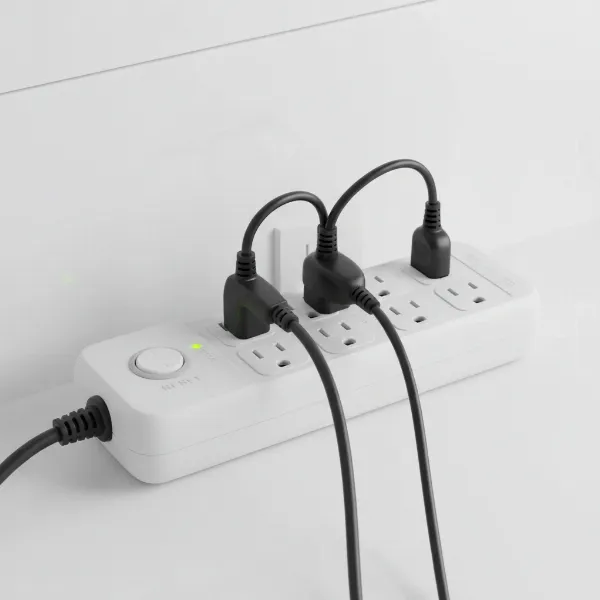 A surge protector power strip with multiple outlets and a reset button, protecting sensitive electronics.
Smart Power Strip
Smart power strips integrate with your smart home ecosystem, offering advanced control and energy management features. Equipped with Wi-Fi connectivity, these strips can be controlled remotely via a smartphone app, allowing you to turn individual outlets on or off, set schedules, and even monitor energy consumption. Many are compatible with voice assistants like Alexa or Google Assistant. They are perfect for automating home electronics, reducing phantom energy drain, and creating energy-efficient routines, though they typically come at a higher price point.
USB Power Strip
Designed to meet the demands of our USB-powered world, these power strips combine traditional AC outlets with integrated USB-A and/or USB-C charging ports. This eliminates the need for bulky wall adapters, streamlining your charging setup for smartphones, tablets, smartwatches, and other gadgets. Many offer fast-charging capabilities through USB-C Power Delivery (PD) ports. They are highly convenient for bedrooms, living rooms, and travel, where multiple portable devices need charging.
Travel Power Strip
Compact and lightweight, travel power strips are designed for portability and convenience on the go. They often feature a flat plug to fit into tight spaces, multiple AC outlets, and sometimes USB ports. Some models include universal adapters for international use. These are ideal for hotels, cruise ships, dorm rooms, or temporary workspaces where outlet access is limited and a portable power solution is needed. While prioritizing size, some travel power strips also offer basic surge protection.
Comparing Power Strip Types
Choosing the right power strip depends on balancing functionality, cost, and your specific needs. The table below provides a quick comparison of the common types.
| Feature | Basic Power Strip | Surge Protector Power Strip | Smart Power Strip | USB Power Strip | Travel Power Strip |
|---|---|---|---|---|---|
| Main Function | Outlet Expansion | Outlet Expansion & Surge Protection | Smart Control & Energy Management | Outlet Expansion & USB Charging | Portable Outlet Expansion |
| Surge Protection | No | Yes (Measured in Joules) | Often Yes | Varies (Some have, some don’t) | Varies (Some have, some don’t) |
| Smart Features | No | No | Yes (Wi-Fi, App, Voice Control) | No | No |
| USB Ports | No | Rarely | Often Yes | Yes (USB-A, USB-C, Fast Charging) | Often Yes (USB-A, USB-C) |
| Portability | Standard | Standard | Standard | Standard to Compact | High (Compact, Flat Plug) |
| Typical Price | Low | Medium | High | Medium | Low to Medium |
Your Guide to Choosing the Right Power Strip
Selecting the perfect power strip involves careful consideration of your environment, the devices you’ll be powering, and your safety requirements. A well-chosen power strip enhances convenience and protects your electronics.
Assess Your Usage Needs
Start by evaluating what you need to power. Consider the number of outlets required, accounting for current devices and potential future additions. Think about the types of devices – are they high-wattage appliances like space heaters or microwaves (which should generally plug directly into a wall outlet), or low-power electronics like chargers and lamps? The location of the power strip is also crucial. Do you need a long cord to reach a distant outlet, or a flat plug to fit behind furniture? For a workstation, you might prioritize a high number of outlets and USB ports, while a living room might benefit from a smart strip for automation.
Key Technical Factors
Technical specifications are paramount for safety and performance. The maximum wattage or amperage capacity of the power strip must match or exceed the combined power draw of your connected devices to prevent overloading. For surge protectors, the Joule rating indicates its protection level; higher Joules mean better protection for sensitive electronics. Always look for safety certifications like UL (Underwriters Laboratories), which confirm the product meets recognized safety standards. A built-in circuit breaker is another vital safety feature, automatically tripping to cut power in case of an overload.
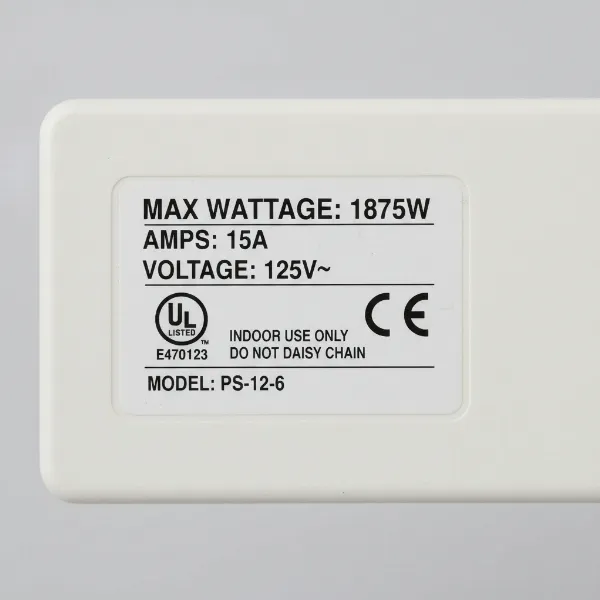 Technical specifications labels on a power strip, including wattage, amperage, and safety certifications.
Brand Reputation and Cost
Investing in a power strip from a reputable brand is crucial for safety and reliability. Brands like Anker, Belkin, Tripp Lite, and TP-Link Kasa are well-known for producing quality power strips and surge protectors. While cost can be a factor, prioritize safety and features over the cheapest option. A cheap, uncertified power strip can pose significant fire and electrical hazards. Compare prices across different brands and models, but always ensure the product meets your technical and safety requirements. Remember, the cost of replacing damaged electronics far outweighs the savings on a subpar power strip.
User Reviews and Expert Opinions
Before making a final decision, always consult user reviews from various retailers and tech websites. Real-world experiences can highlight practical pros and cons not immediately apparent from product descriptions. Look for consistent feedback regarding durability, performance, and actual surge protection effectiveness. Additionally, referencing expert opinions from consumer review sites or electrical safety organizations can provide valuable insights and reinforce your choice.
Top Power Strips for Different Needs
Here are some excellent choices that cater to various household requirements, selected for their balance of features, safety, and user satisfaction.
High-Capacity Surge Protector: Belkin 12-Outlet Pivot-Plug
For extensive home office setups or entertainment centers, a high-capacity surge protector like the Belkin 12-Outlet Pivot-Plug is ideal. It typically offers 12 widely spaced outlets, often with rotating “pivot” plugs to accommodate bulky adapters without blocking adjacent outlets. With a high Joule rating (e.g., 3,940 Joules) and robust construction, it provides superior protection for computers, monitors, gaming consoles, and sound systems. Its long power cord offers flexibility in placement, ensuring all your devices are safeguarded.
Smart Power Strip with USB: TP-Link Kasa Smart Wi-Fi Power Strip (HS300)
The TP-Link Kasa HS300 is a top choice for smart homes, offering six individually controllable smart AC outlets and three USB charging ports. It integrates seamlessly with Wi-Fi, allowing you to manage connected devices via the Kasa app or voice commands with Alexa or Google Assistant. Its energy monitoring feature helps track power consumption, while built-in surge protection adds a layer of safety. This strip is perfect for automating lamps, fans, and chargers in a living room or bedroom.
Compact Travel Power Strip: Anker Nano Charging Station
When space is at a premium or you’re on the move, the Anker Nano Charging Station is a prime candidate. This extremely compact power strip typically features two or three AC outlets along with multiple USB-A and USB-C ports, often including fast-charging capabilities. Its small footprint and flat plug design make it perfect for tucking into a laptop bag for travel, use in dorm rooms, or as a bedside charging hub in hotels, ensuring you have ample power without the bulk.
USB-C Fast Charging Power Strip: Anker 351 Power Strip
For those with numerous USB-C dependent devices, the Anker 351 stands out. This power strip combines traditional AC outlets with high-wattage USB-C Power Delivery (PD) ports capable of fast-charging laptops, tablets, and modern smartphones. It also includes standard USB-A ports for older devices. The intelligent power distribution ensures optimal charging speeds across all connected gadgets, making it a powerful and efficient solution for tech-heavy users.
Heavy-Duty Workshop Power Strip: Tripp Lite Industrial Surge Protector
For garages, workshops, or areas with demanding power tools, a heavy-duty industrial-grade power strip is essential. These models are built with rugged metal housing, offer robust surge protection, and often feature widely spaced outlets to accommodate large tool plugs. They typically have higher amperage ratings and longer cords designed for strenuous use, providing reliable power and protection in challenging environments.
Safe Use and Maintenance of Power Strips
Ensuring the longevity of your power strips and the safety of your home requires adherence to proper usage and maintenance practices. Electrical fires and hazards are often preventable with simple precautions.
Usage Guidelines
- Avoid Overloading: Never plug high-wattage appliances like refrigerators, microwaves, heaters, or air conditioners into a power strip. These devices should always be plugged directly into a wall outlet. Overloading a power strip can cause overheating, leading to circuit breaker trips or even fires. Check the strip’s maximum wattage/amperage and ensure the total draw of connected devices does not exceed it.
- No Daisy-Chaining: Never plug one power strip into another, or into an extension cord, and then into another power strip. This practice, known as “daisy-chaining,” significantly increases the risk of overloading and fire.
- Proper Plugging and Unplugging: Always pull on the plug, not the cord, when disconnecting a device or the power strip itself from an outlet. Pulling the cord can damage the internal wiring, creating a hazard.
- Ensure Ventilation: Place power strips in well-ventilated areas. Avoid covering them with carpets, rugs, or furniture, as this can trap heat and lead to overheating.
- Keep Away from Moisture: Never use power strips near water sources like sinks, bathtubs, or wet floors. Use only indoor-rated strips indoors, and only outdoor-rated strips (with appropriate weather protection) outdoors.
- Child and Pet Safety: Keep power strips and cords out of reach of children and pets to prevent accidental shocks or damage. Consider using outlet covers or cord management solutions.
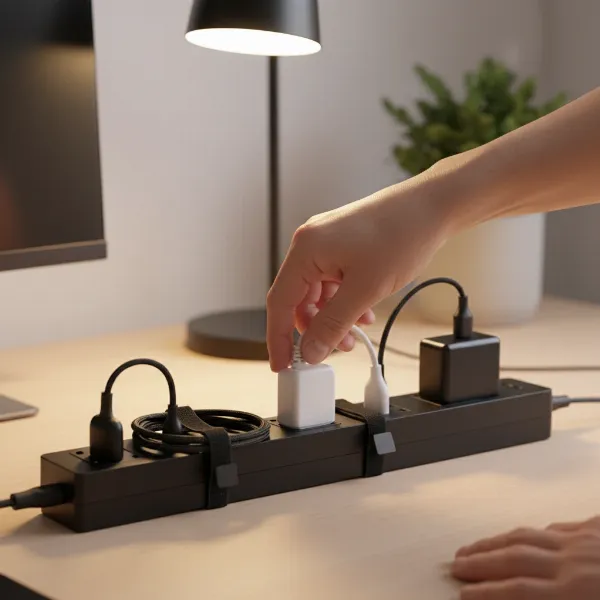 Hands demonstrating safe unplugging technique from a power strip, with other devices safely plugged in.
Maintenance Tips
- Regular Inspection: Periodically inspect your power strips and cords for any signs of damage, such as frayed wires, exposed conductors, cracks in the housing, or discolored (burned) outlets. If you notice any wear and tear, discontinue use immediately and replace the strip.
- Keep Clean: Dust and dirt can accumulate on power strips and outlets, potentially leading to overheating or poor connections. Gently wipe down the strip with a dry cloth when unplugged to keep it clean.
- Proper Storage: When not in use, store power strips neatly coiled (but not tightly) in a cool, dry place. Avoid tangling or bending cords sharply, as this can damage the internal wiring.
Conclusion
Navigating the world of power strips doesn’t have to be complicated. By understanding the different types available, considering key technical specifications like surge protection and capacity, and prioritizing safety features, you can confidently choose the best power strip for every room in your house. From basic outlet expansion to advanced smart control and robust surge protection, the right power strip not only provides essential power but also safeguards your valuable electronics and ensures a safer, more organized home environment. Remember to always use your power strips responsibly and maintain them regularly to prevent electrical hazards. What kind of power strip will make your home more connected and secure today?
Câu Hỏi Thường Gặp
How many Joules do I need for good surge protection?
For critical electronics like computers and home theaters, a surge protector with a Joule rating of 1000 to 2000 or higher is recommended. For less sensitive devices, a rating of 600-1000 Joules can offer adequate protection. Higher Joule ratings indicate greater capacity to absorb energy spikes.
Can I plug a refrigerator into a power strip?
No, high-power appliances like refrigerators, microwaves, space heaters, and air conditioners should never be plugged into a power strip. These devices draw significant current, which can overload the strip and lead to overheating, tripped circuit breakers, or even fire hazards. Always plug them directly into a dedicated wall outlet.
How often should I replace my surge protector?
Surge protectors have a finite lifespan. Their protective components degrade over time and with each surge they absorb. It’s generally recommended to replace surge protectors every 3-5 years, or immediately after a major power surge (like a lightning strike) even if they appear to be working, as their protection capacity may be compromised.
What is the difference between USB-A and USB-C ports on a power strip?
USB-A ports are the older, rectangular type, typically offering standard charging speeds. USB-C ports are smaller, oval-shaped, and reversible, capable of much faster charging, including Power Delivery (PD) for laptops and larger devices. Many modern power strips include both for wider compatibility and efficient charging.
Is it safe to use a power strip outdoors?
Only power strips specifically designed and rated for outdoor use should be used outside. These typically have weather-resistant casings and ground fault circuit interrupter (GFCI) protection. Standard indoor power strips are not built to withstand moisture or extreme temperatures and pose significant safety risks when used outdoors.