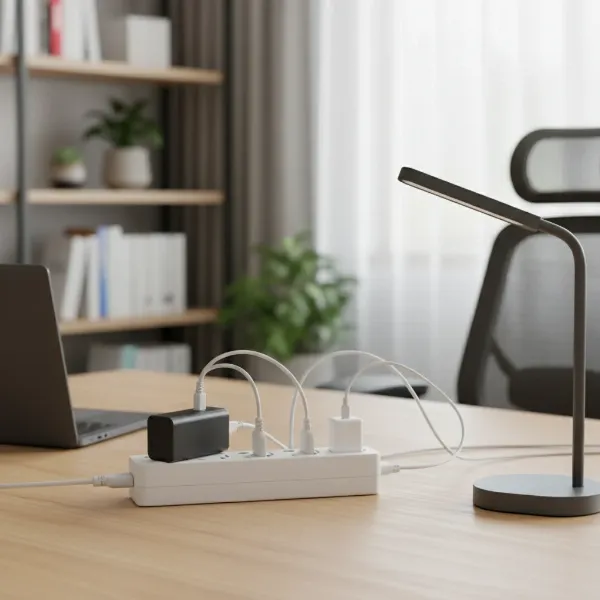
Are you tired of constantly searching for an available outlet or worrying about your valuable electronics getting damaged by power fluctuations? In today’s device-driven world, a reliable power strip is essential, but navigating the options can feel overwhelming. Many assume a higher price tag always means better quality, leading to unnecessary spending. This guide will cut through the clutter, helping you understand the different types of power strips, identify crucial features, and make an informed decision that perfectly balances your needs with your budget, ensuring you get the right protection and convenience without overpaying.
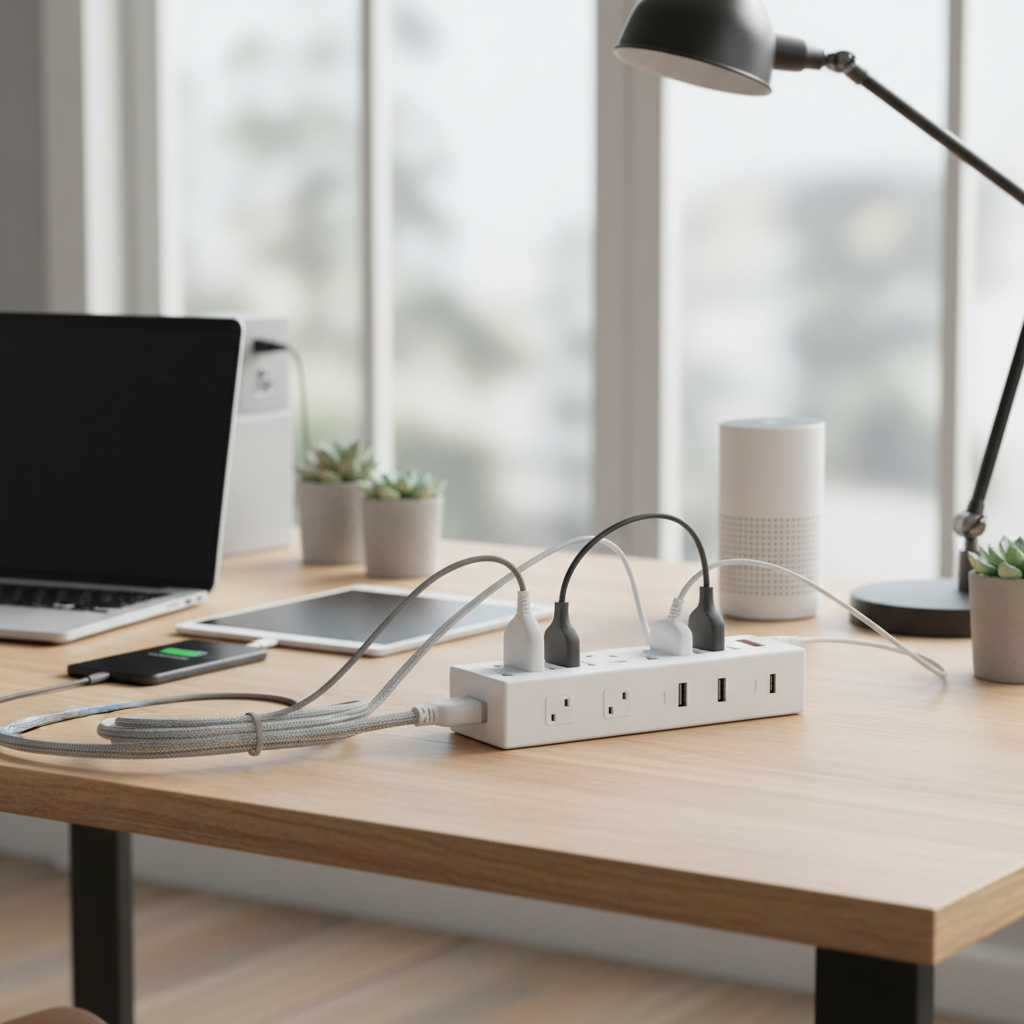
What is a Power Strip and Why Do You Need One?
At its core, a power strip, also known as an extension block, power bar, or multi-outlet extension cord, is a simple device that expands a single wall electrical outlet into multiple receptacles. It acts as a convenient hub, allowing you to power several electronic devices simultaneously from one source. While often confused with surge protectors, a basic power strip’s primary function is convenience, providing extra outlets where wall sockets are scarce or inconveniently located.
The benefits of using a power strip extend beyond mere convenience. They centralize your power needs, reducing cable clutter and making your workspace or entertainment center tidier. Many come equipped with an on/off switch, offering an easy way to cut power to all connected devices, which can help save energy and enhance safety. You’ll typically find power strips used with a wide array of household and office electronics, from lamps and phone chargers to desktop computers, monitors, printers, gaming consoles, and entertainment systems.
[image-1|power-strip-device-overview|Power strip with multiple outlets and various devices plugged in, illustrating convenience and organization|
A modern white power strip with six AC outlets, two USB-A ports, and one USB-C port. Several common devices are plugged in: a smartphone charger, a laptop power brick, a desk lamp, and a small fan. The power strip is neatly placed on a clean wooden desk, surrounded by a few organized cables. Soft, natural light from a window illuminates the scene, creating a clean, editorial style. The image highlights convenience and order.]
Common Types of Power Strips on the Market
The world of power strips is more diverse than you might think, with specialized options designed to meet different needs and offer varying levels of protection. Understanding these types is the first step to choosing wisely.
Basic Power Strip
|
Our Picks for the Best Power strip in 2026
As an Amazon Associate I earn from qualifying purchases.
|
||
| Num | Product | Action |
|---|---|---|
| 1 | Surge Protector Power Strip - HANYCONY 8 Outlets 4 USB (2 USB C) Charging Ports, Multi Plug Outlet Extender, 5Ft Braided Extension Cord, Flat Plug Wall Mount Desk Charging Station for Home Office ETL |

|
| 2 | Power Strip Surge Protector, Olcorife Ultra Thin Flat Plug Extension Cord 5ft, 6 Outlets 3 USB Ports(1 USB C), 3 Sided Outlet Extender for Home Office Travel Dorm Room Essentials, White |
|
| 3 | Anker Power Strip with 2100J Surge Protector, Outlet Extender, 5ft Extension Cord with Multiple Outlets, 12 AC, 2 USB A,1 USB C Port for 20W, Home Office, Dorm Room Essentials, TUV Listed |
|
| 4 | 6Ft Power Strip Surge Protector - Yintar Extension Cord with 6 AC Outlets and 3 USB Ports for for Home, Office, Dorm Essentials, 1680 Joules, ETL Listed, (Black) |
|
| 5 | KMC 6-Outlet Surge Protector Power Strip 2-Pack, 900 Joules, 4-Foot Extension Cord, Overload Protection, Black |
|
| 6 | 6 Ft Surge Protector Power Strip - 8 Widely Outlets with 4 USB Ports, 3 Side Outlet Extender with 6 Feet Extension Cord, Flat Plug, Wall Mount, Desk USB Charging Station, ETL,White |
|
| 7 | Surge Protector Power Strip - Nuetsa Flat Plug Extension Cord with 8 Outlets and 4 USB Ports, 6 Feet Power Cord (1625W/13A), 2700 Joules, ETL Listed, Black |
|
| 8 | Power Strip, ALESTOR Surge Protector with 12 Outlets and 4 USB Ports, 6 Feet Extension Cord (1875W/15A), 2700 Joules, ETL Listed, Black |
|
| 9 | Belkin 12-Outlet Surge Protector Power Strip w/ 12 AC Outlets & 8ft Flat Plug, UL-Listed Heavy-Duty Extension Cord for Home, Office, Travel, Computer, Laptop, Charger - 3,940 Joules of Protection |
|
| 10 | Wall Charger, Surge Protector, QINLIANF 5 Outlet Extender with 4 USB Charging Ports, 3-Sided 1680J Power Strip Multi Plug Adapter Spaced for Home Travel Office |
|
A basic power strip is fundamentally an extension cord with multiple outlets. It provides no inherent protection against electrical surges or spikes, serving only to multiply available outlets. These are typically the most affordable option. They are ideal for connecting simple, low-power devices where surge protection isn’t critical, such as lamps, fans, basic phone chargers, or kitchen appliances that are not sensitive electronics. The main advantages are their low cost and ability to expand outlet capacity. However, their significant drawback is the complete lack of protection for sensitive electronics, making them unsuitable for computers, TVs, or gaming consoles.
Surge Protector
A surge protector looks similar to a basic power strip but offers a crucial added layer of defense: protection against sudden voltage spikes or surges. These surges can be caused by lightning strikes, power outages, or the cycling of large appliances, potentially frying sensitive electronics. Surge protectors contain components called Metal Oxide Varistors (MOVs) that divert excess voltage to the ground, shielding connected devices. Key indicators of a true surge protector include a joule rating (indicating the amount of energy it can absorb) and often a “Protected” or “Grounded” indicator light. They are a must-have for valuable electronics like computers, televisions, gaming consoles, and home theater systems. While more expensive than basic strips, the cost is far less than replacing damaged equipment. However, MOVs degrade over time and after absorbing multiple surges, requiring replacement every 3-5 years or after a major surge.
Smart Power Strip
Smart power strips bring connectivity and automation to your power management. These devices often integrate with smart home ecosystems like Amazon Alexa or Google Assistant, allowing you to control individual outlets remotely via a smartphone app or voice commands. Features can include scheduling outlets to turn on or off at specific times, setting timers, monitoring energy usage, and sometimes even motion detection. Most smart power strips also include surge protection. They offer unparalleled convenience and can contribute to energy savings by allowing you to easily power down devices that would otherwise draw “phantom” power. The main downsides are their higher price point and the reliance on Wi-Fi connectivity. They are perfect for smart homes, home offices with complex setups, or anyone looking to automate their device power.
USB Power Strip
Designed to cater to the growing number of USB-powered devices, these power strips combine traditional AC outlets with integrated USB charging ports (USB-A and often USB-C). This eliminates the need for bulky wall adapters, freeing up AC outlets and simplifying charging. Many also include surge protection. They are incredibly convenient for charging smartphones, tablets, smartwatches, and other gadgets, making them ideal for nightstands, desks, or travel. The primary advantage is the streamlined charging experience. However, the charging speed of the USB ports can vary, and some older models might not support fast charging protocols. They are best suited for areas where multiple USB devices are frequently charged alongside traditional electronics.
Travel Power Strip
Travel power strips are compact, lightweight, and often feature a shorter cord or a flat plug design for easy portability. Many include multiple AC outlets and USB ports, making them highly versatile for use in hotels, airports, or coffee shops where outlets are scarce. Some even come with international plug adapters or universal voltage compatibility. Their main advantage is their small footprint and convenience for powering multiple devices on the go. However, they typically offer fewer outlets and a lower surge protection rating (if any) compared to their full-sized counterparts. They are indispensable for frequent travelers or anyone needing a portable charging solution.
Comparative Table of Power Strip Types
To help you quickly differentiate and compare the various power strip options, here’s a detailed breakdown:
| Feature | Basic Power Strip | Surge Protector | Smart Power Strip | USB Power Strip | Travel Power Strip |
|---|---|---|---|---|---|
| Primary Function | Outlet expansion | Outlet expansion, surge protection | Smart control, automation, outlet expansion, surge protection | Outlet expansion, USB charging, surge protection | Portable outlet expansion, USB charging |
| Surge Protection | None | Yes (with joule rating) | Usually Yes | Often Yes | Varies (often low or none) |
| Price Range | Low | Moderate | High | Moderate to High | Moderate |
| Key Advantage | Cost-effective outlet multiplication | Protects sensitive electronics from spikes | Remote control, scheduling, energy monitoring | Eliminates USB wall adapters, frees AC outlets | Compact, portable, versatile for travel |
| Typical Use | Lamps, fans, basic chargers, non-sensitive appliances | Computers, TVs, gaming consoles, home entertainment | Smart homes, automated offices, energy management | Desks, nightstands, charging hubs | Travel, hotel rooms, mobile workstations |
| Considerations | No protection for delicate devices | MOVs degrade over time, needs replacement | Requires Wi-Fi, higher initial cost | USB charging speeds vary | Limited outlets, less robust protection |
Guide to Choosing the Right Power Strip (Buying Guide)
Choosing the perfect power strip involves more than just picking one with enough outlets. To avoid overpaying and ensure you get the best value, consider these crucial factors based on your specific needs.
Determine Your Usage Needs
Before anything else, assess what you’ll be plugging in. This foundational step ensures you don’t buy an overly complex or inadequate strip.
- Number of Outlets: Count the devices you currently need to power. Then, add a few extra for future expansion. It’s always better to have a couple of unused outlets than to run short. Power strips can range from 3 to 12 or even more outlets.
- Type of Devices: Are you plugging in basic lamps or sensitive electronics like a computer and TV? Basic appliances don’t require surge protection, but valuable electronics absolutely do. Identify if you need USB charging ports, which can significantly reduce clutter from bulky adapters.
- Location and Form Factor: Where will the power strip be placed? Under a desk, behind furniture, or on a wall? This affects the ideal cord length, plug type (flat plug for tight spaces), and overall design (e.g., tower vs. traditional bar, wall-mount capabilities).
Essential Technical Factors to Consider
Understanding the specifications will help you choose a safe and effective power strip.
- Maximum Wattage/Amperage: Every power strip has a maximum load it can handle, usually indicated in watts (W) or amps (A). Ensure the combined wattage of all devices you plan to plug in does not exceed this rating to prevent overloading and potential fire hazards. A typical household power strip is rated for 15 amps. For higher-power applications, look for 20-amp strips with corresponding circuit breakers.
- Surge Protection (Joule Rating): If you need protection, the joule rating is critical. This number indicates how much energy the surge protector can absorb before it fails.
- Basic protection (for small electronics, chargers): 200-500 Joules
- Good protection (for office equipment, home theater): 1000-2000 Joules
- Excellent protection (for high-end gaming PCs, critical systems): 2000+ Joules
Higher joule ratings generally mean better protection and a longer lifespan for the surge protector itself.
- Safety Standards: Always look for certification from reputable safety organizations. In North America, this is typically UL (Underwriters Laboratories). A UL 1449 rating specifically certifies surge protection capability. This ensures the power strip meets rigorous safety criteria.
- Circuit Breaker: A built-in circuit breaker is a vital safety feature found in most quality power strips. It automatically trips and cuts power if the strip becomes overloaded, preventing overheating and fire.
- Grounding and Protection Indicators: For surge protectors, “Grounded” and “Protected” indicator lights confirm that the wall outlet is properly grounded and that the surge protection components are active. If the “Protected” light goes out, it’s time to replace the unit.
Brand and Pricing: Finding Value
While the cheapest option isn’t always the best, you don’t need to break the bank for a reliable power strip. Focus on reputable brands that offer warranties and meet your specific technical requirements.
- Reputable Brands: Brands like Anker, Belkin, Tripp Lite, APC, and CyberPower are well-regarded for their quality and safety. Amazon Basics also offers good value for basic surge protectors. Investing in a recognized brand often means better build quality, reliable performance, and adherence to safety standards.
- Price vs. Features: Align the price with the features you genuinely need. A basic power strip might cost less than $10, while a high-joule smart surge protector can range from $30 to $100+. Don’t pay for features you won’t use. If you only need extra outlets for lamps, a basic strip is fine. If you’re protecting a $2000 computer, a robust surge protector is a worthwhile investment.
- Warranty: A good warranty (often lifetime for surge protectors on the protection circuit, or limited for connected equipment) indicates a manufacturer’s confidence in their product and offers peace of mind.
- User Reviews: Before purchasing, check online reviews and ratings from other users. These can provide real-world insights into a product’s performance, durability, and any potential quirks. Look for consistent feedback regarding reliability and functionality.
“Many people fall into the trap of buying the cheapest power strip, unaware they’re sacrificing vital protection. True value comes from matching the power strip’s features and safety ratings to the actual sensitivity and cost of the devices you’re plugging in.” – John Peterson, Electrical Safety Expert
Top Power Strips Available Today
Choosing from the myriad of power strips can be daunting, but several models consistently receive high marks for quality, features, and value. Here are a few top recommendations across different categories that help you achieve a balance between functionality and cost-effectiveness.
1. Amazon Basics 6-Outlet Surge Protector:
- Why it’s a Top Pick: For basic surge protection without breaking the bank, the Amazon Basics 6-Outlet Surge Protector offers excellent value. It provides a decent joule rating suitable for common household electronics and office equipment. Its straightforward design ensures functionality over frills, making it a budget-friendly and reliable choice for most users.
- Pros: Very affordable, basic surge protection, simple and effective.
- Cons: Limited advanced features, outlets can be close together for bulky adapters.
- Best For: Everyday devices, small home offices, and general protection where cost is a primary concern.
2. Anker Surge Protector Power Strip:
- Why it’s a Top Pick: Anker is renowned for quality charging solutions, and their surge protectors are no exception. Often featuring multiple AC outlets alongside several high-speed USB-A and USB-C ports, Anker power strips are ideal for modern setups with numerous gadgets. They offer robust surge protection and smart charging capabilities, providing great overall value for tech-savvy users.
- Pros: Reliable surge protection, fast USB charging, durable build, often includes USB-C.
- Cons: Mid-range to higher price point.
- Best For: Desks with many devices, charging stations, users prioritizing fast USB charging and robust protection.
3. Belkin 12-Outlet Pivot-Plug Surge Protector:
- Why it’s a Top Pick: When you have many devices with bulky power adapters, the Belkin Pivot-Plug is a lifesaver. Its rotating outlets allow you to fit large “wall warts” without blocking adjacent sockets, maximizing the usability of all outlets. With a high joule rating and a strong reputation for protection, this unit is excellent for home entertainment centers or complex office setups.
- Pros: Pivoting outlets for bulky plugs, high joule rating, robust protection.
- Cons: Larger footprint, generally higher price.
- Best For: Home theaters, complex computer setups, users with many large power adapters.
4. Tessan Flat Plug Extension Cord Power Strip:
- Why it’s a Top Pick: The Tessan Flat Plug power strip is an excellent choice for remote work, travel, or tight spaces behind furniture. Its flat plug design allows it to sit flush against the wall, and many models feature widely spaced outlets plus USB ports in a compact form factor. It balances portability with practical functionality, often at an attractive price.
- Pros: Flat plug for tight spaces, compact and portable, often includes USB.
- Cons: Lower joule rating compared to dedicated surge protectors, fewer outlets.
- Best For: Travel, small apartments, spaces behind furniture, remote work setups.
[image-2|power-strip-types-comparison|Different types of power strips laid out for comparison, including a basic strip, a surge protector, a smart strip, and a travel strip.|
Four distinct power strips are arranged neatly on a light grey background for comparison. From left to right: a simple white basic power strip with 4 outlets, a slightly larger black surge protector with a “protected” indicator light and 6 outlets, a sleek grey smart power strip with Wi-Fi symbols and individual outlet controls, and a compact blue travel power strip with a foldable plug and USB ports. Each strip is clearly distinguishable, emphasizing their unique characteristics in an informative, editorial style.]
How to Use and Maintain Your Power Strip Safely
Proper use and maintenance are crucial for the longevity of your power strip and, more importantly, for the safety of your home and devices. Even the best power strip can become a hazard if misused.
- Plug Directly into a Wall Outlet: Always plug your power strip directly into a grounded wall outlet. Never “daisy-chain” power strips, meaning plugging one power strip into another. This can overload the circuit and create a significant fire risk.
- Avoid Overloading: Be mindful of the total wattage of the devices you plug into a single strip. Overloading a power strip beyond its rated capacity can cause it to overheat, trip its circuit breaker, or even catch fire. High-wattage appliances like space heaters, refrigerators, or microwaves should ideally be plugged directly into a wall outlet or their own dedicated circuit, not a power strip.
- Check Indicator Lights: For surge protectors, regularly check the “Protected” or “Grounded” indicator lights. If the “Protected” light is off, it means the surge protection components have worn out or been compromised, and the unit should be replaced. The strip may still provide power, but without protection.
- Keep Away from Water and Heat: Never use power strips in wet or damp environments (like bathrooms or near sinks) unless they are specifically designed and rated for such conditions (e.g., GFCI protected). Keep them away from heat sources and ensure good ventilation to prevent overheating.
- Inspect Regularly: Periodically inspect your power strips for any signs of damage, such as frayed cords, cracked housings, discoloration, or a burning smell. Any damaged power strip should be immediately unplugged and replaced.
- Replace Old Surge Protectors: Surge protectors are not designed to last forever. Their protective components (MOVs) degrade over time and with each power surge they absorb. Experts recommend replacing surge protectors every three to five years, or immediately after a major power surge (like a lightning strike near your home), even if the indicator light still shows “protected.”
[image-3|power-strip-safety-tips|A person safely plugging a device into a power strip, with visual cues for safety and maintenance, avoiding daisy-chaining.|
A close-up shot of a hand carefully plugging a standard two-prong power adapter into an available outlet on a multi-outlet power strip. The power strip is lying flat on a wooden surface, showing its individual on/off switches for each outlet. In the background, there’s a subtle blur of other electronic devices, but the focus is on the safe connection. The lighting is clear and practical, highlighting the action of plugging in, with no signs of daisy-chaining visible.]
Conclusion
Choosing the right power strip doesn’t have to be a bewildering or expensive endeavor. By understanding the different types, carefully assessing your specific power needs, and focusing on essential technical specifications like joule ratings and safety certifications, you can confidently select a product that offers optimal performance and protection without unnecessary features or costs. Remember that investing wisely in a quality power strip is an investment in the safety and longevity of your valuable electronics, providing peace of mind and a more organized, efficient power setup.
What specific challenges have you faced when trying to find the ideal power strip for your home or office?
Frequently Asked Questions
What is the most important feature to look for in a power strip?
The most important feature depends on your needs, but for protecting valuable electronics, a robust surge protection joule rating (1000+ Joules) and UL 1449 certification are paramount. For basic expansion, simply ensuring enough outlets and a circuit breaker is key.
How can I tell if a power strip has surge protection?
Look for a joule rating on the packaging or the device itself. If no joule rating is listed, it’s typically a basic power strip without surge protection. Many surge protectors also have “Protected” or “Grounded” indicator lights.
Do I need a power strip with USB ports?
If you frequently charge smartphones, tablets, or other USB-powered devices, a power strip with integrated USB-A and/or USB-C ports can be incredibly convenient. It frees up AC outlets and reduces clutter by eliminating the need for separate USB wall adapters.
How often should I replace a surge protector?
Experts recommend replacing surge protectors every three to five years, or immediately after a major power surge (e.g., a lightning strike). The internal components degrade over time and after absorbing surges, eventually losing their protective capacity, even if they still supply power.
Can I plug high-wattage appliances into a power strip?
It is generally not recommended to plug high-wattage appliances like space heaters, air conditioners, refrigerators, or microwaves into a power strip. These devices draw significant current and can overload most standard power strips, potentially leading to overheating, tripped circuit breakers, or fire hazards. They should be plugged directly into a wall outlet.
What does a higher joule rating mean for a surge protector?
A higher joule rating indicates that the surge protector can absorb a greater amount of electrical energy before its protective components fail. This means it offers more robust protection for your devices and is likely to last longer, especially if it experiences multiple smaller surges over time.
Are smart power strips worth the extra cost?
Smart power strips are worth the extra cost if you value convenience, automation, and energy management. They allow remote control, scheduling, and energy monitoring via an app, which can be highly beneficial for smart homes or managing devices that would otherwise draw phantom power.