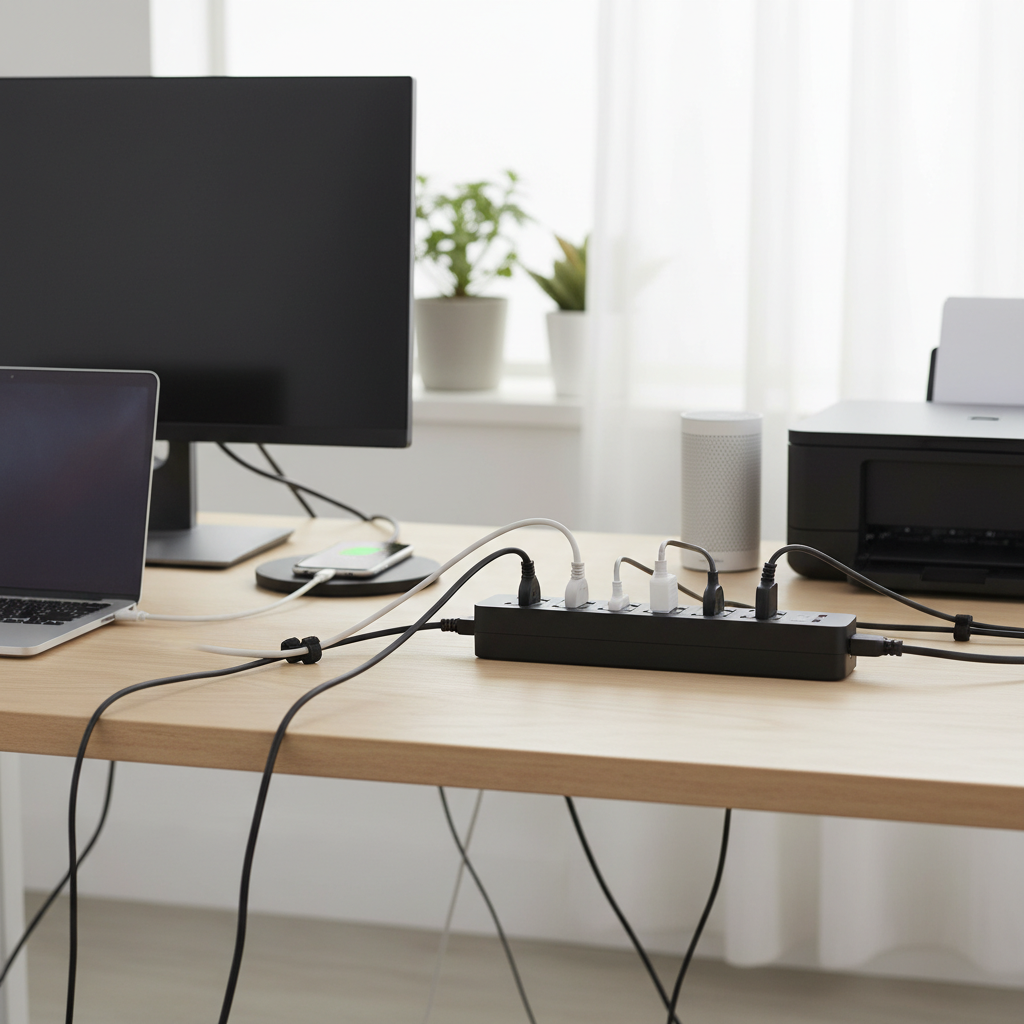
In today’s interconnected home office, where laptops hum, monitors glow, and countless devices demand power, a simple wall outlet often falls short. The digital age has brought an unprecedented number of gadgets into our workspaces, from external hard drives and printers to smartphones and smart speakers. Navigating this sea of cords and charging requirements can quickly become a messy, inefficient, and even hazardous endeavor. This comprehensive guide aims to demystify the world of power strips, helping you select the perfect one to keep your home office running smoothly, safely, and efficiently.
What is a Power Strip and Why Do You Need It?
A power strip, also commonly known as an extension block, power board, or multi-outlet strip, is an electrical device that allows multiple electrical devices to be powered from a single wall outlet. It essentially expands the number of available electrical sockets, transforming one or two wall outlets into several, catering to the growing demands of modern home offices. While often mistaken for basic extension cords, many contemporary power strips offer far more than just additional outlets; they integrate crucial features like surge protection, USB charging, and even smart functionalities to safeguard and streamline your workstation.
The primary benefit of a power strip in a home office is its ability to centralize power distribution, eliminating the need for multiple wall adapters and reducing cable clutter. This not only enhances the aesthetics of your workspace but also improves organization and accessibility for all your devices. From powering your desktop PC and external monitors to charging your laptop, tablet, and smartphone, a well-chosen power strip is the silent workhorse that ensures all your essential equipment remains powered and ready.
Common Types of Power Strips for Your Home Office
The market offers a diverse range of power strips, each designed with specific functionalities and user needs in mind. Understanding the different types is crucial for making an informed decision that best suits your home office setup.
Basic Power Strip
A basic power strip is the simplest form, offering multiple AC outlets without additional protective features. It’s essentially an extension cord with several sockets.
- Description: Provides multiple standard AC outlets from a single wall socket. Often includes an on/off switch for the entire strip.
- Pros: Generally inexpensive, widely available, and straightforward to use.
- Cons: Offers no protection against power surges, which can damage sensitive electronics.
- Suitable Applications: Ideal for less critical devices or areas where surge protection is already provided at the main electrical panel. Not recommended for valuable electronics in a home office without external surge protection.
|
Our Picks for the Best Power strip in 2026
As an Amazon Associate I earn from qualifying purchases.
|
||
| Num | Product | Action |
|---|---|---|
| 1 | Anker Power Strip with 2100J Surge Protector, Outlet Extender, 5ft Extension Cord with Multiple Outlets, 12 AC, 2 USB A,1 USB C Port for 20W, Home Office, Dorm Room Essentials, TUV Listed |

|
| 2 | Surge Protector Power Strip - HANYCONY 8 Outlets 4 USB (2 USB C) Charging Ports, Multi Plug Outlet Extender, 5Ft Braided Extension Cord, Flat Plug Wall Mount Desk Charging Station for Home Office ETL |
|
| 3 | Power Strip Surge Protector, Olcorife Ultra Thin Flat Plug Extension Cord 5ft, 6 Outlets 3 USB Ports(1 USB C), 3 Sided Outlet Extender for Home Office Travel Dorm Room Essentials, White |
|
| 4 | 6 Ft Surge Protector Power Strip - 8 Widely Outlets with 4 USB Ports, 3 Side Outlet Extender with 6 Feet Extension Cord, Flat Plug, Wall Mount, Desk USB Charging Station, ETL,White |
|
| 5 | KMC 6-Outlet Surge Protector Power Strip 2-Pack, 900 Joules, 4-Foot Extension Cord, Overload Protection, Black |
|
| 6 | Belkin 12-Outlet Surge Protector Power Strip w/ 12 AC Outlets & 8ft Flat Plug, UL-Listed Heavy-Duty Extension Cord for Home, Office, Travel, Computer, Laptop, Charger - 3,940 Joules of Protection |
|
| 7 | Power Strip, ALESTOR Surge Protector with 12 Outlets and 4 USB Ports, 6 Feet Extension Cord (1875W/15A), 2700 Joules, ETL Listed, Black |
|
| 8 | Wall Charger, Surge Protector, QINLIANF 5 Outlet Extender with 4 USB Charging Ports, 3-Sided 1680J Power Strip Multi Plug Adapter Spaced for Home Travel Office |
|
| 9 | 6Ft Power Strip Surge Protector - Yintar Extension Cord with 6 AC Outlets and 3 USB Ports for for Home, Office, Dorm Essentials, 1680 Joules, ETL Listed, (Black) |
|
| 10 | Surge Protector Power Strip - Nuetsa Flat Plug Extension Cord with 8 Outlets and 4 USB Ports, 6 Feet Power Cord (1625W/13A), 2700 Joules, ETL Listed, Black |
|
Surge Protector Power Strip
A surge protector is a type of power strip engineered to protect electronic devices from voltage spikes or “surges” that can travel through electrical lines. These surges, caused by lightning strikes, power outages, or fluctuations in the electrical grid, can severely damage or destroy connected equipment.
- Description: Features internal components, typically Metal Oxide Varistors (MOVs), that divert excess voltage away from connected devices, sacrificing themselves in the process. They are rated in joules, indicating how much energy they can absorb before failing. Many also include indicator lights for “protected” and “grounded” status.
- Pros: Essential for safeguarding expensive home office electronics like computers, monitors, and external hard drives from power fluctuations.
- Cons: MOVs degrade over time and with each surge absorbed, eventually losing their protective capability. It’s crucial to replace surge protectors periodically, especially if the “protection” indicator light goes out. They are generally more expensive than basic power strips.
- Suitable Applications: A must-have for any home office workstation, particularly for computers, monitors, network equipment, and other sensitive electronics.
Smart Power Strip
Smart power strips integrate with smart home ecosystems, offering enhanced control and energy management capabilities.
- Description: Equipped with Wi-Fi connectivity, these power strips allow individual outlets to be controlled remotely via a smartphone app or voice commands (e.g., Amazon Alexa, Google Assistant). They often support scheduling, timers, and “away” modes.
- Pros: Provides granular control over connected devices, enabling energy saving by powering off idle peripherals. Offers convenience and automation features for a modern smart office.
- Cons: Higher cost compared to traditional power strips. Requires a stable Wi-Fi connection and familiarity with smart home apps.
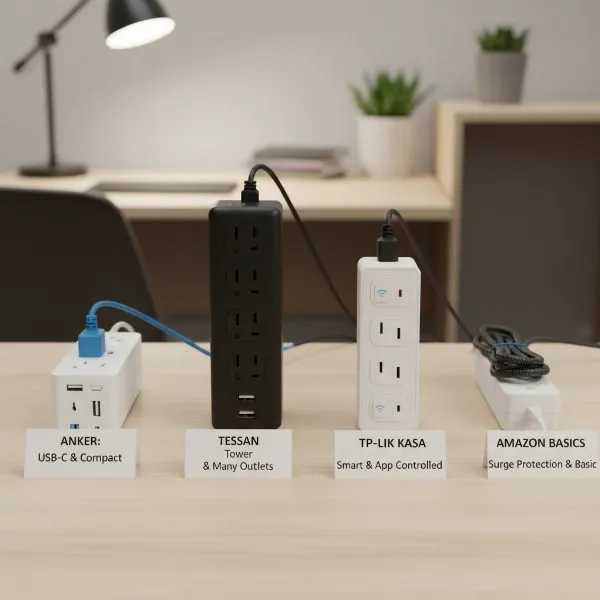
- Suitable Applications: Excellent for tech-savvy users who want to automate their office setup, manage energy consumption, or control devices remotely. The TP-Link Kasa Smart Wi-Fi Power Strip (model HS300) is a notable example, offering six individually controllable AC outlets and USB charging ports.
USB Power Strip
Designed to meet the pervasive need for device charging, USB power strips combine traditional AC outlets with USB ports.
- Description: Features standard AC outlets alongside USB-A and often USB-C ports, allowing direct charging of smartphones, tablets, smartwatches, and other USB-powered devices without requiring bulky adapters. Many include fast-charging capabilities.
- Pros: Reduces the number of wall adapters needed, freeing up AC outlets and minimizing clutter. Convenient for charging multiple mobile devices simultaneously.
- Cons: The number and type of USB ports may vary, so it’s important to choose one that matches your devices’ charging needs (e.g., USB-C Power Delivery).
- Suitable Applications: Ideal for any home office with multiple USB-chargeable devices, making it a central charging hub. Products like the Anker Surge Protector Power Strip and Bestek’s 8-outlet surge protector are frequently highlighted for their USB charging capabilities.
Travel Power Strip
Compact and portable, travel power strips are designed for convenience when you’re on the go or need a temporary power solution.
- Description: Smaller and lighter than typical power strips, often featuring flat plugs, shorter cords, and a limited number of AC outlets and USB ports. Some are cube-shaped or have retractable cords.
- Pros: Easy to pack and carry, perfect for temporary workstations, co-working spaces, or travel. Helps manage power needs in environments with limited outlets.
- Cons: Typically offers fewer outlets and less robust surge protection compared to full-sized models.
- Suitable Applications: Great for remote workers, digital nomads, or anyone who frequently works from different locations and needs a compact power solution. The Tessan Flat Plug Extension Cord Power Strip and Anker 321 Power Strip are examples of compact options suitable for travel.
Comparing Common Power Strip Types
Choosing the right power strip involves weighing features against your specific needs and budget. The table below provides a quick comparison to help you differentiate between the main types.
| Feature / Type | Basic Power Strip | Surge Protector | Smart Power Strip | USB Power Strip | Travel Power Strip |
|---|---|---|---|---|---|
| Primary Function | Outlet expansion | Device protection | Smart control & energy | AC + USB charging | Portable outlet expansion |
| Surge Protection | No | Yes (essential) | Often included | Often included | Limited / Basic |
| USB Charging | No | Sometimes | Often included | Yes (primary feature) | Often included |
| Smart Features | No | No | Yes (Wi-Fi, App, Voice) | No (unless combined) | No |
| Price Range | Low | Medium | High | Medium | Low to Medium |
| Ideal Use Case | Non-sensitive devices | All sensitive electronics | Automated home office | Multi-device charging hub | Mobile workstations, travel |
| Maintenance | Minimal | Replace when protection fails | Firmware updates | Minimal | Minimal |
Guide to Selecting the Right Power Strip for Your Home Office (Buying Guide)
Selecting the ideal power strip for your home office involves a thoughtful assessment of your specific needs, the devices you use, and the environment of your workspace. It’s more than just counting outlets; it’s about ensuring safety, efficiency, and longevity for your valuable electronics.
Determine Your Usage Needs
Before diving into specifications, consider what you’ll be plugging in and where.
- Number of Outlets: Count the AC-powered devices (monitor, laptop charger, desktop, printer, desk lamp, shredder, etc.) and USB-chargeable devices (phone, tablet, smartwatch, headphones). Aim for a power strip with at least 2-3 more outlets than you currently need to accommodate future additions.
- Type of Devices: Are you powering high-drain devices like gaming PCs or laser printers, or primarily low-power items like phone chargers? This affects the required power capacity. Also, consider if you need dedicated high-speed USB-C Power Delivery ports for modern laptops and phones.
- Placement: Will the power strip be hidden under a desk, mounted on a wall, or visible on your desktop? Consider form factors like flat plugs for behind furniture, tower designs for vertical space-saving, or cube designs for portability. Long cords (8-10 feet) are often crucial for flexible placement in an office, as power strips should always be plugged directly into a wall outlet, not into another power strip or extension cord.
Key Technical Factors to Consider
Technical specifications play a critical role in the safety and effectiveness of your power strip.
- Maximum Power Capacity (Wattage/Amperage): Ensure the power strip can handle the combined wattage of all devices you intend to plug in. Most standard power strips are rated for 15 amps and 1875 watts (at 125V). Exceeding this can trip the circuit breaker or, worse, pose a fire hazard.
- Surge Protection (Joules & Clamping Voltage): For a home office, a surge protector is non-negotiable. Look for a high Joule rating (1500-3000+ joules is good for sensitive electronics) and a low clamping voltage (330V is excellent; 400V or 500V are acceptable). A lower clamping voltage means the protector will activate faster to divert excess voltage. Some protectors also offer auto-shutoff features, where they cease providing power once their surge protection capability is exhausted, preventing unprotected devices from being exposed to future surges.
- Safety Standards (UL Certification): Always prioritize power strips certified by reputable safety organizations like Underwriters Laboratories (UL). This certification ensures the product has met rigorous safety testing standards, reducing risks like overheating or fire. Look for UL 1449 (for surge protective devices).
- Outlet Spacing: “Wall warts” (bulky power adapters) can block adjacent outlets. Look for power strips with widely spaced outlets, rotating outlets (like Belkin PivotPlug), or a design that accommodates larger plugs.
- Grounding: A power strip must be plugged into a properly grounded 3-prong outlet. Some surge protectors have an LED indicator to confirm proper grounding. Never use a 3-to-2 prong adapter with a surge protector, as it defeats the grounding protection.
Brands and Pricing
Investing in a reputable brand often translates to better quality, reliability, and warranty support.
- Trusted Brands: Companies like Anker, Belkin, APC, Tripp Lite, TP-Link (for smart features), and Bestek are frequently recommended in reviews for their robust offerings.
- Price vs. Value: While basic power strips are inexpensive, quality surge protectors and smart power strips will cost more. Consider the value of the equipment you are protecting; a $30-$50 investment in a good surge protector is minimal compared to replacing a $1000 computer. Many reputable models offer strong protection within an affordable range.
User Reviews and Expert Opinions
Always check user reviews and expert assessments. Real-world feedback can highlight practical aspects, such as plug spacing, cord flexibility, and long-term durability. Industry publications and tech review sites often conduct extensive testing, providing valuable insights into performance and potential drawbacks.
Top Power Strips for Home Office Workstations
Based on research and commonly recommended features, here are some top power strip choices for various home office needs:
- Anker Surge Protector Power Strip: A popular choice known for its reliability, combining multiple AC outlets with several USB-A and often USB-C ports. It typically offers robust surge protection and a sleek design, making it suitable for visible desk placement. Many users praise its build quality and charging efficiency.
- Belkin 12-Outlet Pivot-Plug Surge Protector: This model stands out with its pivoting outlets, which ingeniously solve the problem of bulky adapters blocking adjacent sockets. It provides excellent surge protection and a high number of AC outlets, making it ideal for workstations with many varied devices.
- TP-Link Kasa Smart Wi-Fi Power Strip (HS300): For the smart home office, the Kasa HS300 is a top contender. It offers six individually controllable AC outlets and three USB ports, allowing users to manage devices via a smartphone app, set schedules, or use voice commands with Alexa or Google Assistant. This is perfect for automating desk lights, fans, or turning off monitors at the end of the workday.
- APC SurgeArrest Performance P12U2: Known for its dependable surge protection, this APC model often includes a feature that automatically cuts power once its protective components are depleted, ensuring your devices are never unknowingly exposed to surges. It typically features ample outlets and fast USB charging ports, making it a robust choice for protecting critical office equipment.
- Bototek Surge Protector 10 AC Outlets: This model is frequently praised for its high Joule rating (often over 2000 Joules) and smart design, including widely spaced outlets and multiple USB ports. It’s a versatile and affordable option for comprehensive protection in a busy home office.
- Tessan Flat Plug Extension Cord Power Strip: When space is at a premium or for occasional travel, the Tessan Flat Plug offers a compact solution. Its flat plug design allows it to sit flush against the wall, ideal for tight spaces behind furniture. It typically includes a few AC outlets and USB ports, offering convenience without bulk.
Each of these models addresses different priorities, from maximum surge protection to smart control or compact design, ensuring there’s an excellent option for nearly every home office setup.
Safe Usage and Maintenance of Your Power Strip
Proper usage and regular maintenance are paramount to ensuring the safety and longevity of your power strip and the devices connected to it. Ignoring these guidelines can lead to electrical hazards, equipment damage, or even fire.
Do’s:
- Plug Directly into a Wall Outlet: Always plug your power strip directly into a properly grounded wall outlet. Never “daisy-chain” power strips (plugging one into another), as this can easily overload the circuit and create a fire hazard.
- Check Indicator Lights: For surge protectors, regularly check the “Protected” and “Grounded” indicator lights. If the “Protected” light is off, it means the surge protection has worn out, and the unit should be replaced immediately, even if it still provides power.
- Match Load to Capacity: Ensure the total wattage of all plugged-in devices does not exceed the power strip’s maximum rating. Overloading can cause overheating or trip the circuit breaker.
- Use in Dry Environments: Power strips are designed for indoor use in dry conditions. Avoid using them in bathrooms, kitchens, or any area where they might come into contact with water.
- Keep Vents Clear: If your power strip has ventilation openings, ensure they are not blocked to prevent overheating.
Don’ts:
- Never Overload: Do not plug high-power appliances like space heaters, refrigerators, or microwaves into a power strip. These devices should always be plugged directly into a wall outlet.
- Avoid Damaged Cords: Never use a power strip with a frayed, cut, or damaged cord. Replace it immediately.
- Don’t Cover: Do not cover power strips with carpets, rugs, or furniture, as this can trap heat and pose a fire risk.
- No 3-to-2 Prong Adapters: If your outlet is not a 3-prong grounded outlet, do not use a 3-to-2 prong adapter with a surge protector. This bypasses the critical grounding protection, making the surge protector ineffective and potentially dangerous.
- Don’t Attempt Repairs: Never open or attempt to repair a power strip yourself. If it’s malfunctioning or damaged, replace it.
By adhering to these simple safety rules, you can ensure your power strip operates efficiently and safely, providing reliable power and protection for your essential home office equipment. Remember, a power strip is an investment in both productivity and peace of mind.
Conclusion
A well-chosen power strip is an indispensable tool for any modern home office, transforming a cluttered, underpowered workspace into an organized and efficient hub. From basic expansion to advanced surge protection, smart controls, and convenient USB charging, the right power strip not only provides the necessary juice for all your devices but also safeguards your valuable electronics from unforeseen electrical events. By understanding the different types, carefully considering technical specifications like Joule ratings and safety certifications, and practicing safe usage, you can ensure your home office workstation remains powered, protected, and productive.
What kind of devices are constantly battling for power in your home office, and how might a specialized power strip revolutionize your daily workflow?