In our increasingly connected world, managing a myriad of electronic devices has become a daily challenge. From laptops and smartphones to smart home gadgets and gaming consoles, each requires power or connectivity, often more than our wall outlets or computer ports can provide. This leads many to consider solutions like power strips and USB hubs, yet these devices, while seemingly similar in their ability to expand connectivity, serve fundamentally different purposes. Understanding their distinct functionalities, strengths, and limitations is crucial for efficiently powering and connecting your electronics without compromising safety or performance.
What are Power Strips and Why Do You Need One?
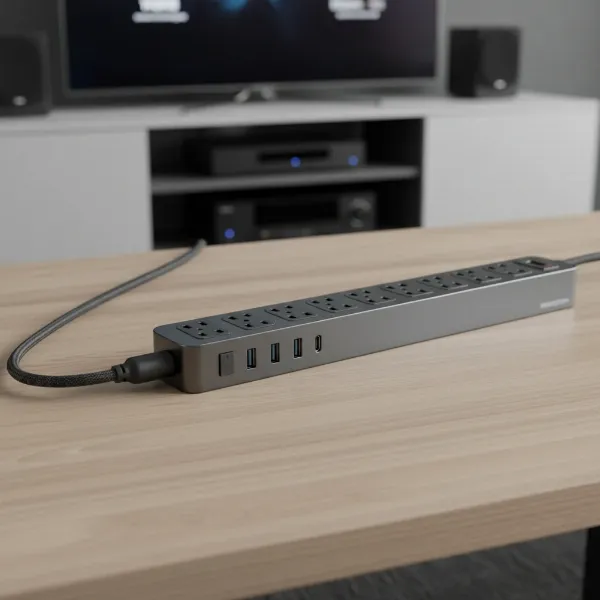
A power strip is a block of electrical sockets attached to a flexible cable, allowing you to power multiple AC-powered electrical devices from a single wall outlet. These devices are essential for environments where numerous electronics are in close proximity, such as home offices, entertainment centers, or workshops. The primary benefit of a power strip is its capacity to expand the availability of standard electrical outlets, making it convenient to plug in several appliances like televisions, computers, lamps, or kitchen gadgets simultaneously.
Power strips extend your power options, providing a centralized point for managing multiple device connections. They are particularly useful for high-power appliances that draw significant current, ensuring that all your essential electronics can be plugged in and ready for use. Beyond simple power expansion, many modern power strips incorporate crucial safety features, offering peace of mind when connecting valuable equipment.
[image-1|power-strip-multi-outlet|A multi-outlet power strip with various devices plugged in, highlighting its role in expanding electrical sockets.|
A realistic, eye-level shot of a modern white power strip with multiple AC outlets, several of which have different electronic device plugs (e.g., laptop charger, lamp, small appliance) neatly inserted. The background shows a subtle, blurred home office or living room setting with natural light, emphasizing convenience and organization. The style is clear and functional, suitable for an informational article.]
Common Types of Power Strips on the Market
The market offers a diverse range of power strips, each designed to meet specific needs and provide varying levels of functionality and protection. Identifying the right type ensures both optimal performance and enhanced safety for your connected devices.
Basic Power Strip
|
Our Picks for the Best Power strip in 2026
As an Amazon Associate I earn from qualifying purchases.
|
||
| Num | Product | Action |
|---|---|---|
| 1 | KMC 6-Outlet Surge Protector Power Strip 2-Pack, 900 Joules, 4-Foot Extension Cord, Overload Protection, Black |

|
| 2 | Belkin 12-Outlet Surge Protector Power Strip w/ 12 AC Outlets & 8ft Flat Plug, UL-Listed Heavy-Duty Extension Cord for Home, Office, Travel, Computer, Laptop, Charger - 3,940 Joules of Protection |
|
| 3 | Power Strip Surge Protector, Olcorife Ultra Thin Flat Plug Extension Cord 5ft, 6 Outlets 3 USB Ports(1 USB C), 3 Sided Outlet Extender for Home Office Travel Dorm Room Essentials, White |
|
| 4 | Anker Power Strip with 2100J Surge Protector, Outlet Extender, 5ft Extension Cord with Multiple Outlets, 12 AC, 2 USB A,1 USB C Port for 20W, Home Office, Dorm Room Essentials, TUV Listed |
|
| 5 | Power Strip, ALESTOR Surge Protector with 12 Outlets and 4 USB Ports, 6 Feet Extension Cord (1875W/15A), 2700 Joules, ETL Listed, Black |
|
| 6 | Wall Charger, Surge Protector, QINLIANF 5 Outlet Extender with 4 USB Charging Ports, 3-Sided 1680J Power Strip Multi Plug Adapter Spaced for Home Travel Office |
|
| 7 | 6Ft Power Strip Surge Protector - Yintar Extension Cord with 6 AC Outlets and 3 USB Ports for for Home, Office, Dorm Essentials, 1680 Joules, ETL Listed, (Black) |
|
| 8 | Surge Protector Power Strip - HANYCONY 8 Outlets 4 USB (2 USB C) Charging Ports, Multi Plug Outlet Extender, 5Ft Braided Extension Cord, Flat Plug Wall Mount Desk Charging Station for Home Office ETL |
|
| 9 | Surge Protector Power Strip - Nuetsa Flat Plug Extension Cord with 8 Outlets and 4 USB Ports, 6 Feet Power Cord (1625W/13A), 2700 Joules, ETL Listed, Black |
|
| 10 | 6 Ft Surge Protector Power Strip - 8 Widely Outlets with 4 USB Ports, 3 Side Outlet Extender with 6 Feet Extension Cord, Flat Plug, Wall Mount, Desk USB Charging Station, ETL,White |
|
A basic power strip primarily serves to multiply available electrical outlets, converting a single wall socket into several. These strips are ideal for connecting low-demand devices such as lamps, phone chargers, or small fans that do not require specialized protection against power fluctuations. They are typically the most affordable option, providing simple power distribution without advanced features.
Surge Protector
Surge protectors are a type of power strip engineered to safeguard electronic devices from voltage spikes caused by lightning strikes, power outages, or other electrical disturbances. They accomplish this by diverting excess voltage away from sensitive electronics, preventing potential damage. These are indispensable for protecting valuable equipment like computers, televisions, and gaming consoles.
Smart Power Strip
Smart power strips elevate power management with advanced features such as Wi-Fi connectivity, individual outlet control, and scheduling capabilities, often manageable via a smartphone app or voice assistant. They enhance energy efficiency by allowing users to remotely turn off idle devices, reducing standby power consumption. Some models even monitor energy usage, providing insights into your electricity consumption.
USB Power Strip
Combining traditional AC outlets with integrated USB charging ports, USB power strips offer a versatile solution for modern households. These strips allow you to charge smartphones, tablets, smartwatches, and other USB-powered gadgets directly, eliminating the need for bulky wall adapters. They are particularly convenient for cluttered desks or nightstands, streamlining your charging setup.
Travel Power Strip
Designed for portability, travel power strips are compact and lightweight, often featuring multiple outlets and USB ports in a small form factor. Many include universal plug adapters, making them suitable for international travel. Their primary benefit is providing convenient power access for multiple devices while on the go, ensuring you stay connected no matter where you are.
What are USB Hubs and Why Do You Need One?
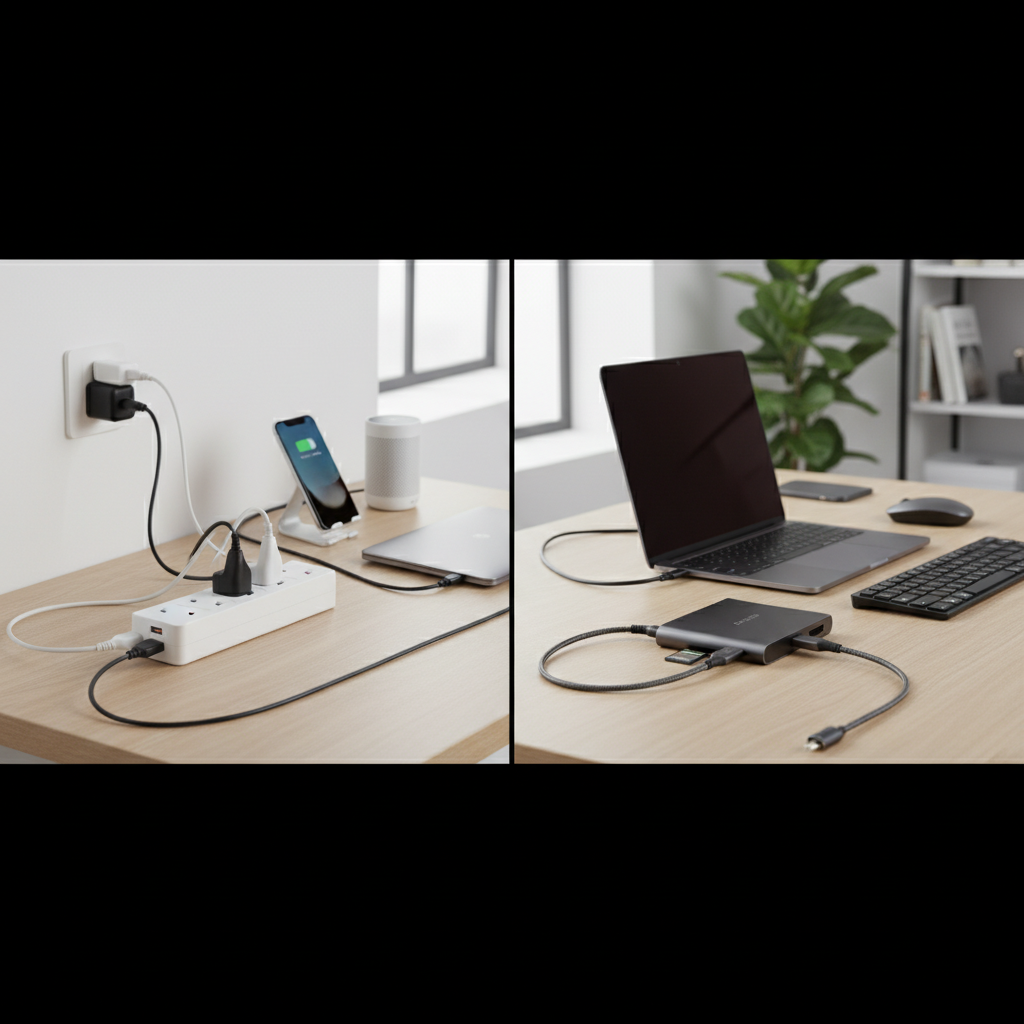
A USB hub is a device that expands a single USB port on a computer or other host device into multiple ports, allowing you to connect several USB peripherals simultaneously. Think of it as a power strip specifically for USB connections, facilitating both data transfer and device charging. USB hubs are essential for users whose computers have a limited number of USB ports, providing the necessary expansion for external hard drives, keyboards, mice, printers, webcams, and other peripherals.
These hubs are crucial for maintaining an organized and functional workspace, especially with modern laptops that often come with fewer built-in ports. They enable you to use all your USB devices at once, preventing the constant plugging and unplugging that can lead to wear and tear on your computer’s ports. With a USB hub, you can streamline your connections and manage a multitude of USB-powered devices efficiently.
[image-2|usb-hub-multiple-devices|A compact USB hub with multiple USB devices connected, illustrating data and power expansion.|
A close-up, slightly elevated shot of a modern, sleek USB hub (e.g., silver or black finish) with several USB-A and USB-C devices plugged into its ports. Examples of connected devices include a flash drive, an external SSD, a keyboard cable, and a mouse cable. The background is a clean, minimalist desk setup, suggesting seamless integration into a modern workstation. The style is crisp and professional.]
Common Types of USB Hubs on the Market
USB hubs come in various configurations, each offering different capabilities in terms of power delivery and data transfer. Understanding these types helps in selecting a hub that best suits your devices and usage patterns.
Unpowered (Bus-Powered) USB Hub
Unpowered, or bus-powered, USB hubs draw all their operational power directly from the host computer’s USB port. These hubs are typically compact and highly portable, making them ideal for travel or minimal setups where external power sources are impractical. However, they can only supply a limited amount of power, making them best suited for low-power devices like keyboards, mice, flash drives, or small cameras. Connecting too many power-hungry devices can lead to unreliable performance or device disconnections.
Powered (Self-Powered) USB Hub
Powered, or self-powered, USB hubs come with their own dedicated AC power adapter, plugging directly into a wall outlet. This independent power supply allows them to deliver consistent and sufficient power to all connected devices, regardless of the host computer’s power output. They are the preferred choice for connecting high-power devices such as external hard drives, printers, scanners, or multiple charging devices, ensuring stable operation and faster charging speeds.
USB-C Hubs
USB-C hubs are specifically designed to connect with computers featuring the versatile USB-C port, which supports power, data, and even video signals. These hubs often feature a combination of USB-A, USB-C, HDMI, Ethernet, and SD card reader ports, transforming a single USB-C connection into a multi-functional docking solution. They are particularly popular with newer laptops and tablets that rely heavily on USB-C connectivity.
Docking Stations
While more advanced than a typical USB hub, docking stations represent an evolution of the concept, often connecting via a single USB-C or Thunderbolt port. They provide a comprehensive suite of ports, including multiple USB-A and USB-C, Ethernet, HDMI/DisplayPort, audio jacks, and sometimes even power delivery to the laptop. Docking stations are ideal for creating a full desktop experience with a laptop, managing multiple monitors, peripherals, and network connections through one central device.
Comparing Power Strips and USB Hubs: A Detailed Look
Power strips and USB hubs, while both expanding connectivity, operate on fundamentally different principles and cater to distinct needs. The table below highlights their core differences.
| Feature | Power Strip | USB Hub |
|---|---|---|
| Primary Function | Distributes AC power to multiple electrical devices | Expands USB ports for data transfer and device charging |
| Power Delivery | High AC voltage (e.g., 120V/240V) for appliances | Low DC voltage (e.g., 5V) for USB devices |
| Data Transfer | No | Yes (for connected USB devices) |
| Outlet/Port Type | Standard AC electrical sockets | USB-A, USB-C, sometimes Ethernet/HDMI |
| Protection | Often includes surge and overload protection | Some powered hubs offer surge protection for USB devices |
| Typical Devices | TVs, computers, lamps, refrigerators, power tools | Keyboards, mice, external drives, phones, cameras, printers |
“The fundamental distinction lies in their energy currency: power strips handle robust AC current for appliances, while USB hubs are engineered for the lower DC voltage and intricate data signals of modern peripherals.” – Alex Chen, Electrical Engineering Analyst
Choosing the Right Device: Power Strip, USB Hub, or Both?
Selecting between a power strip and a USB hub, or determining if you need both, depends entirely on your specific requirements. A thoughtful assessment of your devices and environment will guide your decision.
Determine Usage Needs
Consider what you primarily need to connect. If you have multiple high-power electrical appliances like desktop computers, monitors, or kitchen equipment, a power strip with AC outlets is essential. For devices that connect via USB for data transfer or charging, such as external hard drives, smartphones, or gaming accessories, a USB hub is the correct choice. Many modern setups benefit from having both: a power strip for AC devices and a USB hub for data and low-power charging.
Technical Factors to Consider
When choosing a power strip, pay attention to its maximum wattage/amperage capacity, ensuring it can safely handle the combined load of your devices. For surge protectors, look for a high Joules rating for better protection. For USB hubs, consider the USB version (2.0, 3.0, 3.2, USB-C) for desired data transfer speeds and whether you need a powered hub for high-demand USB devices. Always check for safety certifications like UL, CSA, or ETL.
Brands and Pricing
Reputable brands often signify better quality, safety, and durability for both power strips and USB hubs. While budget-friendly options exist, investing in a slightly more expensive, certified product can prevent damage to your valuable electronics. Research brands known for reliability in power accessories (e.g., Anker, Belkin, APC for power strips; Anker, Satechi, Plugable for USB hubs) and compare features against their price points.
User Reviews and Expert Opinions
Before making a purchase, read user reviews on e-commerce platforms and tech forums to gauge real-world performance and potential issues. Expert reviews from technology websites or consumer advocacy groups can provide in-depth analysis and comparative insights. These resources offer valuable perspectives that can help you avoid common pitfalls and select a device that aligns with your expectations.
Safe Usage and Maintenance of Power Strips and USB Hubs
Ensuring the safe operation and longevity of your power strips and USB hubs requires adherence to best practices. Improper use can lead to overheating, electrical hazards, or damage to your devices.
For power strips, always ensure the total wattage of connected devices does not exceed the strip’s maximum capacity to prevent overload. Avoid “daisy-chaining,” which means plugging one power strip into another, as this significantly increases the risk of fire. Use power strips indoors only and keep them uncovered to allow for proper heat dissipation. Regularly inspect cords for fraying or damage and replace any compromised units immediately. Always plug a power strip directly into a wall outlet, never into an extension cord.
When using USB hubs, especially unpowered ones, be mindful of the power draw of connected devices. Avoid overburdening the hub with too many high-power peripherals, as this can lead to instability or data loss. For devices like external hard drives or charging multiple smartphones, a powered USB hub is generally safer and more reliable. Ensure your USB hub is compatible with your laptop’s port type and operating system to prevent data transfer issues. For both devices, choosing products certified by recognized safety laboratories (e.g., UL, CE) is paramount for peace of mind. Regular, light cleaning to remove dust can also prevent buildup that might impede cooling.
Conclusion
Power strips and USB hubs, though frequently confused, are distinct tools designed to address different aspects of modern device management. Power strips are indispensable for expanding AC electrical outlets, often incorporating crucial surge protection for high-power appliances. Conversely, USB hubs are vital for multiplying USB ports, enabling both data transfer and charging for a range of USB-powered devices. The optimal choice, or indeed the necessity of both, hinges on your specific power and connectivity needs. By understanding their core differences and adhering to safety guidelines, you can ensure your electronic ecosystem remains efficient, organized, and secure.
What challenges do you face most often when trying to manage your myriad of electronic devices?
Frequently Asked Questions
Can a USB hub replace a power strip for charging?
No, a USB hub cannot fully replace a power strip for charging. While many USB hubs, especially powered ones, can charge smartphones, tablets, and other low-power USB devices, they cannot provide the high AC voltage required by larger appliances like laptops, monitors, or kitchen electronics. A power strip with AC outlets is essential for these devices.
Is it safe to plug a power strip into a USB hub?
No, it is generally not safe, or even possible, to plug a traditional power strip into a USB hub. Power strips require a standard AC electrical outlet for input, while USB hubs connect to a computer’s USB port. There are specialized “USB power strips” that combine AC outlets with USB charging ports, but these are integrated units designed to be plugged directly into a wall outlet.
Can I use a power strip with USB ports for data transfer?
A power strip with integrated USB charging ports is primarily designed for power delivery, allowing you to charge USB devices without needing an adapter. These USB ports typically do not support data transfer functionality. For data transfer between USB devices and a computer, you would need a dedicated USB hub or a USB port directly on your computer.