In a world increasingly powered by a myriad of gadgets, from the smartphones in our pockets to the smart home devices that anticipate our needs, the humble power strip has evolved into an indispensable tool. Yet, for many, it remains an overlooked essential, a simple way to expand a single wall outlet into several. But what if a power strip could do more than just provide extra sockets? What if it could offer advanced protection, intelligent control, and unparalleled convenience, fundamentally transforming how you manage your electronic ecosystem? This review delves into why modern power strips, particularly those incorporating innovative features, are earning high praise and becoming a beloved necessity in contemporary homes and offices.
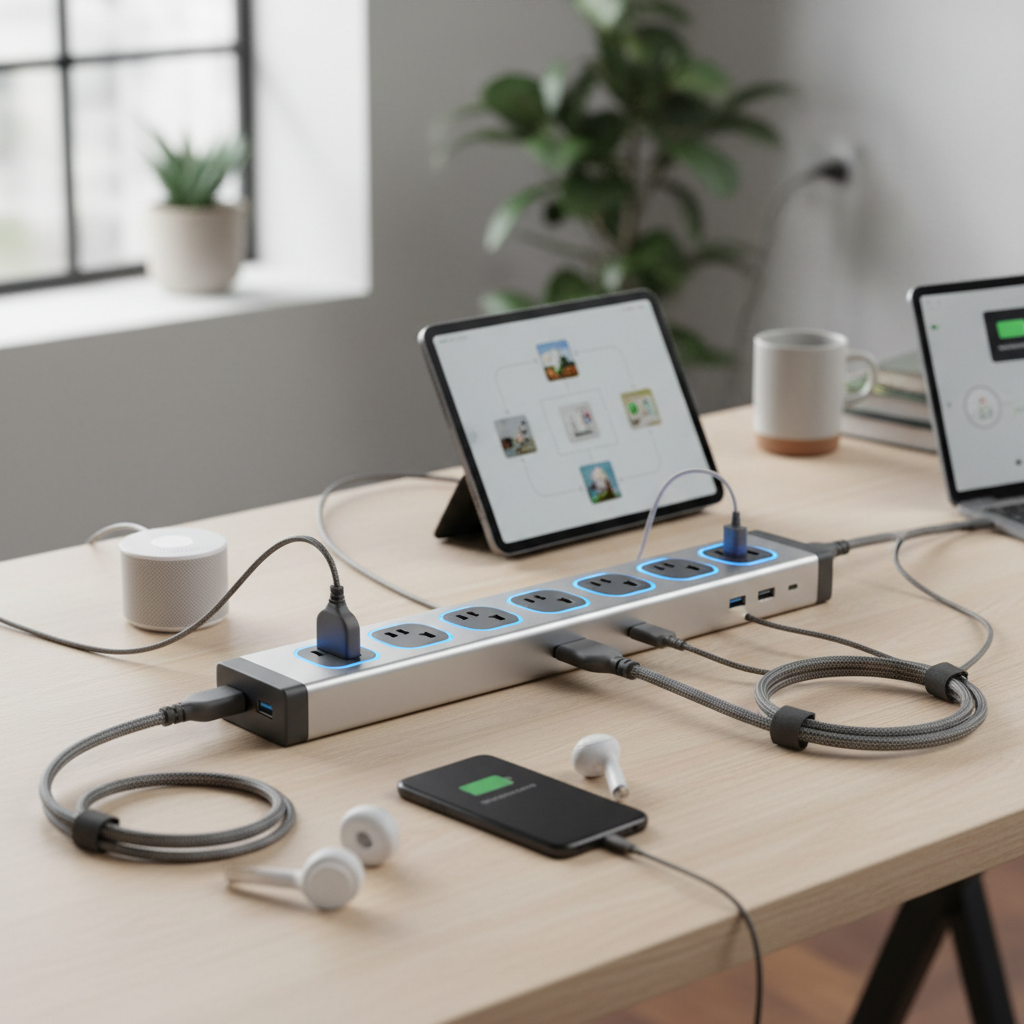
What is a Power Strip and Why You Need One?
A power strip, often referred to as a multi-socket outlet or power board, is a device equipped with multiple electrical sockets at the end of a flexible cable, designed to plug into a single wall outlet. Its primary function is to expand the number of available electrical connections, making it easier to power numerous devices simultaneously in locations with limited wall outlets. However, the utility of a power strip extends far beyond mere expansion.
Modern power strips are crucial for safe and efficient power management in our increasingly tech-dependent lives. They address the common problem of insufficient outlets, allowing users to connect everything from laptops, monitors, and printers to gaming consoles, smart TVs, and charging hubs. Beyond simple power distribution, advanced power strips incorporate features like individual switches for each outlet, USB charging ports, and even smart capabilities. Without a well-chosen power strip, users might resort to overloading wall outlets or “daisy-chaining” multiple strips, both of which pose significant fire and electrical hazard risks. The right power strip not only organizes your setup but also safeguards your valuable electronics from potential electrical damage.
Common Types of Power Strips Available Today
The market for power strips is diverse, offering specialized solutions for nearly every need. Understanding the distinctions between them is key to making an informed choice that protects your devices and optimizes your power usage. Each type caters to specific applications, blending functionality with safety.
Basic Power Strip
As the name suggests, a basic power strip offers several additional AC outlets without incorporating any advanced protection features or smart capabilities. These are essentially glorified extension cords with multiple sockets.
- Description: Typically a simple plastic casing with multiple three-prong outlets and a single on/off switch for the entire strip.
- Pros: Affordable, provides more outlets. Suitable for powering non-sensitive, low-demand devices like lamps, phone chargers (with their own adapters), or simple appliances that don’t require surge protection.
- Cons: Offers no protection against power surges, voltage spikes, or electrical fluctuations. Connecting sensitive electronics can be risky.
- Suitable Applications: Temporary setups, powering basic lights, charging non-valuable devices that have built-in overcharge protection.
|
Our Picks for the Best Power strip in 2026
As an Amazon Associate I earn from qualifying purchases.
|
||
| Num | Product | Action |
|---|---|---|
| 1 | 6 Ft Surge Protector Power Strip - 8 Widely Outlets with 4 USB Ports, 3 Side Outlet Extender with 6 Feet Extension Cord, Flat Plug, Wall Mount, Desk USB Charging Station, ETL,White |

|
| 2 | Anker Power Strip with 2100J Surge Protector, Outlet Extender, 5ft Extension Cord with Multiple Outlets, 12 AC, 2 USB A,1 USB C Port for 20W, Home Office, Dorm Room Essentials, TUV Listed |
|
| 3 | 6Ft Power Strip Surge Protector - Yintar Extension Cord with 6 AC Outlets and 3 USB Ports for for Home, Office, Dorm Essentials, 1680 Joules, ETL Listed, (Black) |
|
| 4 | Surge Protector Power Strip - Nuetsa Flat Plug Extension Cord with 8 Outlets and 4 USB Ports, 6 Feet Power Cord (1625W/13A), 2700 Joules, ETL Listed, Black |
|
| 5 | Wall Charger, Surge Protector, QINLIANF 5 Outlet Extender with 4 USB Charging Ports, 3-Sided 1680J Power Strip Multi Plug Adapter Spaced for Home Travel Office |
|
| 6 | KMC 6-Outlet Surge Protector Power Strip 2-Pack, 900 Joules, 4-Foot Extension Cord, Overload Protection, Black |
|
| 7 | Surge Protector Power Strip - HANYCONY 8 Outlets 4 USB (2 USB C) Charging Ports, Multi Plug Outlet Extender, 5Ft Braided Extension Cord, Flat Plug Wall Mount Desk Charging Station for Home Office ETL |
|
| 8 | Power Strip, ALESTOR Surge Protector with 12 Outlets and 4 USB Ports, 6 Feet Extension Cord (1875W/15A), 2700 Joules, ETL Listed, Black |
|
| 9 | Power Strip Surge Protector, Olcorife Ultra Thin Flat Plug Extension Cord 5ft, 6 Outlets 3 USB Ports(1 USB C), 3 Sided Outlet Extender for Home Office Travel Dorm Room Essentials, White |
|
| 10 | Belkin 12-Outlet Surge Protector Power Strip w/ 12 AC Outlets & 8ft Flat Plug, UL-Listed Heavy-Duty Extension Cord for Home, Office, Travel, Computer, Laptop, Charger - 3,940 Joules of Protection |
|
Surge Protector Power Strip
A critical upgrade from basic models, surge protectors are designed to shield your electronic devices from sudden, dangerous spikes in electrical voltage. These spikes can occur due to lightning strikes, power outages, or the operation of large appliances.
- Description: Looks similar to a basic power strip but contains internal components, typically Metal Oxide Varistors (MOVs), that divert excess voltage away from connected devices to the ground wire. They usually feature a Joule rating, indicating the amount of energy they can absorb, and often include indicator lights to show if surge protection is active and if the strip is grounded.
- Pros: Essential protection for expensive and sensitive electronics (computers, TVs, gaming consoles, home theater systems). Prevents data loss and hardware damage.
- Cons: MOVs degrade over time, especially after absorbing multiple surges, eventually losing their protective capacity. They should be replaced every 3-5 years or after a significant power event.
- Suitable Applications: Home offices, entertainment centers, kitchens with high-value appliances, or any area with sensitive electronics.
Smart Power Strip
Bringing power management into the connected age, smart power strips integrate with your smart home ecosystem, offering unparalleled control and energy efficiency.
- Description: Features wireless connectivity (Wi-Fi, Zigbee, or Z-Wave), allowing individual or group control of outlets via a smartphone app, voice commands (e.g., Google Assistant, Amazon Alexa), or scheduled routines. Many include energy monitoring, remote access, and surge protection.
- Pros: Energy saving by cutting phantom power drain (devices drawing electricity when off), convenience through remote control and automation, enhanced safety with scheduling and overload protection, and potential for cost savings on electricity bills. Can extend the lifespan of electronics by reducing constant power consumption.
- Cons: Higher initial cost, requires a stable Wi-Fi connection or smart hub, compatibility issues with some smart home platforms.
- Suitable Applications: Tech-savvy homes, home offices looking to reduce energy consumption, setting up automated routines for lights or appliances, preventing energy vampires.
USB Power Strip
Designed for the modern age of portable electronics, USB power strips combine traditional AC outlets with integrated USB charging ports, streamlining your charging setup.
- Description: Features standard AC outlets alongside multiple USB-A and often USB-C ports (sometimes with Power Delivery for faster charging). This eliminates the need for bulky wall adapters for each USB-powered device.
- Pros: Ultimate convenience for charging multiple devices simultaneously (smartphones, tablets, smartwatches, earbuds), reduces cable clutter, frees up AC outlets, and many models include fast-charging technologies. Often comes with built-in surge and overload protection.
- Cons: USB ports might not provide sufficient power for all high-demand USB-C devices (e.g., some laptops unless specifically designed with high wattage PD).
- Suitable Applications: Desktops, bedside tables, living rooms, travel, or any area where multiple USB-powered devices are frequently charged.
[image-1|modern-power-strip-types|An illustration showing various modern power strip types: basic, surge protector, smart, USB, and travel, with distinguishing features highlighted|
A vibrant, illustrative infographic showcasing five distinct types of power strips: a basic white strip, a robust black surge protector with indicator lights, a sleek smart power strip with Wi-Fi symbols, a multi-colored USB power strip with different port types, and a compact travel adapter. Each strip is clearly labeled, against a clean, modern background with subtle electrical current motifs, viewed from a slightly elevated, dynamic angle with soft, even lighting in an editorial style.]
Travel Power Strip
Crafted for globetrotters and mobile professionals, travel power strips offer a compact solution for powering devices on the go, often with international compatibility.
- Description: Characterized by a compact, lightweight design, sometimes with a flat plug or retractable cord for easy packing. Many include multiple AC outlets and USB ports. Crucially, some are designed for dual voltage (110V-250V) to be used with a single plug adapter abroad, though specific surge protection features should be carefully checked.
- Pros: Portability, reduces the need for multiple bulky adapters, provides multiple outlets in hotel rooms or cafes, often includes USB charging.
- Cons: Not all travel power strips include surge protection, and some surge protectors may not be compatible with international voltages (check specifications carefully to avoid damage to the power strip or devices). Cord length can be a trade-off between reach and portability.
- Suitable Applications: International travel, cruise ships, dorm rooms, mobile offices, presentations, or anyone needing portable power.
Comparative Table of Power Strip Types
Choosing the right power strip can be simplified by comparing their core attributes. This table highlights the key differences across the most common types, making it easier to match a product to your specific needs.
| Feature | Basic Power Strip | Surge Protector | Smart Power Strip | USB Power Strip | Travel Power Strip |
|---|---|---|---|---|---|
| Primary Function | Outlet Expansion | Surge Protection | Smart Control & Efficiency | Multi-device Charging | Portable Outlet Expansion |
| Protection | None | High (Joules rated) | High (Joules rated) | Moderate (often included) | Varies, often none or basic |
| Connectivity | N/A | N/A | Wi-Fi, Zigbee, Z-Wave | USB-A, USB-C | USB-A, USB-C (optional) |
| Control | Master On/Off switch | Master On/Off switch | App, Voice, Schedules | Master On/Off switch | Master On/Off switch |
| Energy Monitoring | No | No | Yes (often) | No | No |
| Ideal Use | Low-demand, temporary | Sensitive electronics | Smart homes, energy saving | Modern gadgets, declutter | On-the-go, international |
| Price Range | Low | Medium | High | Medium | Medium |
| Key Advantage | Cost-effective | Safeguards expensive gear | Automation, efficiency | Convenience, less clutter | Portability, adaptability |
How to Choose the Right Power Strip for Your Needs (Buying Guide)
Selecting the ideal power strip involves more than just counting outlets. It requires careful consideration of your specific power demands, the devices you intend to connect, and the environment in which the strip will be used. A well-chosen power strip is an investment in both convenience and safety.
1. Determine Your Usage Needs
Before anything else, assess what you’ll be plugging in. This foundational step guides all subsequent decisions.
- Number of Outlets Needed: Count all the devices you currently need to power, and consider any future additions. It’s often wise to choose a strip with a couple more outlets than you think you need.
- Type of Devices: Are you powering high-wattage appliances (e.g., heaters, refrigerators, microwaves), sensitive electronics (computers, TVs), or just low-draw chargers and lamps? High-wattage devices should ideally plug directly into a wall outlet, or into a heavy-duty power strip specifically rated for them, never a standard one.
- Placement: Where will the power strip be located? Behind furniture, on a desk, or in a workshop? This affects cord length and outlet orientation (e.g., pivot-plug designs or flat plugs are great for tight spaces).
2. Key Technical Factors to Consider
Technical specifications are paramount for safety and optimal performance. Overlooking these can lead to device damage or hazardous situations.
- Maximum Wattage/Amperage Capacity: Every power strip has a maximum load capacity, typically 1800-2400 watts for standard strips. Sum the wattage of all devices you plan to connect. If the total exceeds the strip’s rating, it can overheat, trip breakers, or cause fires. Always choose a strip with a capacity comfortably above your estimated total.
- Surge Protection (Joules Rating): For sensitive electronics, a surge protector is non-negotiable. The Joule rating indicates how much energy the strip can absorb before failing. Higher joule ratings (e.g., 2000-4000 Joules) offer superior protection for high-value devices. Look for UL 1449 certification, indicating it meets safety standards for surge protection.
- Safety Standards and Certifications: Always ensure the power strip is certified by recognized laboratories like UL (Underwriters Laboratories) or ETL (Intertek). These certifications confirm the product meets rigorous safety standards, reducing the risk of electrical shock or fire. Flame-retardant materials and built-in circuit breakers for overload protection are also vital features.
- Cord Length: Choose a cord long enough to reach your wall outlet comfortably without being taut or requiring an extension cord (avoid “daisy-chaining”). Long cords also offer flexibility, but excessive length can be cumbersome.
- Outlet Spacing and Orientation: Some power strips have widely spaced or pivoting outlets, which are excellent for accommodating bulky power adapters without blocking adjacent sockets.
3. Brands, Pricing, and User Reviews
The reputation of the manufacturer and feedback from other users can provide invaluable insights into product quality and reliability.
- Reputable Brands: Brands like Anker, Belkin, Tripp Lite, APC, TP-Link (Kasa Smart), and DeWalt are well-regarded for producing high-quality and safe power strips. Investing in a trusted brand often translates to better durability and effective safety features.
- Price vs. Features: While basic power strips are inexpensive, those with surge protection, USB ports, or smart features will cost more. Consider this an investment in protecting your devices and enhancing your experience. Avoid opting for the cheapest option, especially for valuable electronics, as quality often correlates with safety and performance.
- User Reviews and Expert Opinions: Before purchasing, check online reviews and ratings from other users and tech experts. These can reveal real-world performance, durability issues, or unique benefits not immediately apparent from product descriptions.
4. Special Features to Enhance Utility
Modern power strips come with a host of additional features that can significantly improve usability and safety.
- USB-A and USB-C Ports: Essential for charging modern mobile devices directly, reducing clutter. Look for Power Delivery (PD) on USB-C ports for faster charging of compatible laptops and tablets.
- Individual Outlet Switches: Allow you to turn off specific devices without unplugging them, saving energy and adding control.
- GFCI Protection: Ground Fault Circuit Interrupter outlets are crucial for power strips used in areas prone to moisture, such like kitchens, bathrooms, or outdoors, providing protection against electrical shock.
- Child Safety Covers: Integrated covers over unused outlets can prevent accidental contact with live sockets, a key safety feature for homes with young children.
Top Power Strip Trends We Love Today
While pinpointing a single “new model” as the ultimate favorite is challenging given the rapid pace of innovation, certain trends and categories of power strips are undeniably captivating users with their blend of cutting-edge features, robust protection, and enhanced convenience. These represent the evolution of power management into a smart, safer, and more integrated experience.
-
The Integrated Smart Hub Power Strip: These advanced models go beyond basic smart control, acting as central hubs for diverse electronic setups. They offer individually controlled outlets, comprehensive energy monitoring, and seamless integration with popular smart home ecosystems like Google Home, Amazon Alexa, and Apple HomeKit. Users love the ability to create complex schedules, automate device power, and monitor consumption from anywhere via a smartphone app. This not only saves energy by eliminating “vampire” drain but also adds a layer of intelligent control to everyday life. Imagine your desk setup powering down completely when you leave the house, or your entertainment system activating with a simple voice command.
-
High-Joule Surge Protectors with USB-C PD: For those with valuable electronics, the peace of mind offered by a high-Joule surge protector is paramount. What makes the “new model” of these protectors stand out is the inclusion of multiple USB-C Power Delivery (PD) ports alongside robust AC outlets. This means you can protect your high-end PC, monitor, and gaming console, while simultaneously fast-charging your laptop, tablet, and smartphone directly from the strip, all with superior surge protection (e.g., 2700-4320 Joules). The elimination of bulky wall adapters for USB-C devices, combined with top-tier safety, makes these highly desirable for modern workspaces and media centers.
-
Space-Saving Tower & Cube Designs: Traditional linear power strips can be cumbersome, especially when dealing with large power bricks. The “new models” in tower and cube form factors are revolutionizing space management. With outlets distributed vertically or on multiple sides, they maximize available sockets in a minimal footprint. These designs are particularly loved for their ability to reduce cable clutter in tight spaces, such as behind desks or entertainment units. Often, they incorporate both AC and USB ports, sometimes even USB-C, offering a comprehensive charging station that keeps things organized and accessible. The vertical design of tower strips, for instance, is highly praised for its efficiency.
-
Flat Plug & Pivot-Outlet Innovations: It’s often the small design details that make a significant difference. “New models” featuring flat plugs—which sit flush against the wall—are immensely popular for their ability to fit into tight spots, such as behind furniture or appliances, without bending cords. Coupled with pivot-outlet designs, which allow individual outlets to rotate, these strips offer unmatched flexibility in accommodating oversized adapters without blocking adjacent ports. This thoughtful design ensures every outlet is usable, a feature deeply appreciated by users tired of wrestling with bulky plugs.
These trends highlight a shift towards power strips that are not just functional, but also intelligent, protective, and seamlessly integrated into our increasingly connected lifestyles. The “new model” we love isn’t just one product; it’s the culmination of these innovations making power management safer, smarter, and simpler than ever before.
Safe Usage and Maintenance of Your Power Strip
Using power strips correctly is crucial to prevent electrical hazards such as overheating, short circuits, and fires. Even the most advanced power strip requires adherence to safety guidelines and regular maintenance to ensure its longevity and your peace of mind.
Guidelines for Safe Use
- Avoid Overloading: Never exceed the power strip’s maximum wattage or amperage rating. Each strip has a limit (e.g., 1800-2400 watts for typical household strips). Plugging in too many high-wattage devices simultaneously can cause overheating and trip circuit breakers, or worse, lead to a fire.
- Do Not Daisy-Chain: Never plug one power strip into another, or into an extension cord. This practice, known as “daisy-chaining,” significantly increases the risk of overloading the circuit and can lead to dangerous situations and void product warranties.
- High-Wattage Appliances: Avoid plugging high-power-consuming appliances like space heaters, toasters, microwave ovens, refrigerators, air conditioners, or power tools into standard power strips. These should ideally be plugged directly into a dedicated wall outlet.
- Proper Placement: Place power strips in well-ventilated areas, ensuring they are not covered by carpets, rugs, or furniture, which can trap heat and cause overheating. Keep them away from water, wet hands, and other moisture sources. Never run cords under carpets.
- Use Grounded Outlets: Always plug a power strip into a three-prong, grounded wall outlet. Never remove the ground prong from a power strip’s plug or use a three-to-two prong adapter, as this eliminates vital shock protection.
- Indoor vs. Outdoor Use: Use indoor power strips only indoors. If you need power outdoors, invest in a power strip specifically rated for outdoor use, which features enhanced insulation and protection against environmental elements like moisture and dust.
- Children and Pets: Keep power strips and cords out of reach of children and pets to prevent accidental contact or damage. Consider strips with child-safe outlet covers.
Care and Maintenance to Extend Lifespan
- Regular Inspection: Periodically inspect your power strips and their cords for any signs of damage, such as frayed wires, exposed conductors, loose connections, or discoloration. If a strip feels hot to the touch, unplug it immediately, reduce the electrical load, and consider replacing it.
- Unplug When Not in Use: When unplugging devices or the power strip itself, always pull on the plug head, not the cord. Pulling the cord can damage the internal wiring over time. For longer periods of disuse, unplug the power strip from the wall.
- Surge Protector Replacement: Remember that the surge protection components (MOVs) in surge protectors degrade over time and after absorbing electrical spikes. Experts recommend replacing surge protectors every three to five years, or immediately after a major power surge, even if the indicator light still shows “protected.”
- Cleanliness: Keep power strips clean and free of dust, which can accumulate in outlets and potentially cause electrical issues.
“Many people mistake a basic power strip for a surge protector because they look similar. However, a basic strip offers no protection whatsoever against voltage spikes. This misunderstanding can lead to costly damage to valuable electronics. Always check for a Joule rating and UL 1449 certification.” – Sarah Chen, Electrical Safety Expert
Conclusion
The journey through the world of power strips reveals a device that has evolved significantly beyond its rudimentary origins. From basic outlet expanders to sophisticated smart hubs, power strips are now central to managing our digital lives safely and efficiently. The “new model” we celebrate isn’t a single product, but rather the embodiment of innovation: intelligent control, robust surge protection, integrated USB-C charging, and clever space-saving designs. By understanding the different types, considering essential technical factors, and adhering to crucial safety guidelines, you empower yourself to make a choice that not only simplifies your power needs but also protects your valuable electronics for years to come.
As technology continues to advance, so too will the humble power strip. What new innovations do you anticipate seeing in power strip technology, and how will they further transform your daily power management?
Frequently Asked Questions
What is the primary difference between a power strip and a surge protector?
A power strip merely provides additional electrical outlets from a single wall socket. A surge protector, while also offering multiple outlets, includes internal components like MOVs (Metal Oxide Varistors) designed to divert excess voltage away from connected devices during power spikes, thus protecting them from damage. All surge protectors are power strips, but not all power strips are surge protectors.
How do I know if my power strip has surge protection?
Look for a Joule rating (e.g., 900J, 2100J, 4320J) printed on the power strip or its packaging. This rating indicates its capacity to absorb surge energy; a higher number means better protection. Additionally, most surge protectors will be explicitly labeled as such and often feature indicator lights for “Protected” and “Grounded” status.
Can I plug high-wattage appliances into any power strip?
No, it is highly unsafe to plug high-wattage appliances like space heaters, refrigerators, or air conditioners into standard power strips. These devices draw significant power, which can overload a typical power strip, leading to overheating, circuit breaker trips, and potential fire hazards. Always plug such appliances directly into a wall outlet.
How often should I replace my surge protector?
Surge protectors’ internal components degrade over time and with each power surge absorbed. It is generally recommended to replace surge protectors every three to five years. You should also replace one immediately after it has experienced a significant power surge, such as a lightning strike, even if its “protected” indicator light is still on.
Are smart power strips worth the extra cost?
Smart power strips offer advanced features like remote control, scheduling, and energy monitoring for individual outlets, often integrating with smart home systems. While more expensive, they can provide significant energy savings by eliminating phantom power draw, enhancing convenience through automation, and extending the life of electronics, often making them a worthwhile investment for tech-savvy users.
Is it safe to use a power strip abroad with just a plug adapter?
If the power strip does not have surge protection and is explicitly rated for dual voltage (e.g., 100-250V), you can use it with a single plug adapter to convert the physical plug type. However, many surge protectors are not dual-voltage compatible and could be damaged or create a hazard if plugged into a higher voltage supply (e.g., 220-250V in Europe from 110V in the US). Always check the power strip’s voltage rating carefully.